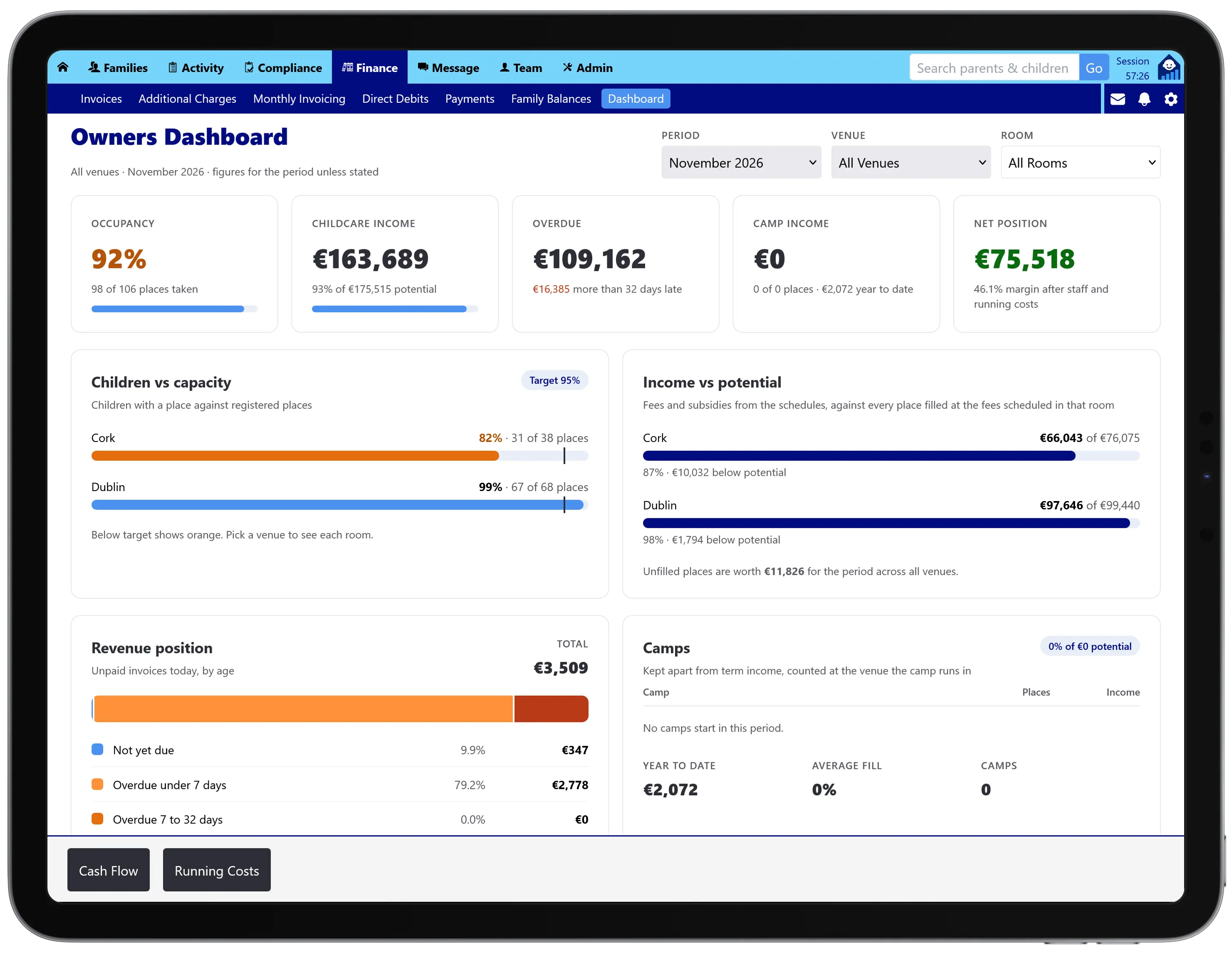
The Owners Dashboard shows how your childcare business is really doing. It puts occupancy, income and the fees you are owed beside what it costs to run each venue, so you can see the profit you make today, what full rooms would be worth, and where the money will be at the end of the school year.
For owners and managers of nurseries, Montessori schools, crèches and after-school services, from one venue to a group.
Most childcare software stops at the register and the invoice. The questions that decide whether a service survives are answered somewhere else, usually in a spreadsheet updated once a year: which rooms are paying their way, what an empty place is costing, and whether there will be enough in the bank in July.
Tot Tracker already knows your children, rooms, places, fee schedules and NCS and ECCE funding. The Owners Dashboard adds your running costs, so the answers are worked out from live data instead of last year’s accounts.
Choose a month or the year to date, then look at the whole business, one venue or one room:
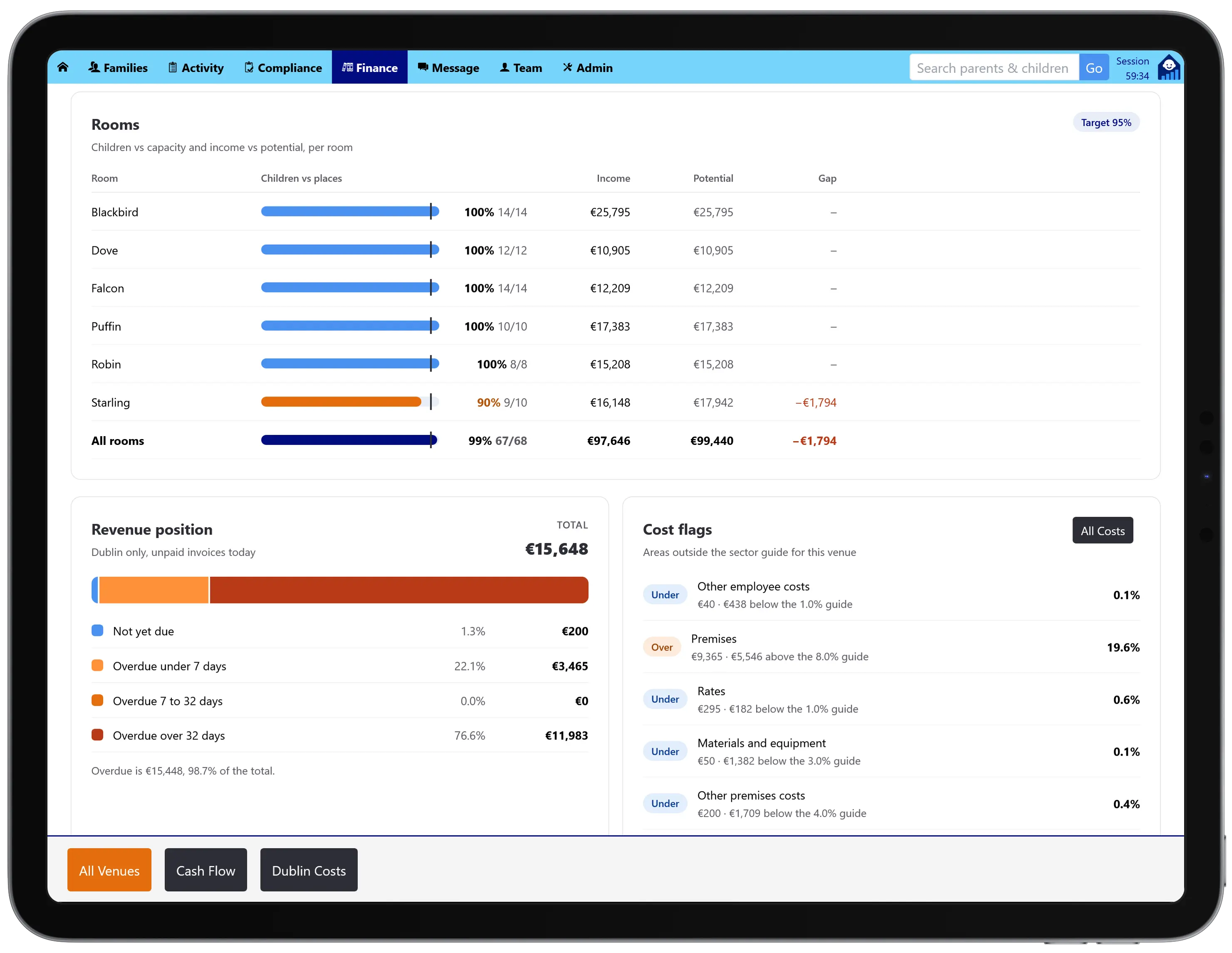
For each room, Tot Tracker compares the children you have with the places you are registered for, and the income they bring with what the room would earn full at its current fees. The gap is shown in euro, so “two spaces in Wobblers” becomes a number you can act on.
Venues below your occupancy target, 95% unless you change it, are highlighted, and the overview adds up what all your unfilled places are worth across the business.

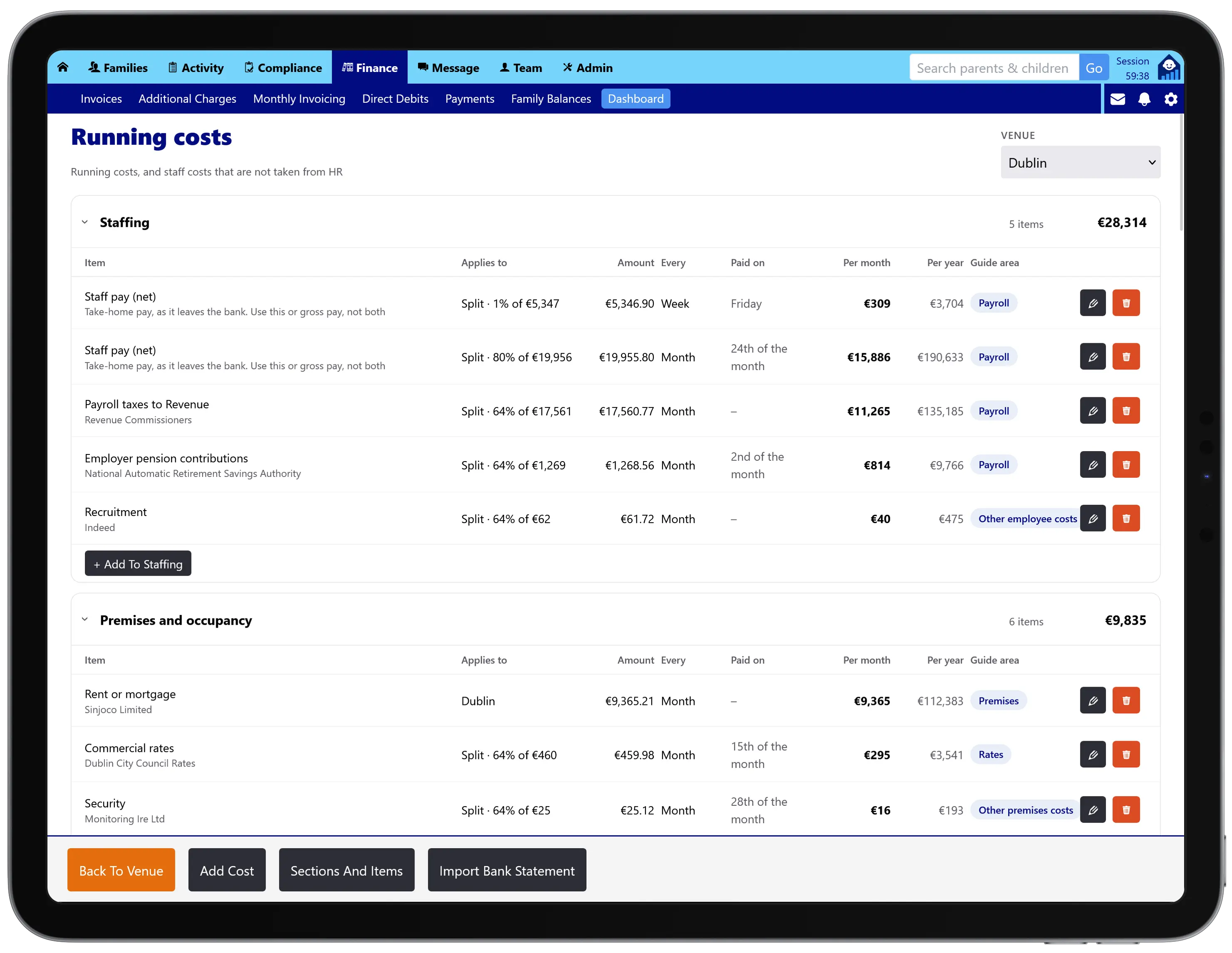
Costs are organised into the sections a childcare business actually has, from premises and utilities to food, insurance and compliance, and staffing. Over sixty items are set up for you with Irish detail such as Tusla registration, Garda vetting and employer PRSI, and you can add your own.
Each cost repeats on its own cycle (weekly, monthly, quarterly or yearly) with the day it is paid. A cost can belong to one venue, be shared between venues by registered places or by set amounts, or sit at business level, such as head office. Change an amount and the old one is kept in the history.

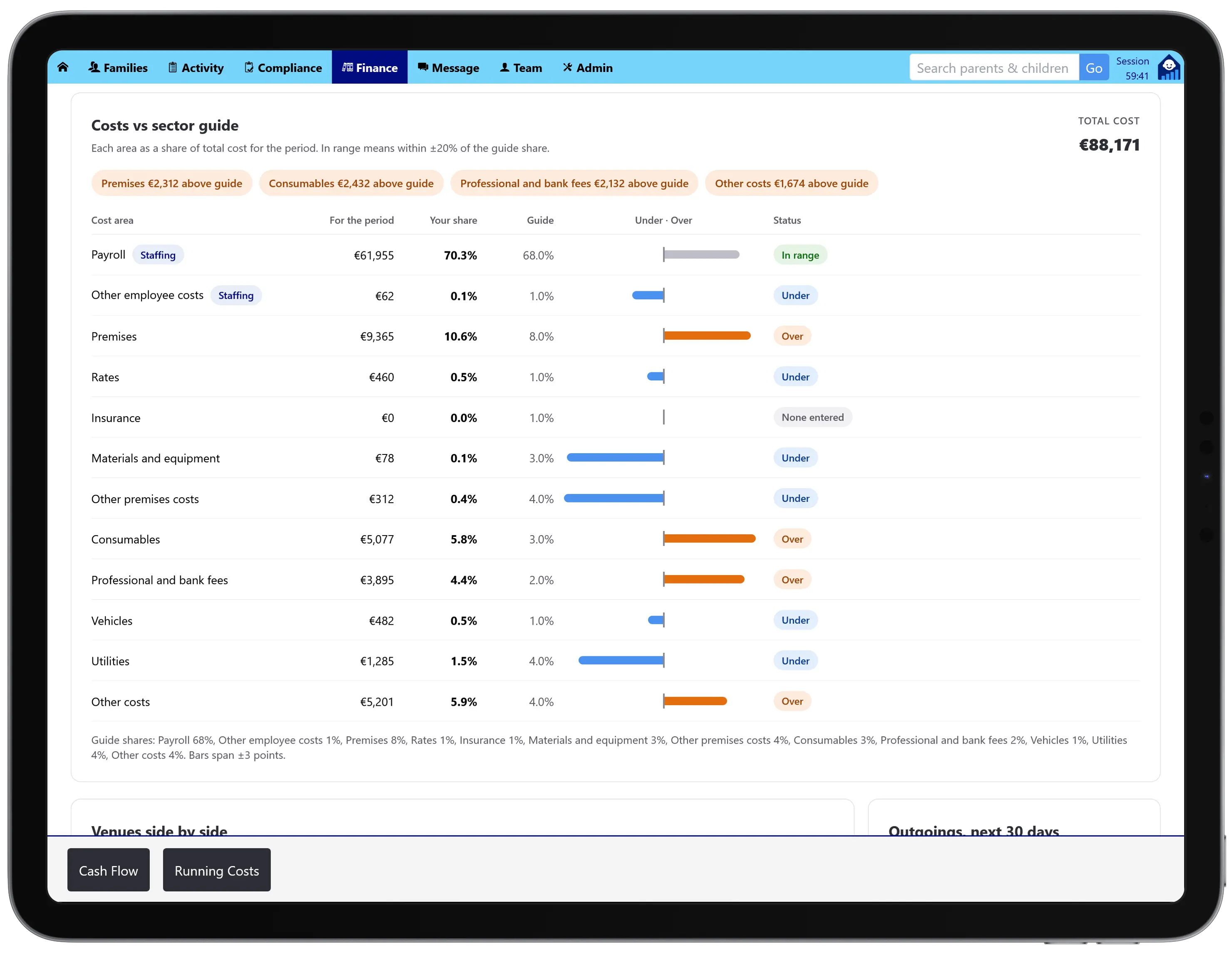
How does your spend compare with a typical Irish early years service? Tot Tracker shows each area’s share of your total costs, such as payroll, premises, materials or utilities, beside a guide share for the sector, and marks each one as in range, under or over.
It is a quick way to spot the area that is out of line before it shows up in the year-end accounts. The guide is a fixed typical profile, not live data from other services.

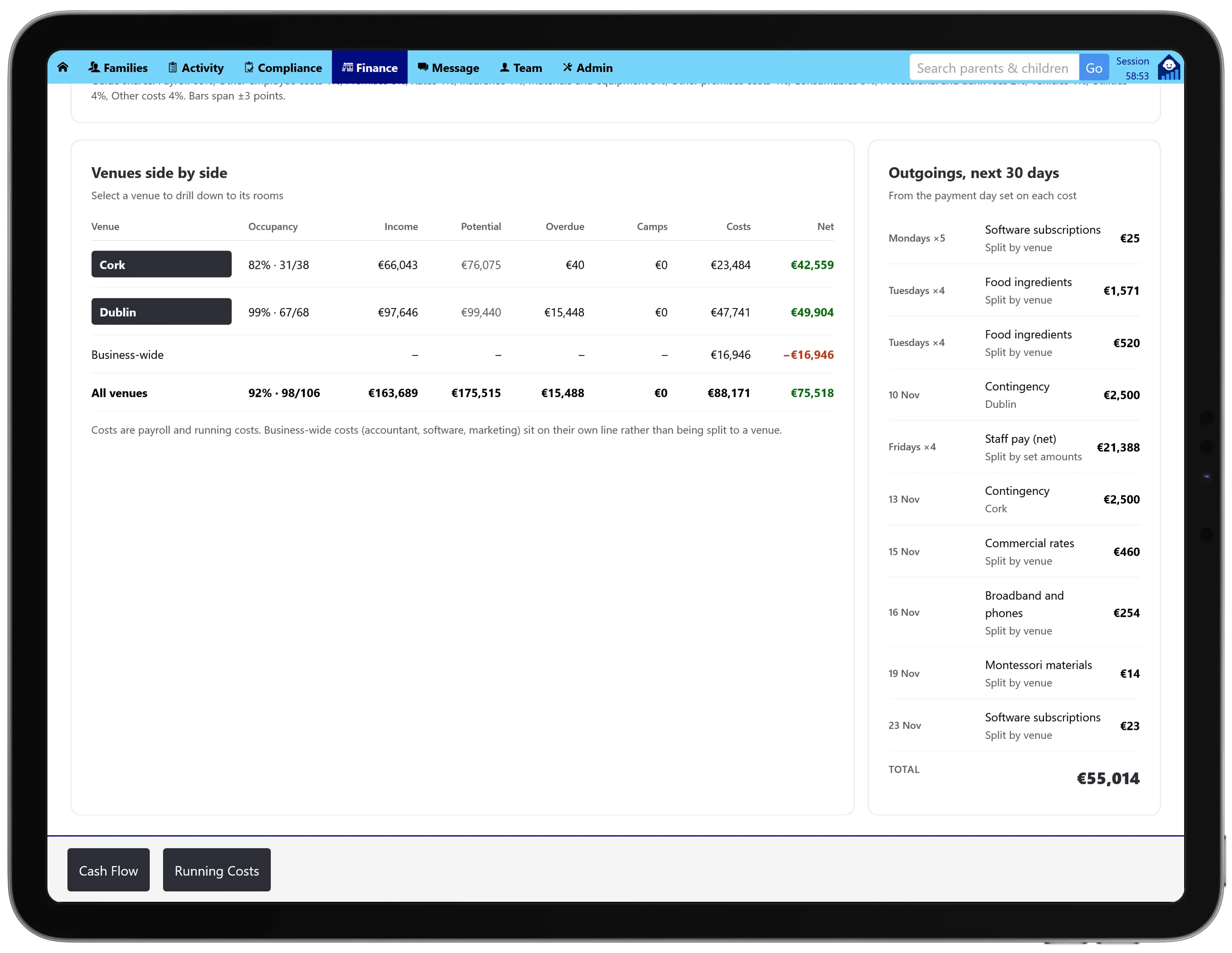
If you run more than one venue, see them in one table: occupancy, income, potential, overdue fees, camp income, costs and net position, with a total for all venues and a business-wide row for shared costs.
The venue that looks busiest is not always the one making money. Side by side, it is obvious which venue to fill, which to cost-cut, and which is carrying the others.

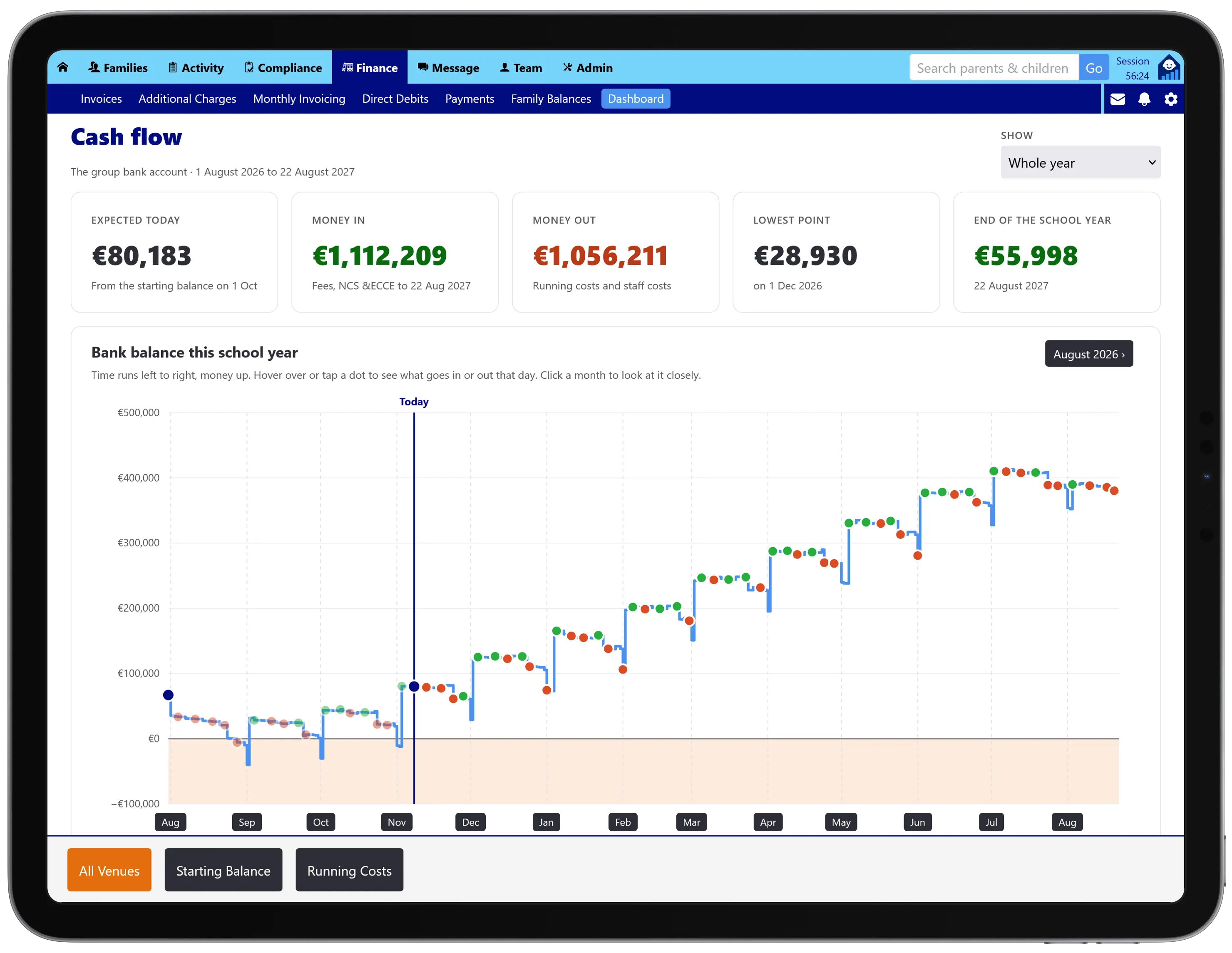
From your bank balance, Tot Tracker works forward through the year: parent fees from your fee schedules, NCS and ECCE payments as they arrive, and every cost on the day it is paid. You see what you expect to have today, what comes in and goes out, the lowest point and where you will finish the school year.
Zoom into any month to see the dip before it happens, not after. Banking can be tracked for the whole group or venue by venue.

You do not have to type in a year of bills. Upload a bank statement and Tot Tracker finds the payments that repeat, groups them by payee and suggests what each one is, such as the ESB as electricity or your insurer as insurance. You choose to add, update or skip each one, and nothing is saved until you say so. Payroll runs are recognised and shown without names, so you can split them across venues.
AIB statements are supported today. Bank of Ireland and Revolut are coming soon, not yet available.
The Owners Dashboard is included in every Tot Tracker plan at one per-child price. See Tot Tracker pricing or explore all features.
The fee schedules and payments behind every income figure.
See invoicing and payments →Funding hours that feed the cash flow forecast.
See NCS and ECCE →Fill the empty places the dashboard shows you.
See waiting lists →