The waiting list workflow
- Enquiry or applicationAdded by your team, or by the parent from your website.
- Application date recordedThe date sets each child's place in the queue.
- Queue and priorityWho has waited longest, with manual override when you need it.
- Sibling prioritySiblings of current children can move up automatically, where you configure it.
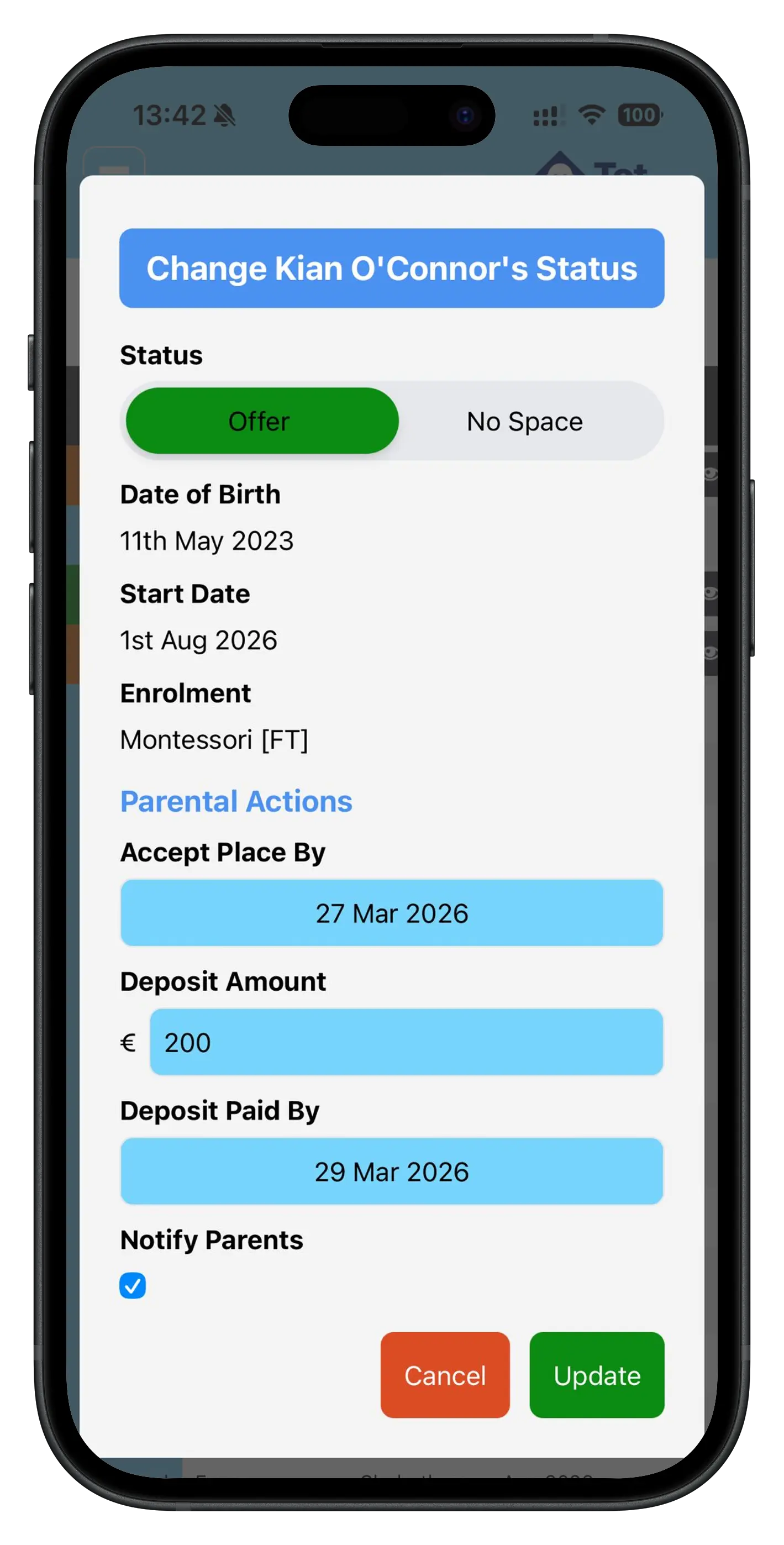
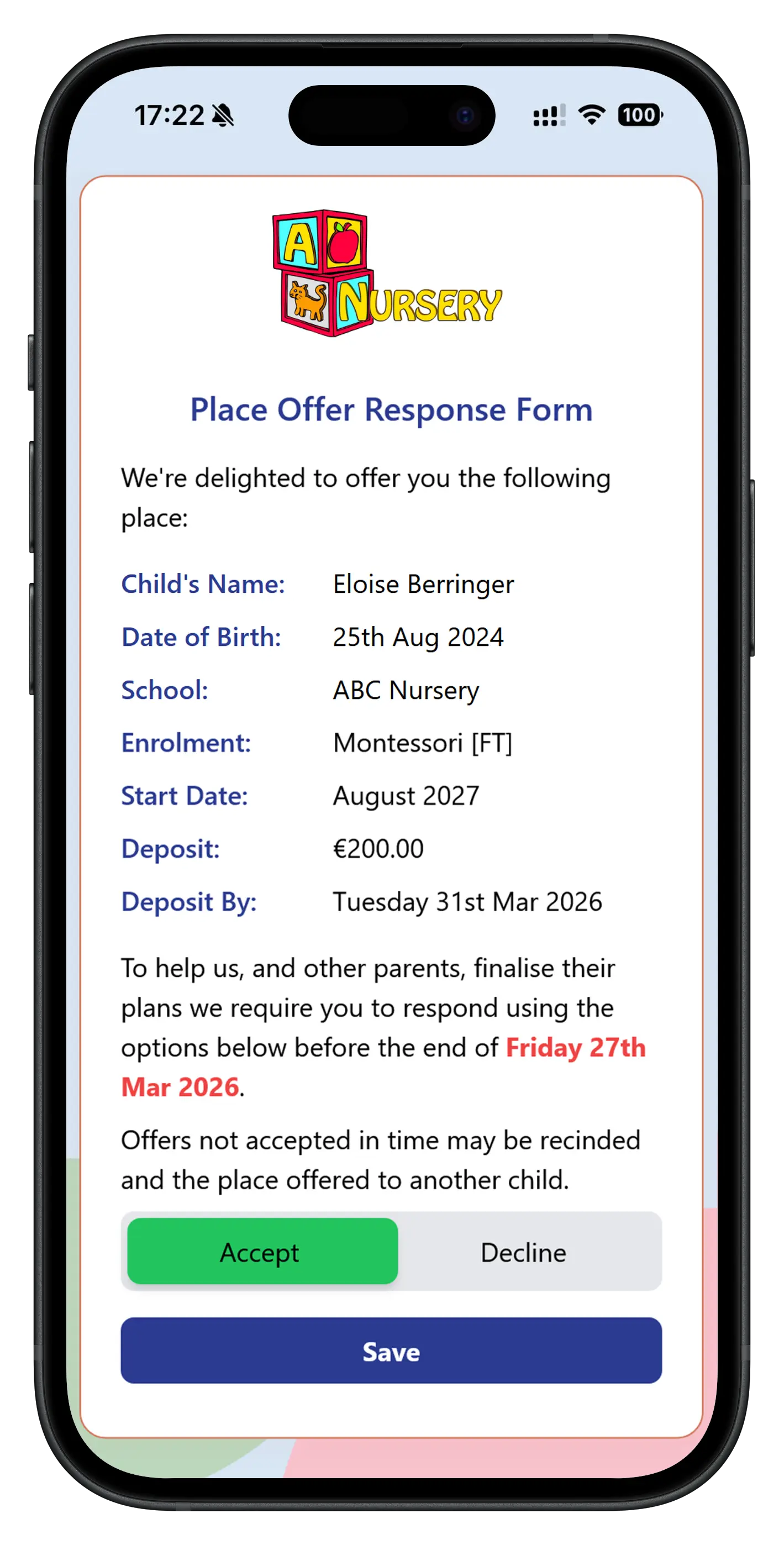
- Place offerThe family is notified in the app and by email.
- Parent responseAccept or decline, with a reminder before your deadline.
- DepositA deposit invoice is raised with the offer.
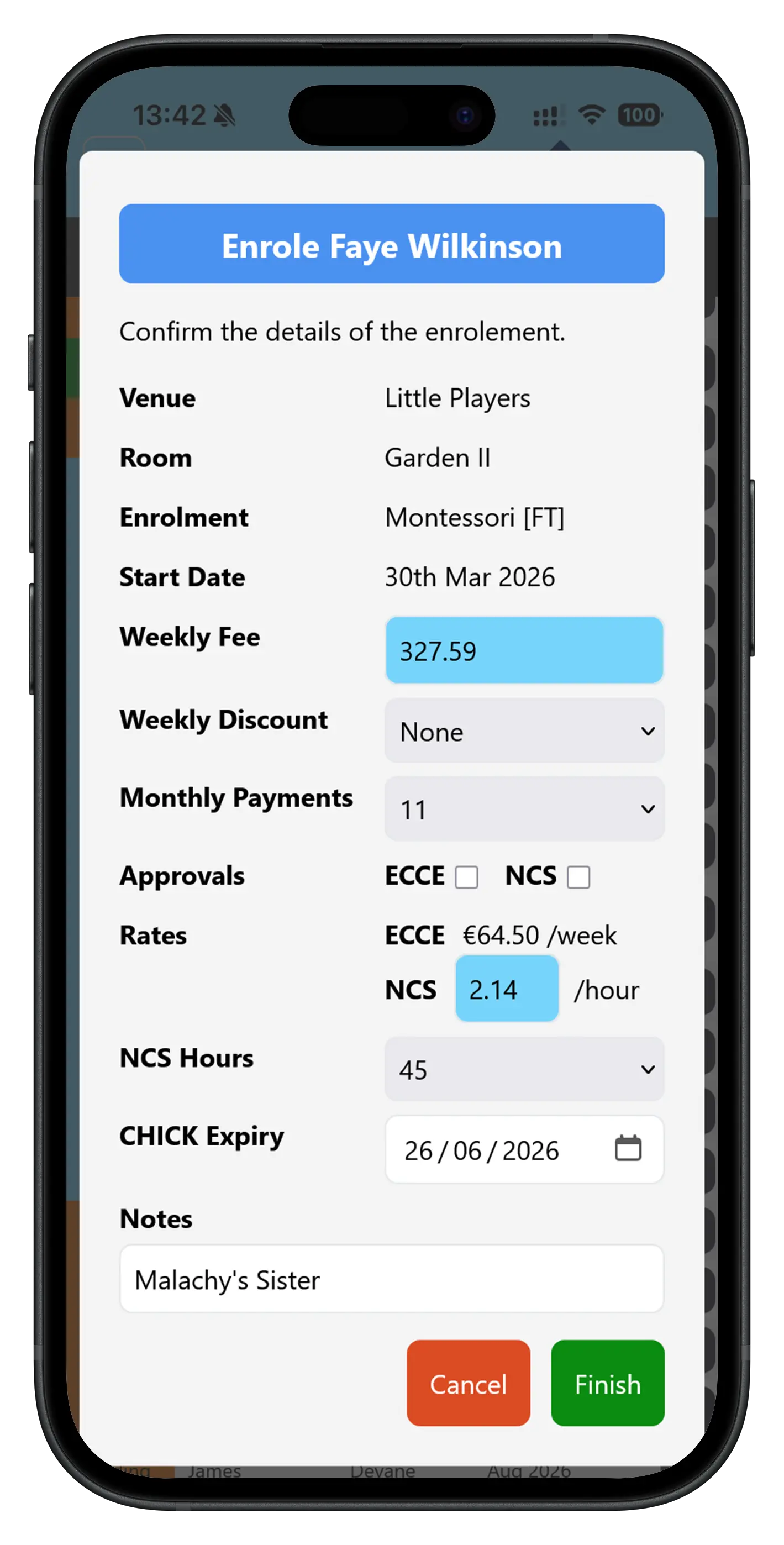
- Conversion to enrolmentFee schedule, Direct Debit and authorised adults set up before day one.
A waiting list you can stand over
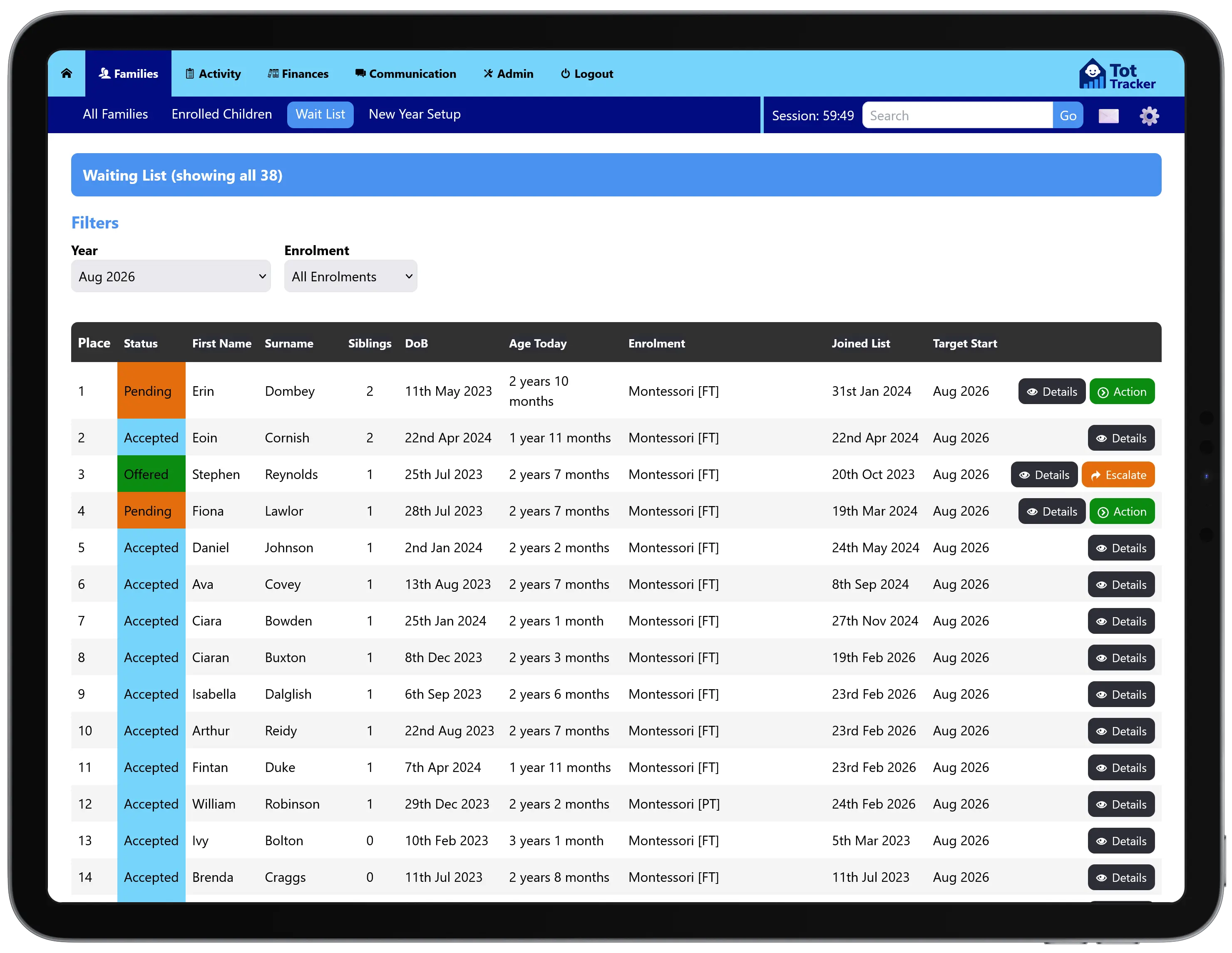
Every entry holds what you need: the child's name, date of birth, preferred start date, the days and sessions wanted, and when the family first applied.
The application date creates a queue, so you always know who has waited longest. Siblings of existing children can be given priority, and you can override the order at any time. It is your policy; Tot Tracker makes it easy to apply fairly.
Parents join the waiting list themselves
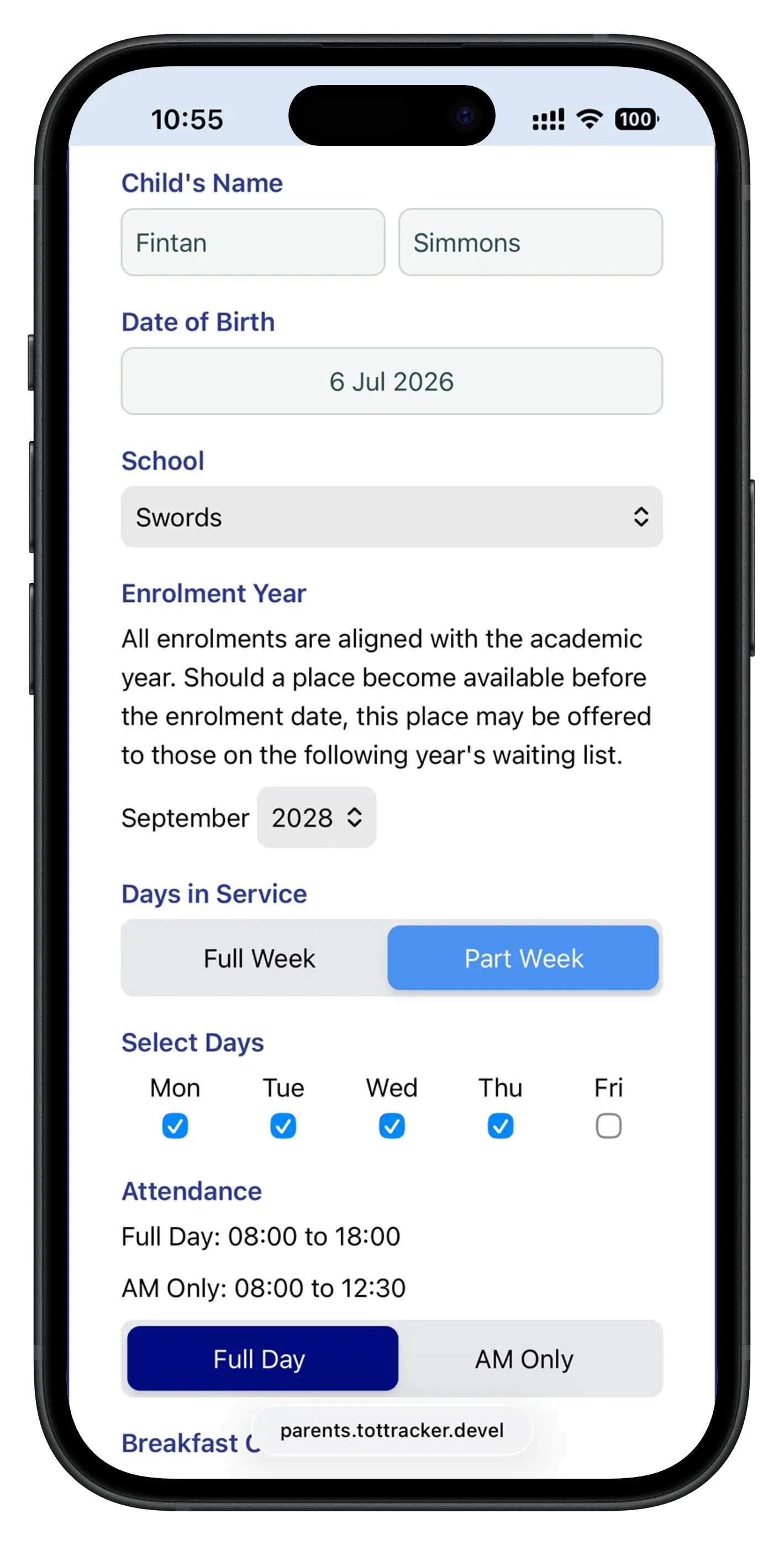
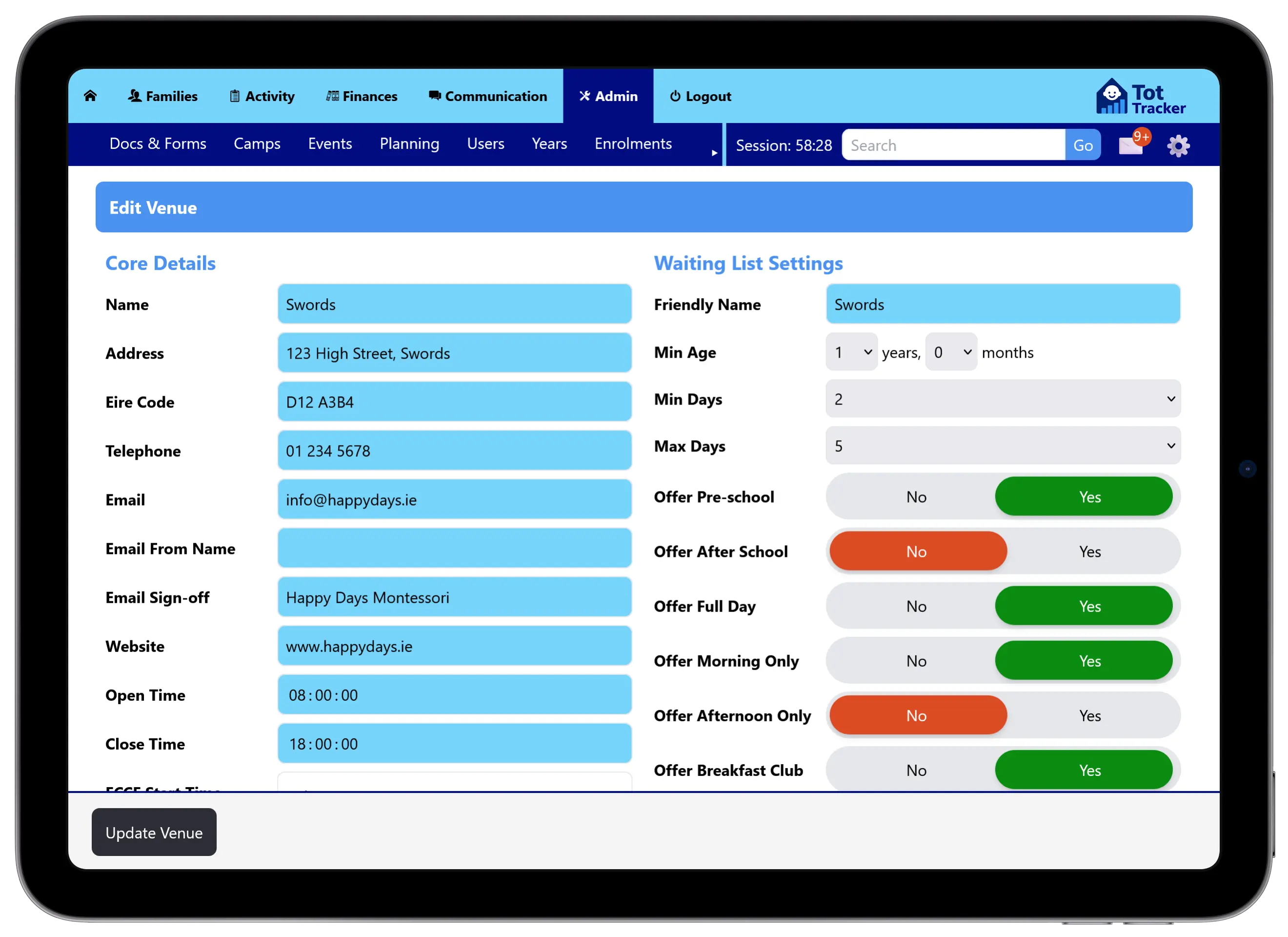
Link a branded waiting list page from your website. Parents enter their own details and their child's, choose the facility, and pick the days and sessions they want. You control which options appear, so only what you offer shows up, including extras like a breakfast club.
Parents confirm their email address, the child is added to your list, and your staff get an email the moment a new application arrives. More on the parent-facing waiting list.
Place offers, deposits and enrolment
When a place opens, send the offer. Parents are notified, and if they have not responded by your deadline they are reminded that the place will go to the next family. You can see who has been offered, who has accepted and who is still deciding.
Once a parent accepts, the deposit is invoiced and the family moves into enrolment: their fee schedule, Direct Debit and authorised adults are set up before the first day. Family and medical details are collected with digital enrolment forms that pre-fill what you already know.
The holiday camp workflow
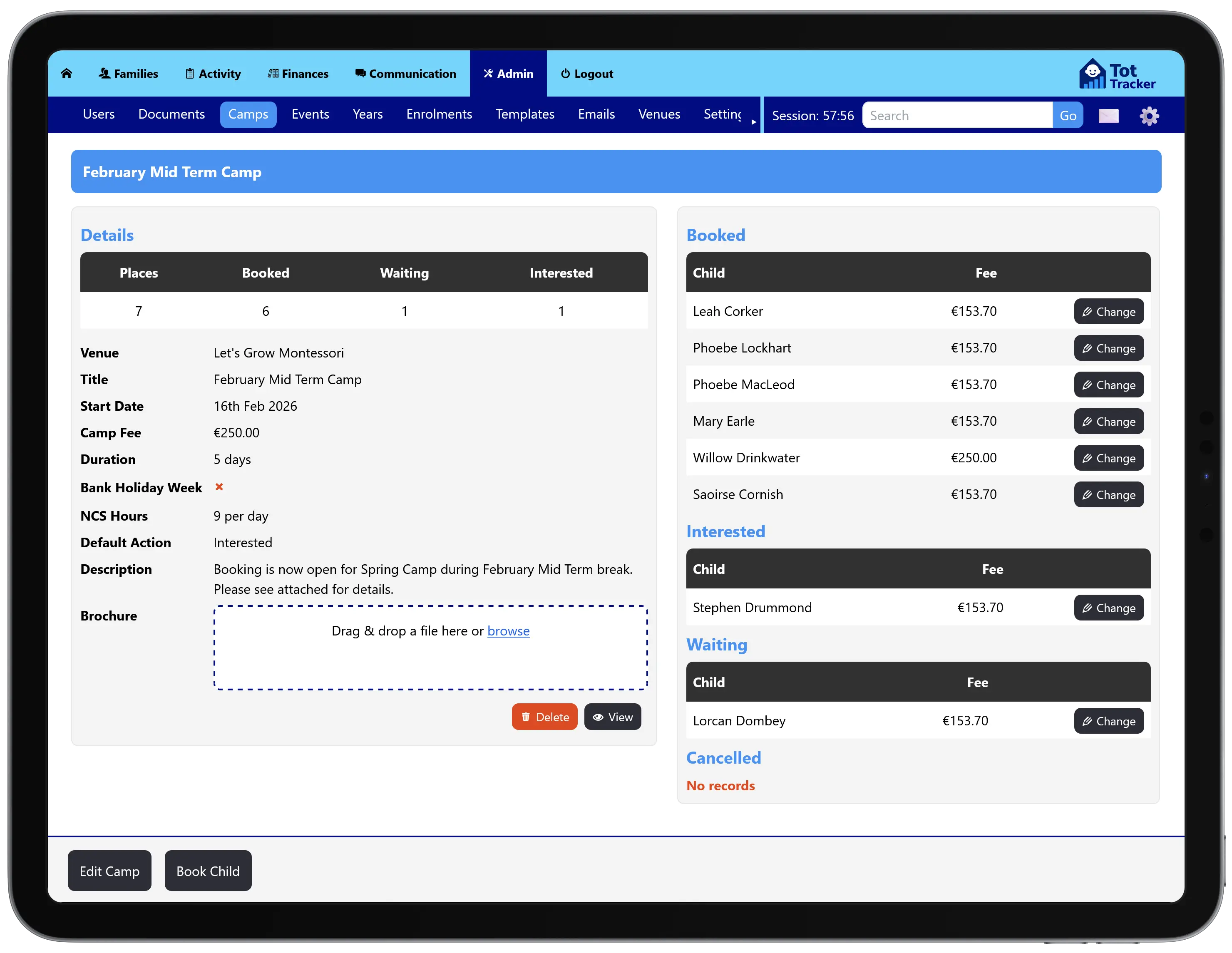
- Create the campName, description and brochure.
- Define the datesMid-term, Easter, summer, or a one-off event.
- Set capacityPlaces are counted down as bookings land.
- Set the priceFull amount or deposit, and a sibling discount.
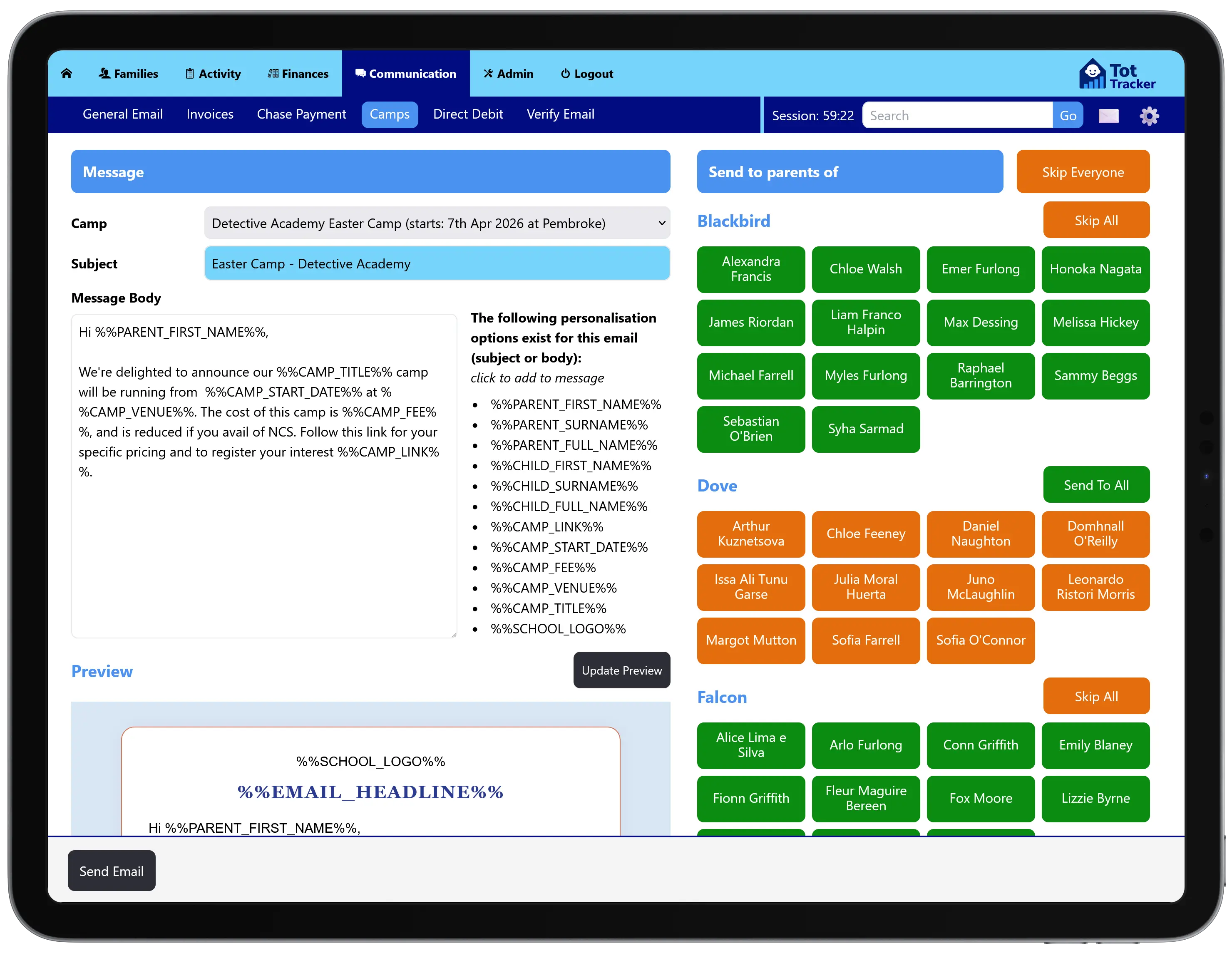
- Notify parentsIn the parent app, or share the booking link anywhere.
- Parents book a placeCurrent families and new ones.
- Collect paymentCard at booking, with any balance tracked.
- Track attendanceChildren signed in and out on the day.
Holiday camps that book and pay themselves
Camps during mid-term, Easter and summer bridge the gap when regular income dips, but organising them can feel like running a second business. In Tot Tracker, you create the camp with its dates, capacity and price, and tell parents through the app.
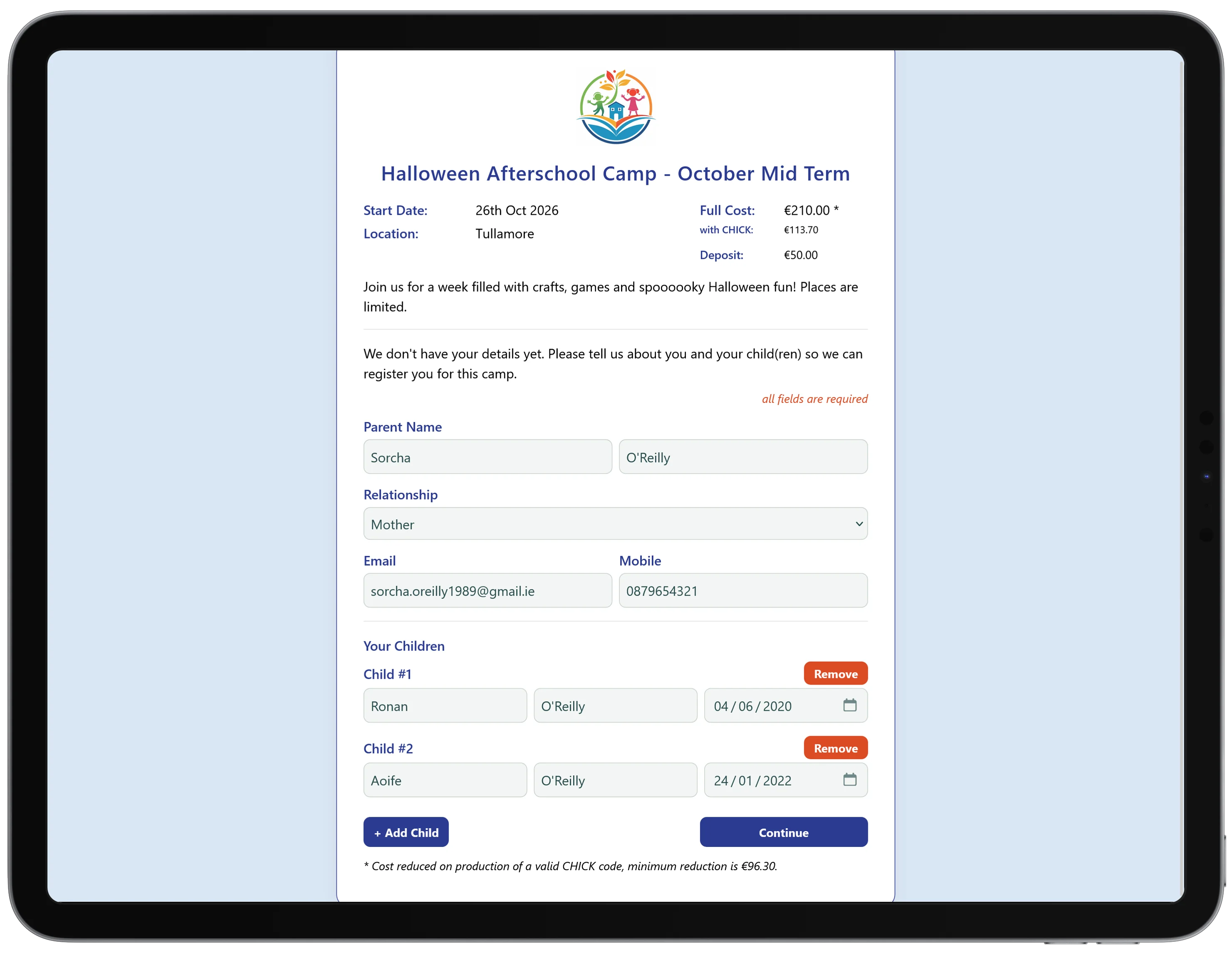
Every camp also gets its own booking link for your website, a newsletter or a WhatsApp group. Children already on your system are recognised, and families new to your service can book too, arriving as proper records rather than names on a list.
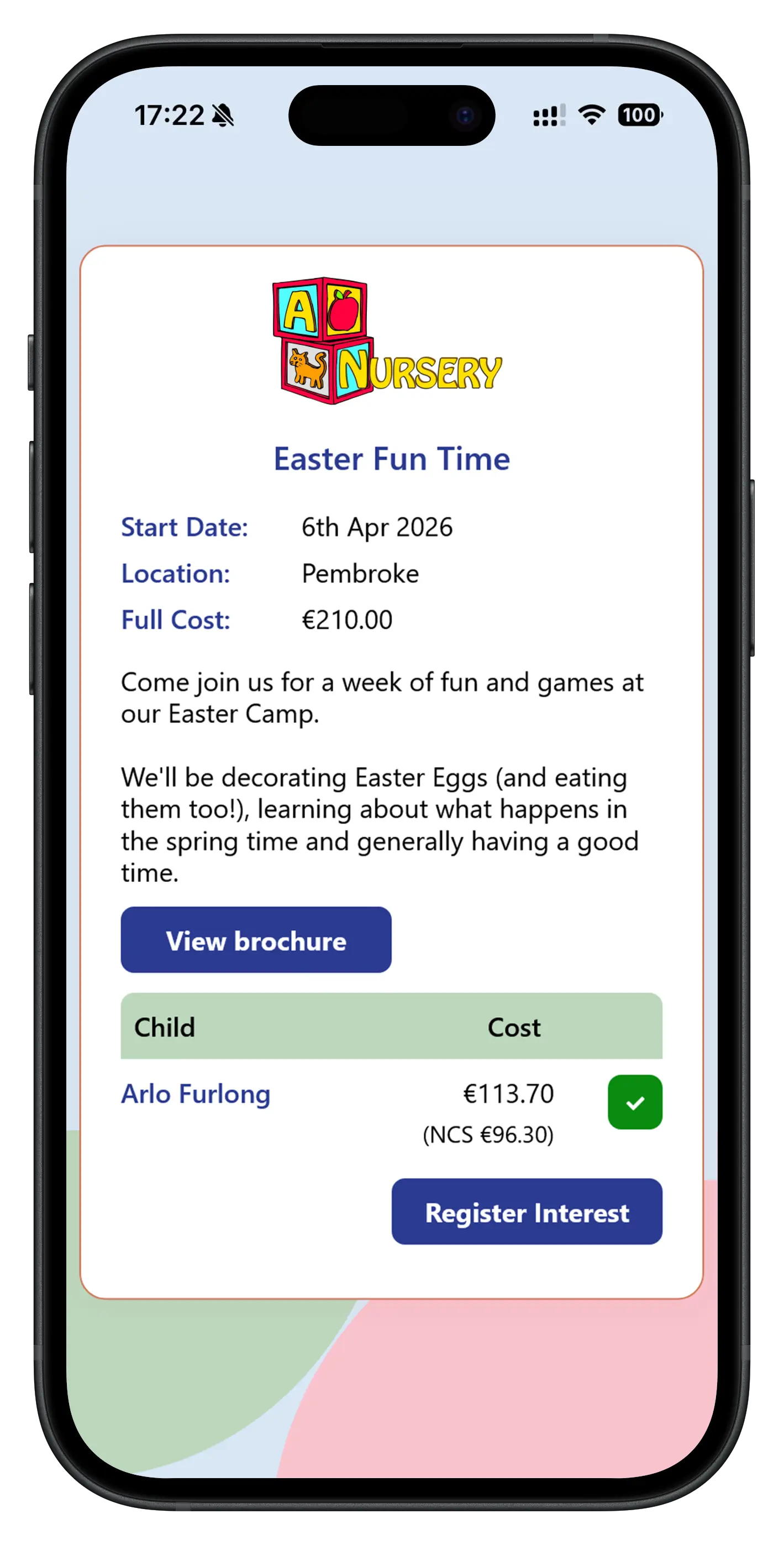
Camp payments
Decide whether a camp takes a deposit or the full amount, and parents pay by card as they book. Where a deposit is taken, the balance is tracked and can be paid later, and the invoice is raised automatically when the booking is accepted.
Families booking more than one child get your sibling discount automatically. Enquiries and confirmed bookings sit together, so you can see who has asked, who has paid and how many places are left.
Connected to the rest of Tot Tracker
Waiting lists and camps are not bolt-ons. They use the same family records and tools as the rest of your service:
- Parent communication: offers and camp details reach families in the app
- Childcare invoicing and payments: deposits and camp fees on the family account
- Attendance tracking: camp children signed in and out like any other day
- Enrolment and family information: collected once, reused everywhere