Attendance: drop-off and collection
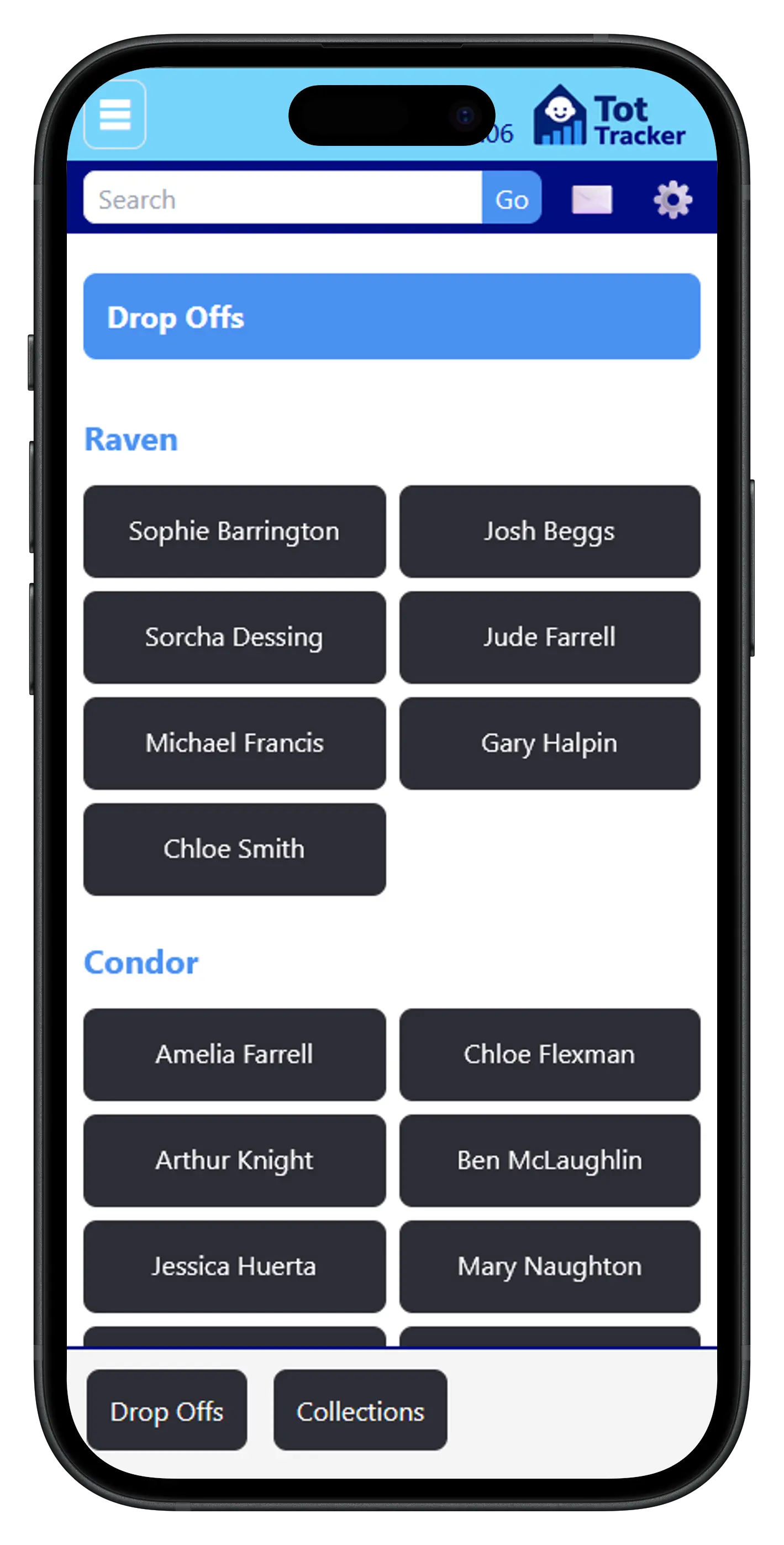
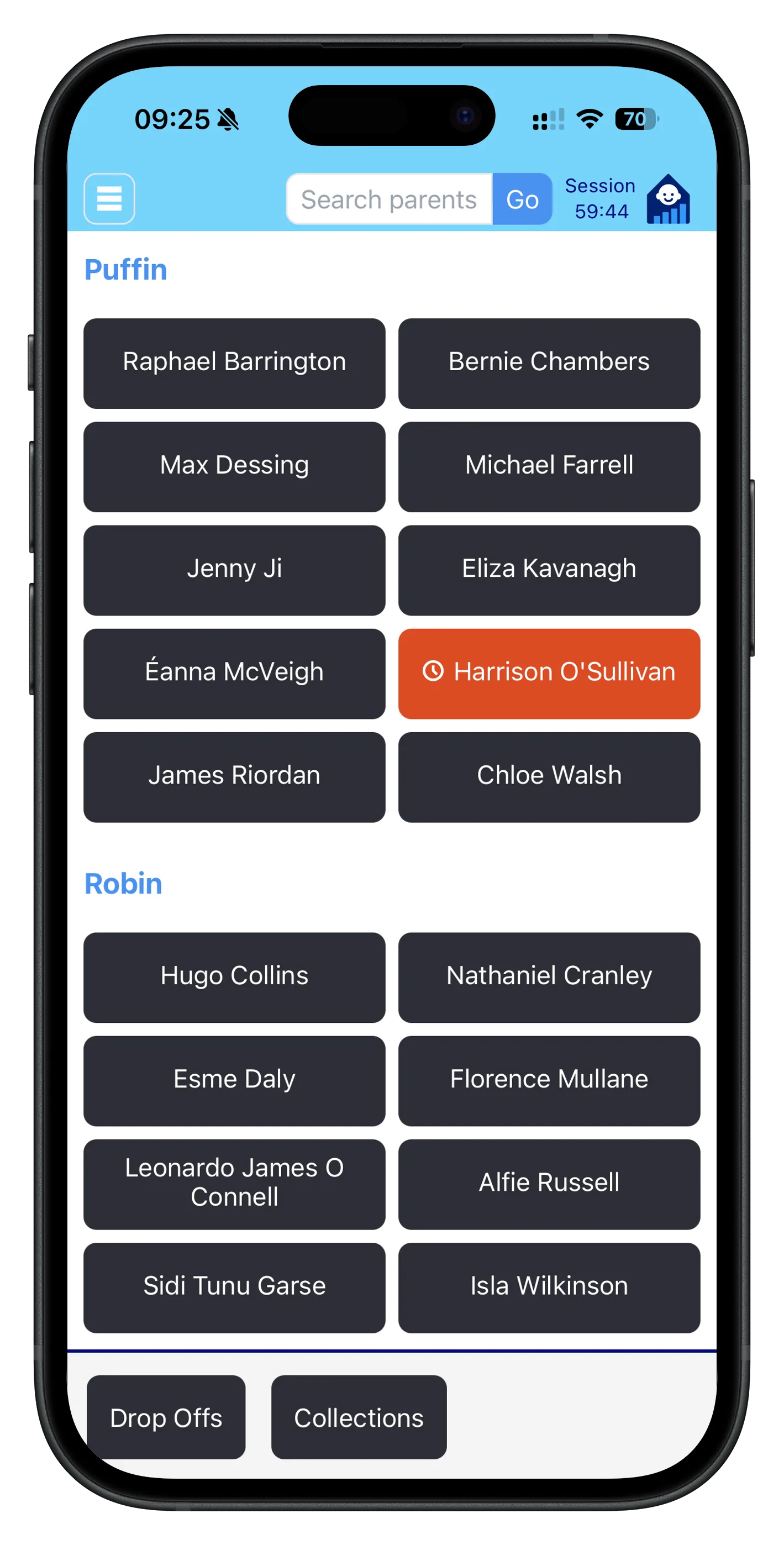
Staff record each child's drop-off and collection with a tap. It takes seconds, and it gives you an accurate picture of who is in the building right now.
- Every arrival and departure is timestamped
- Each entry records which member of staff made it
- Edits are kept in the history, not overwritten
- Full attendance history per child, searchable by date
- Staff are alerted in the evening if any child has a drop-off but no collection
This is the record Tusla and Pobal expect you to keep, without sign-in sheets that go missing or get smudged. It also calculates each child's actual attended hours for NCS and ECCE compliance, including the eight-week under-attendance alerts and the NCS inspection report.
Planned absences
Parents tell you from the parent app when a child will be off, for a full day, a morning or an afternoon, with a reason if they give one. Absences that come in by phone are added by staff in the same place.
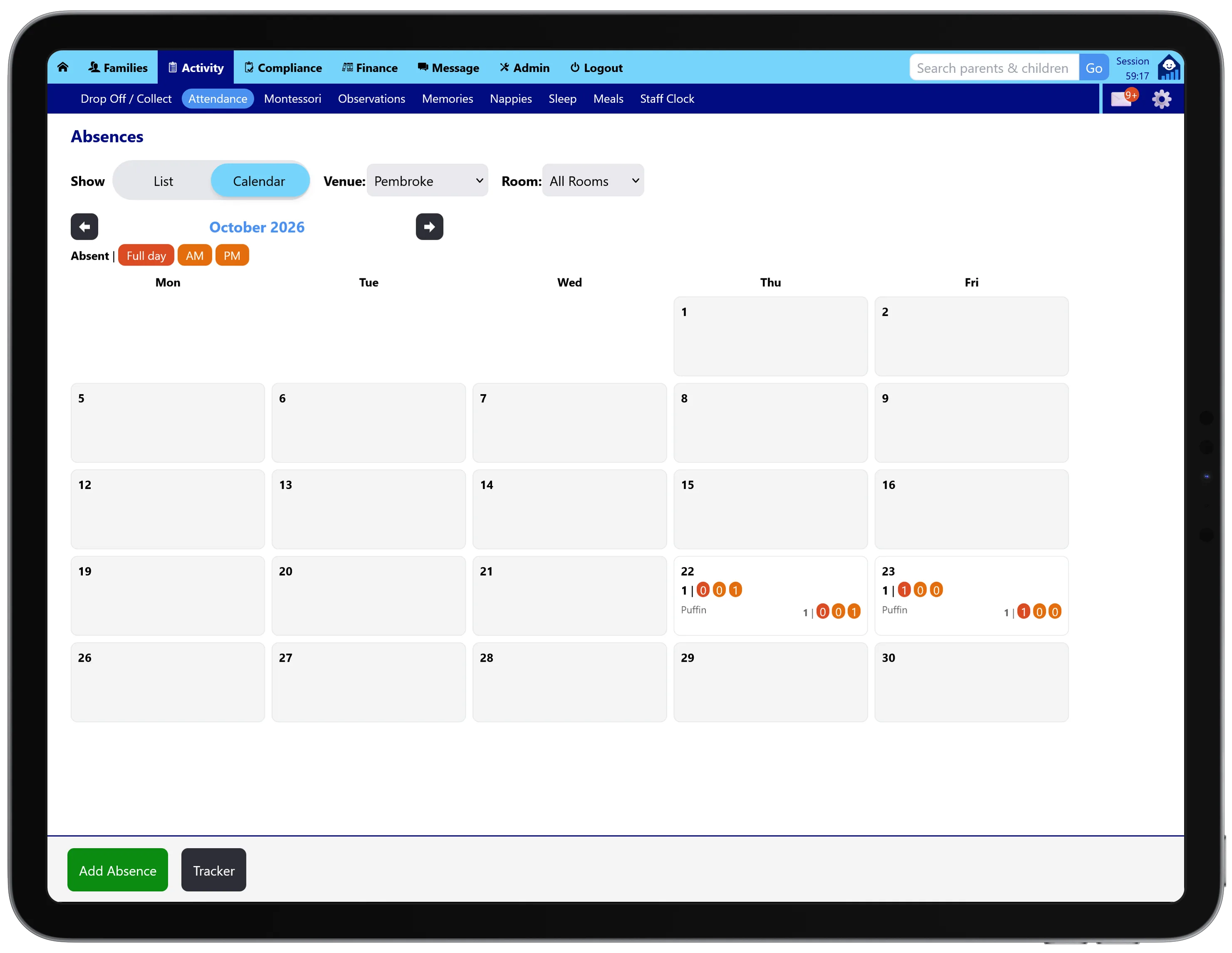
The absence calendar shows how many children are off each day, split into full days, mornings and afternoons, for the whole venue and room by room. You can see a quiet Friday coming and plan your staff for it, rather than finding out at 9am.
On the day, the child is flagged on the drop-off screen with an icon for the reason, so nobody is left wondering whether they are just running late.
Authorised collection
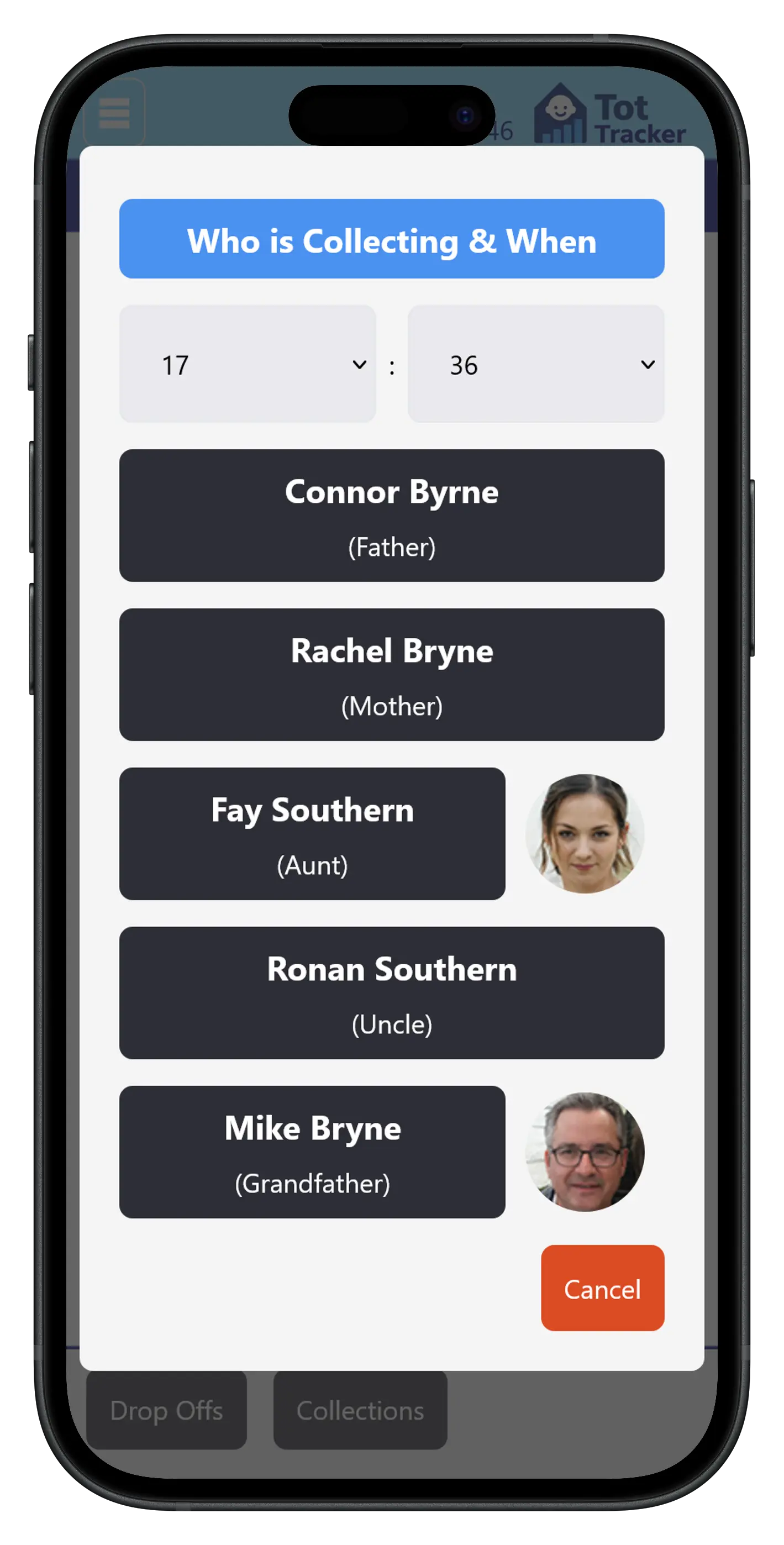
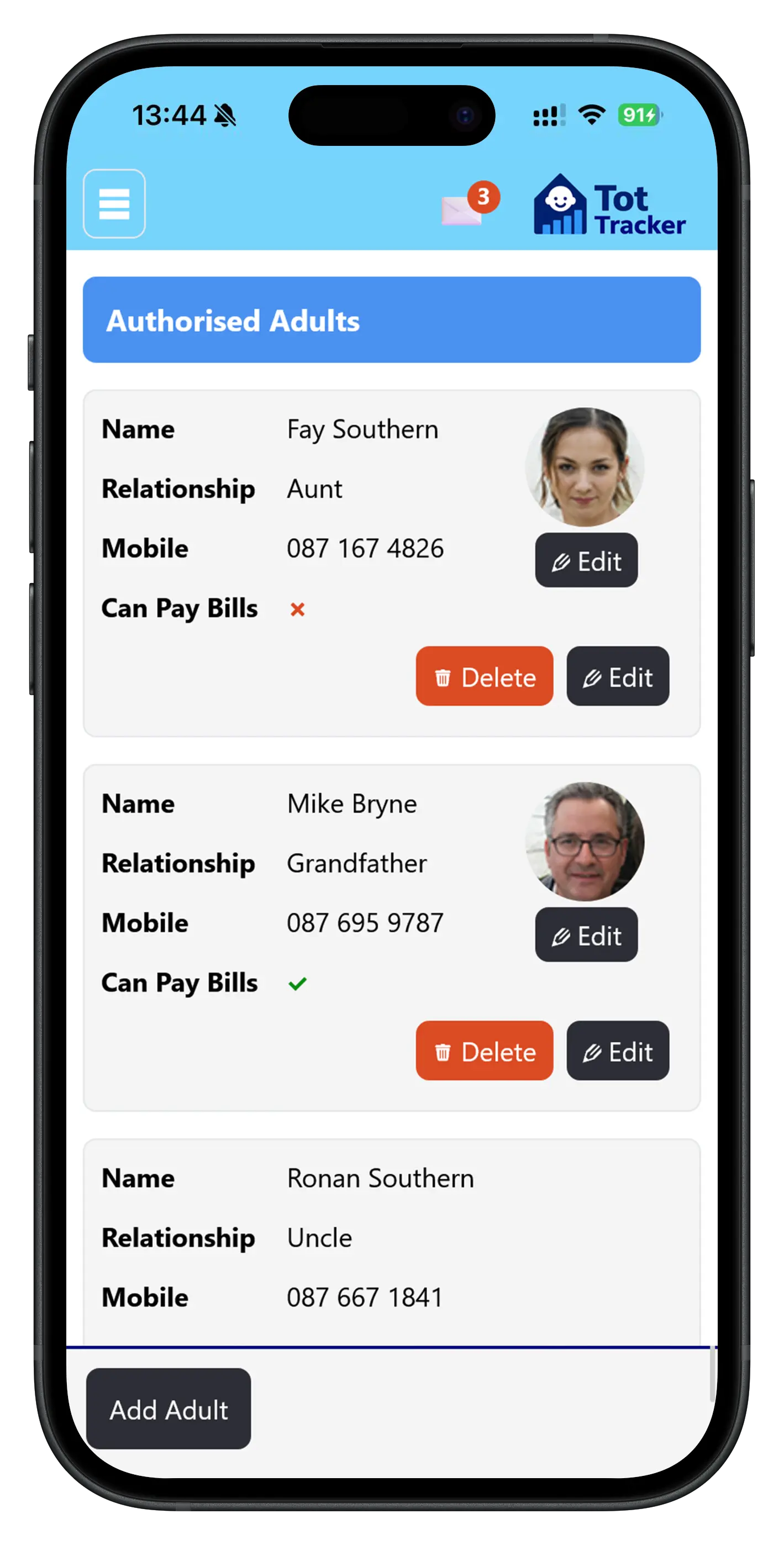
Parents nominate the other adults allowed to collect their child, and add a photo of each one from the parent app.
When a grandparent or childminder arrives at the door, staff check them against the photos on the child's profile. No phone calls to confirm, no uncertainty, and a record of who collected and when.
Because collectors are linked to the child's profile, a change a parent makes is in front of staff straight away. Collectors can also be captured up front on the digital enrolment form.
One child record
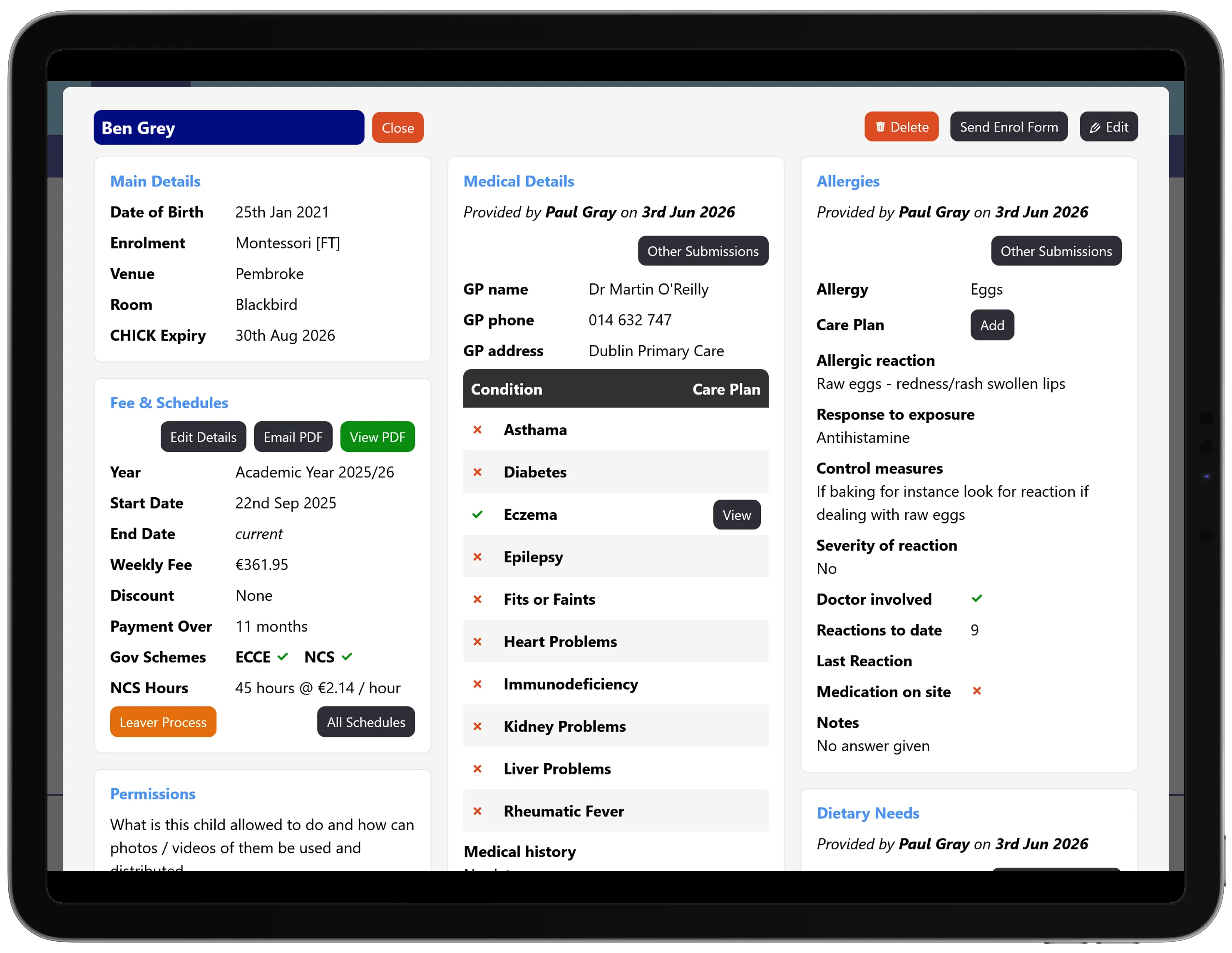
Tot Tracker is not a standalone sign-in app. Attendance sits on the same child profile as everything else staff need to look after that child:
- Attendance and collection history
- Authorised collectors, with photos
- Medical information and signed allergy and medical care plans
- Dietary needs and allergens, flagged to staff
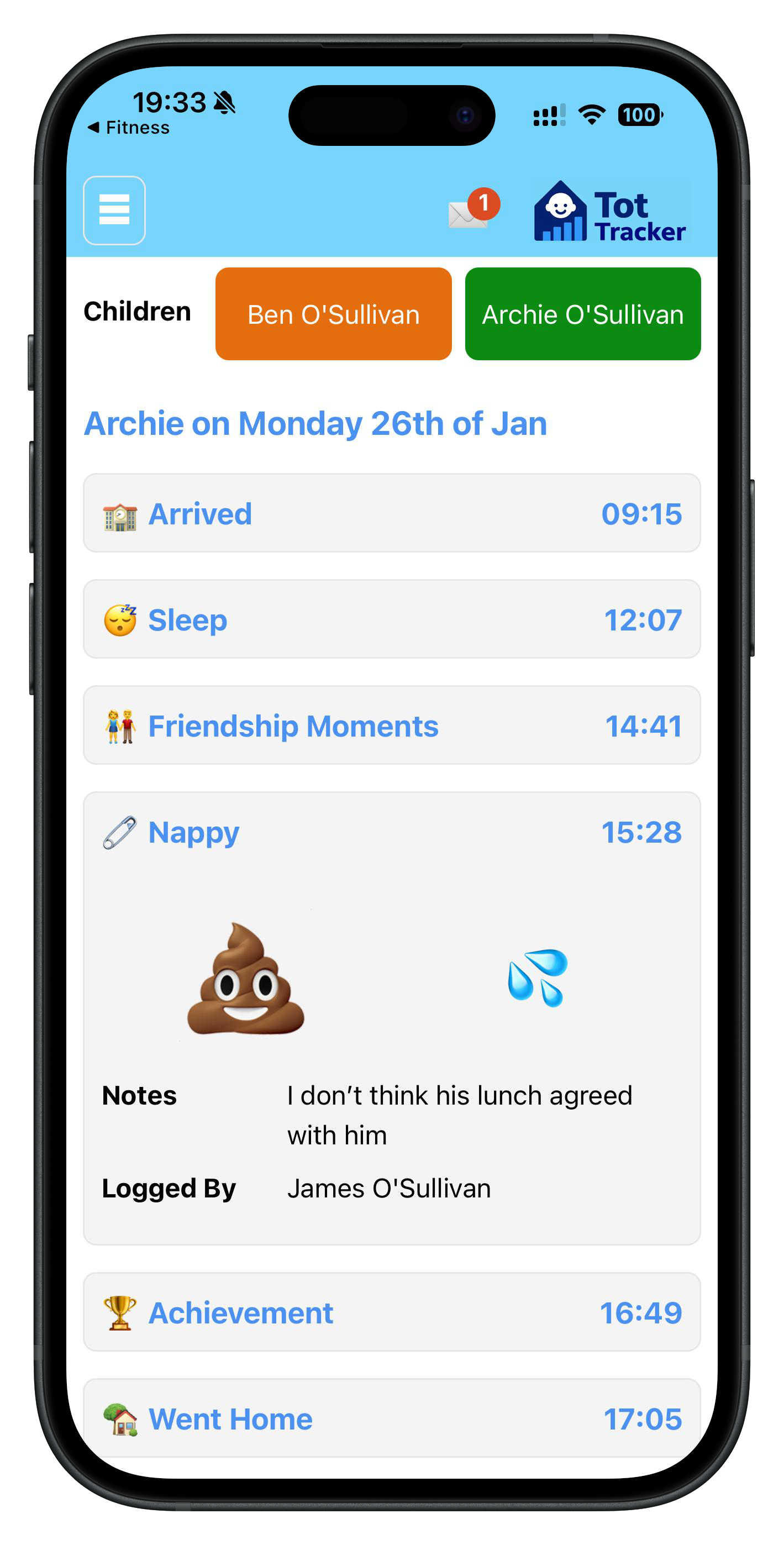
- Daily activity: meals, sleep, nappies, observations and photos
- Messages and updates through the parent communication app
What staff see is what the parent provided and signed, and it stays current as forms and care plans are refreshed.
Daily activity, shared with parents
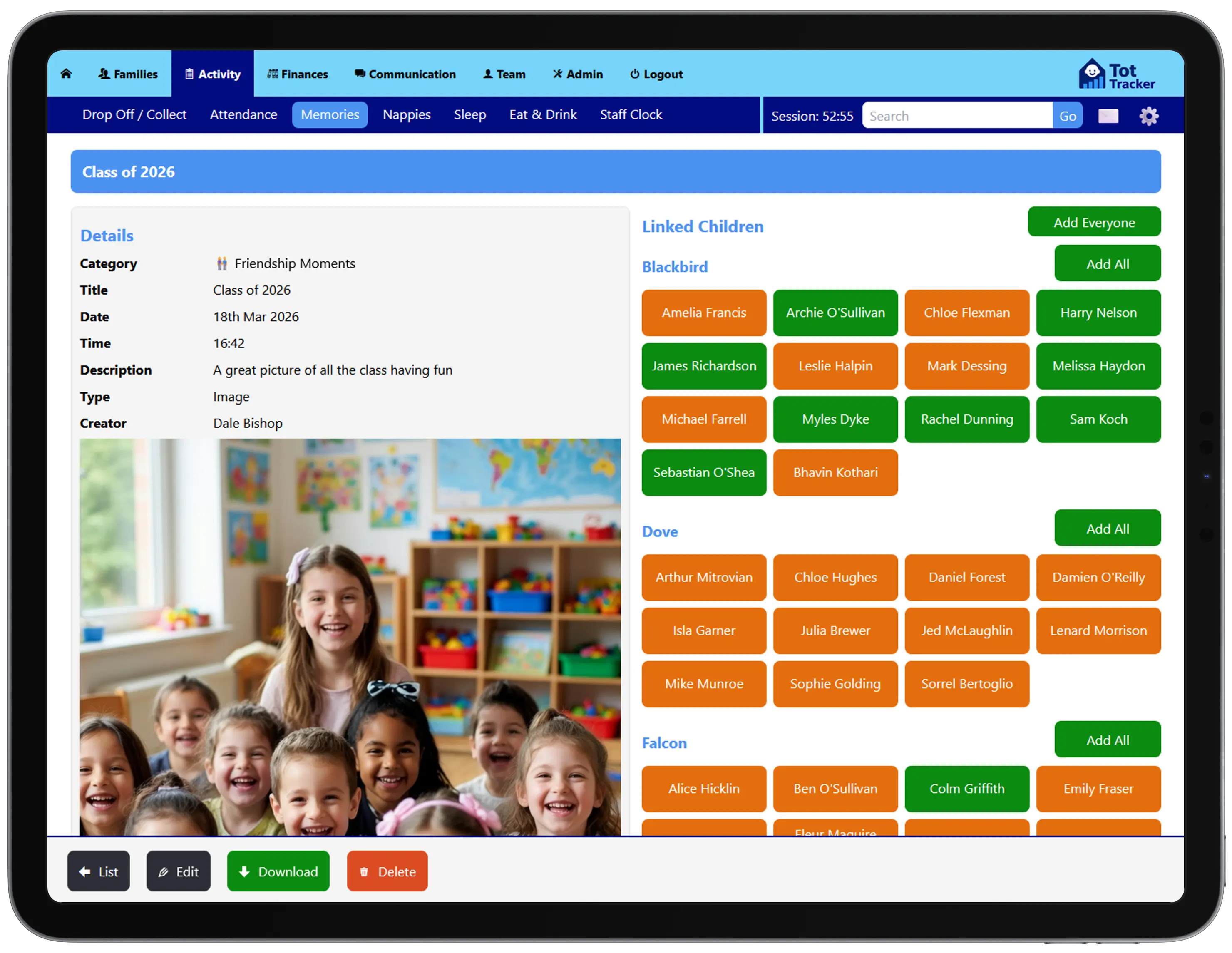
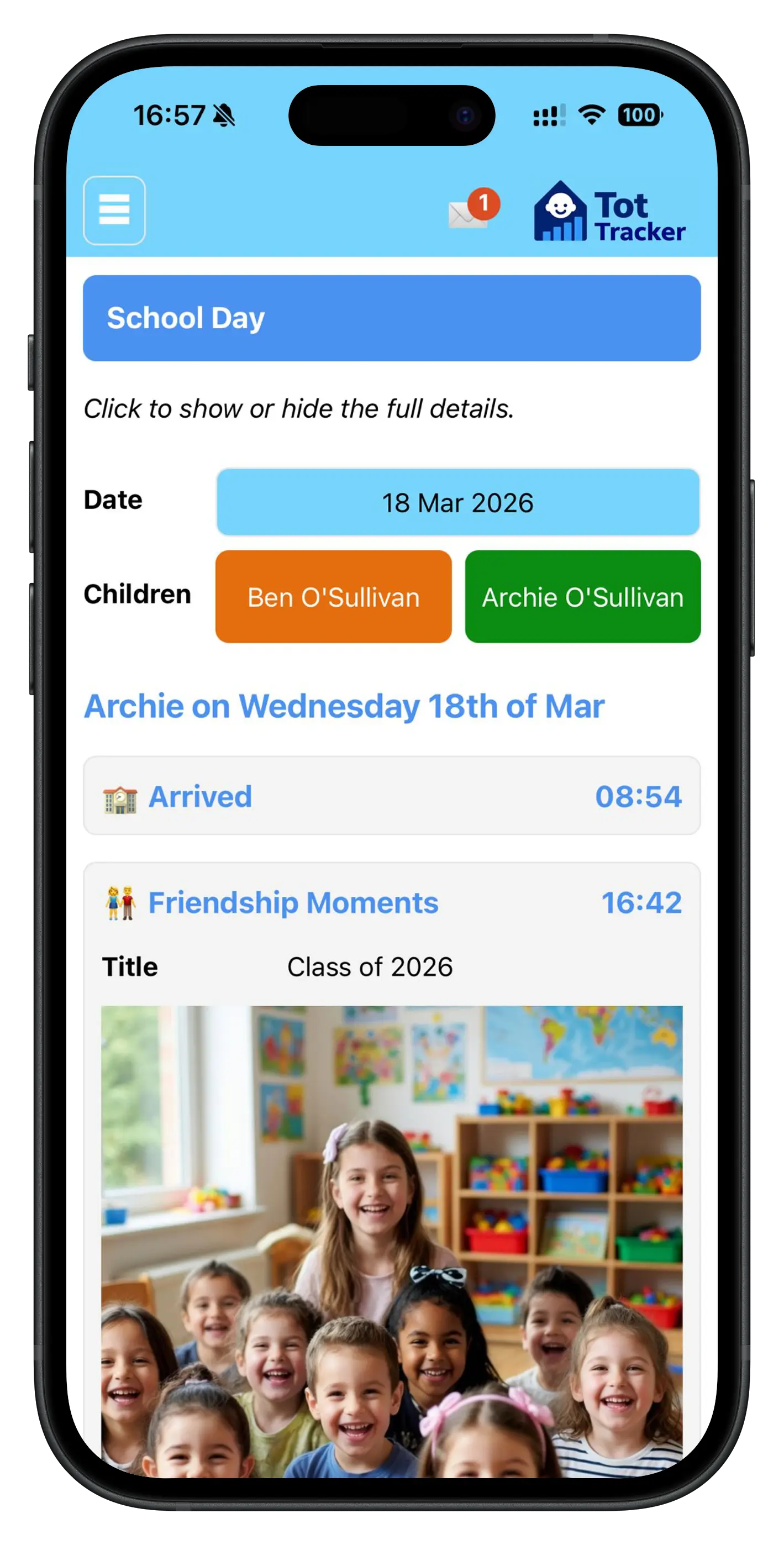
Beyond attendance, staff record the moments that matter: a first painting, a short video from the garden, a milestone reached. Photos and videos stay inside Tot Tracker, never on staff phones or in WhatsApp groups.
Parents see updates in the app as they happen, and at the end of each year Tot Tracker Wrapped compiles a yearbook for every child. Observations and Montessori skills tracking are covered in daily care and learning journals.
Meals and drinks
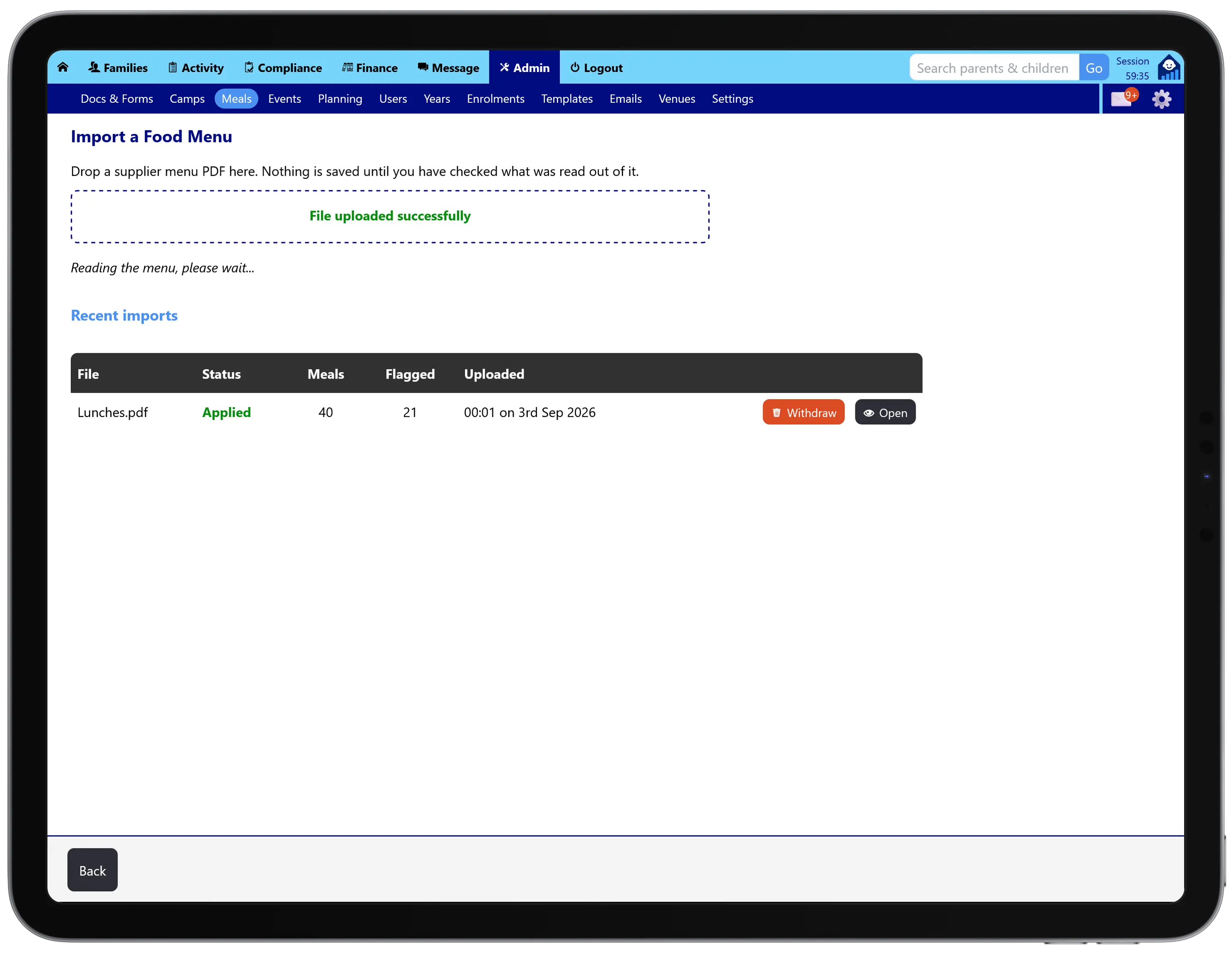
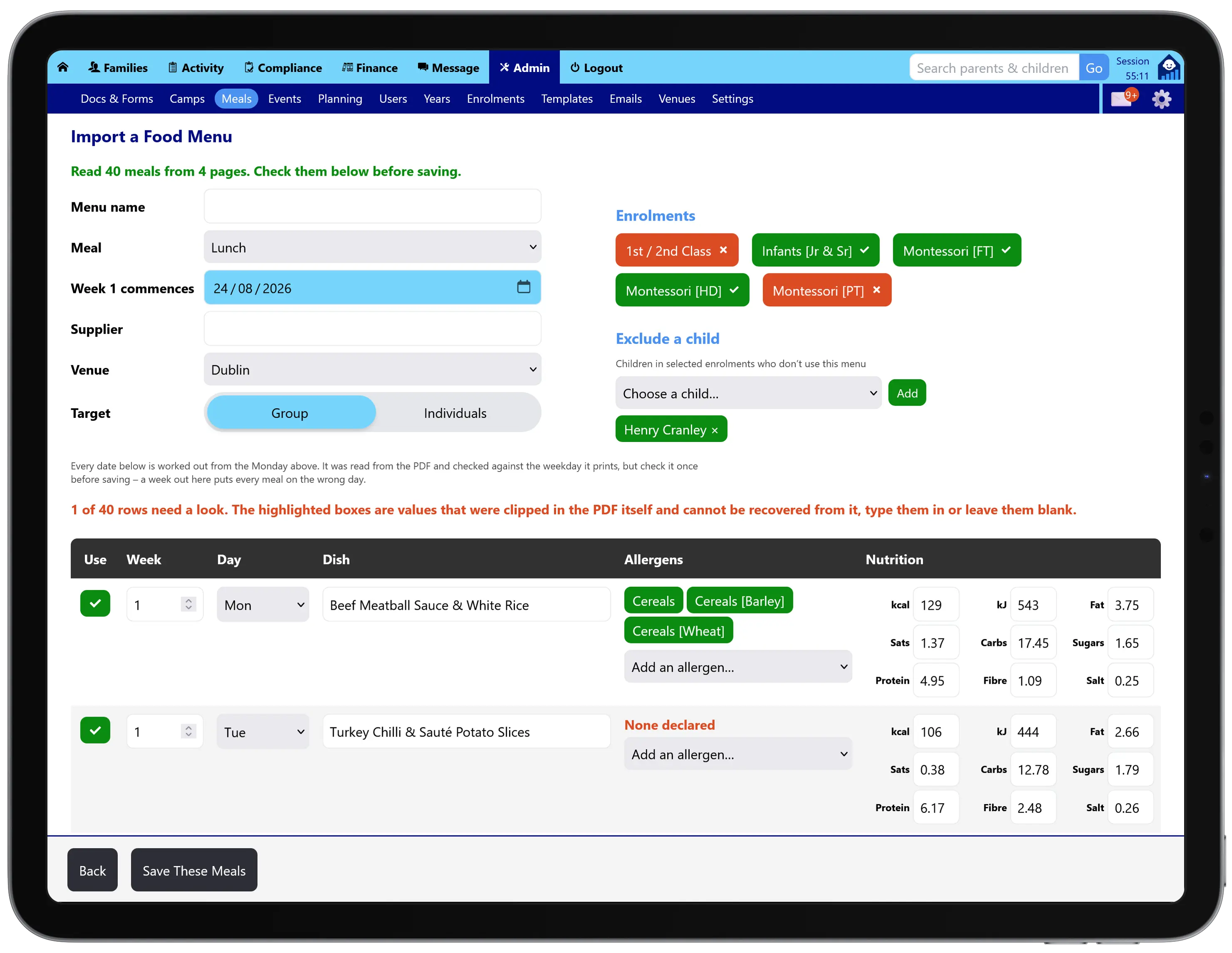
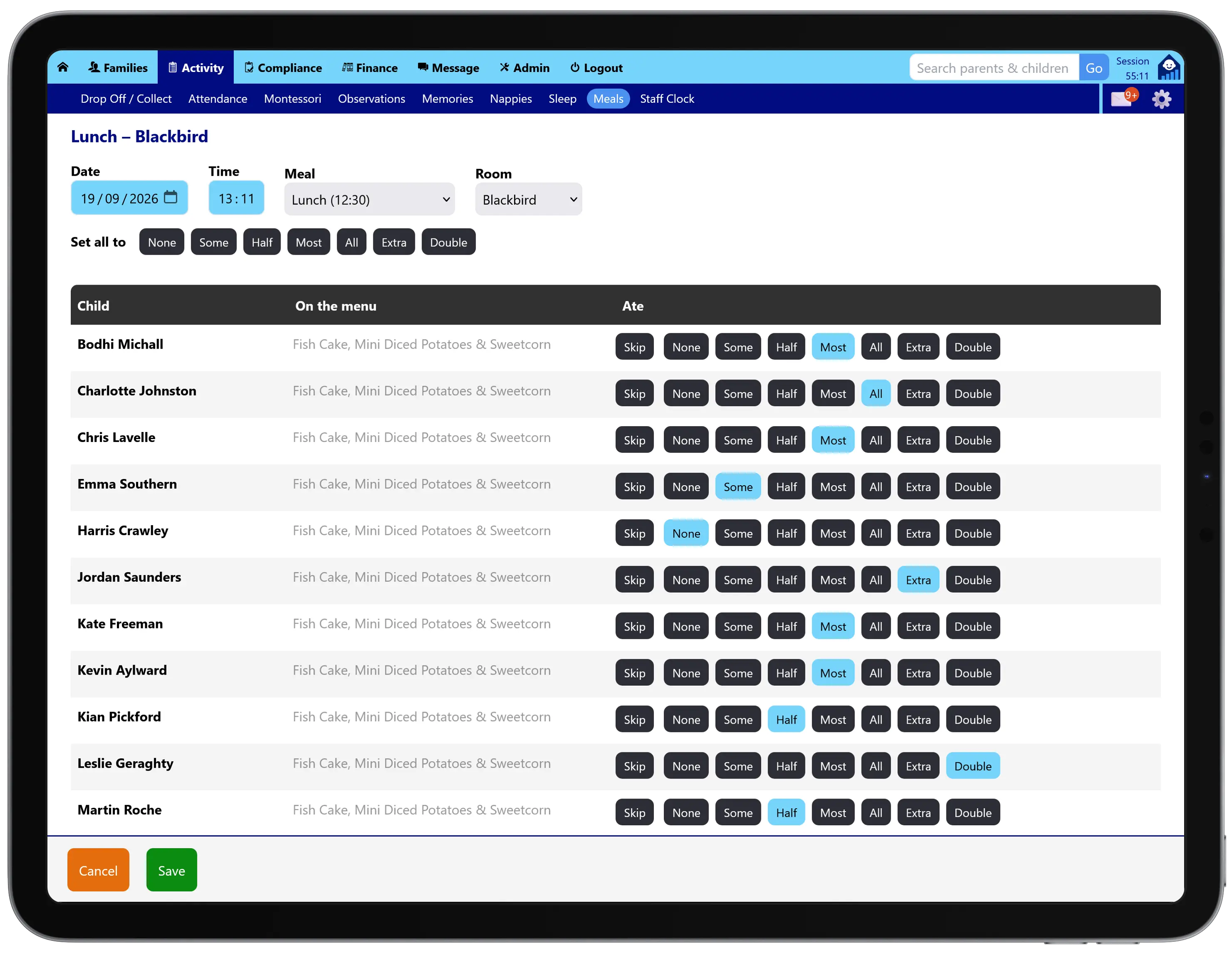
Build your menu for the term, or import it from your caterer's PDF, with the allergens for every dish held against it.
After a meal or snack, staff record what each child ate. Log one child who ate late, or a whole room in one go when lunch finishes: one time, one meal, and an amount per child. Parents see in the app what their child ate and how much of it, and over weeks it builds a picture of each child's eating that helps you spot patterns early.
Sleep
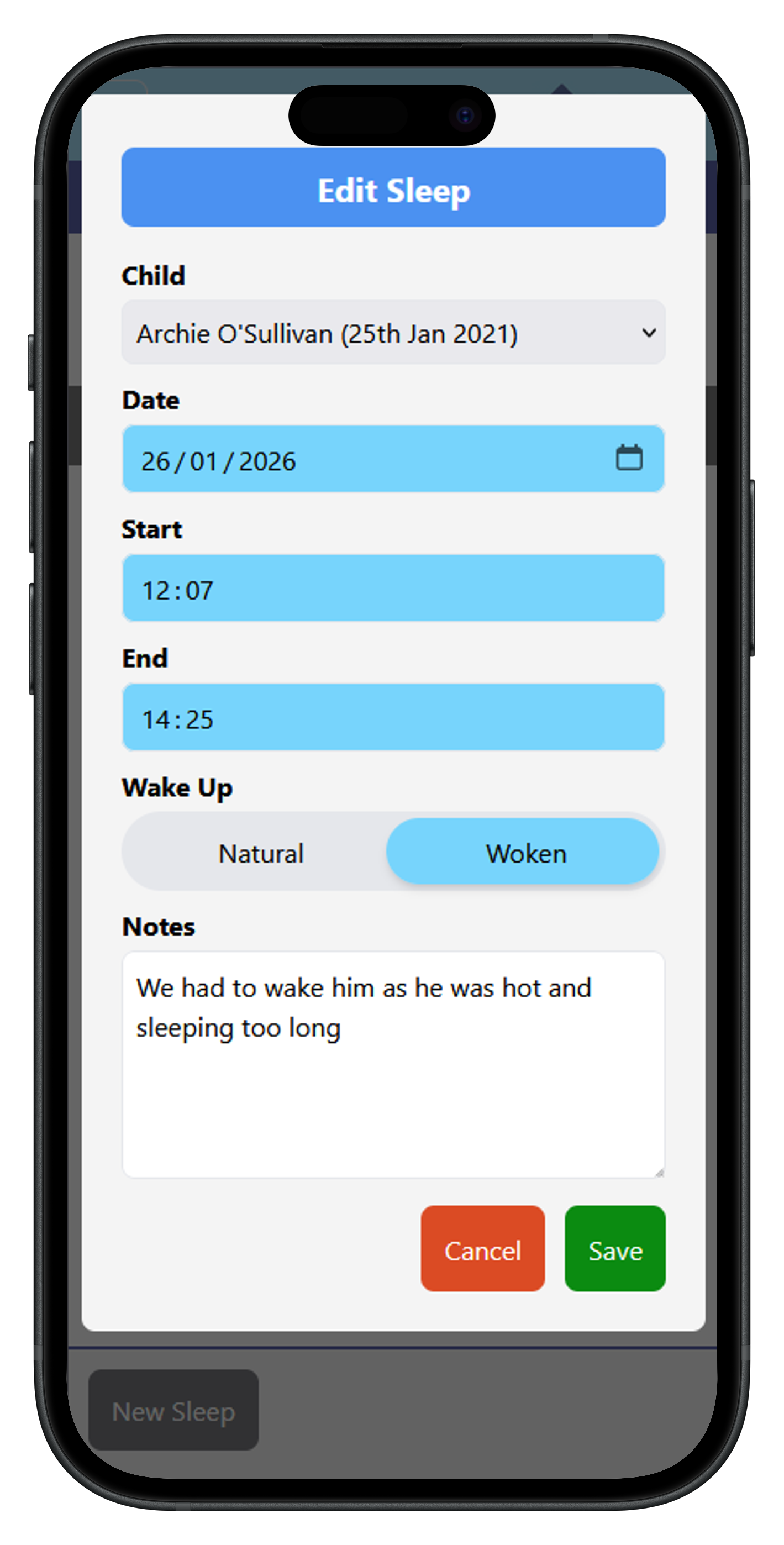
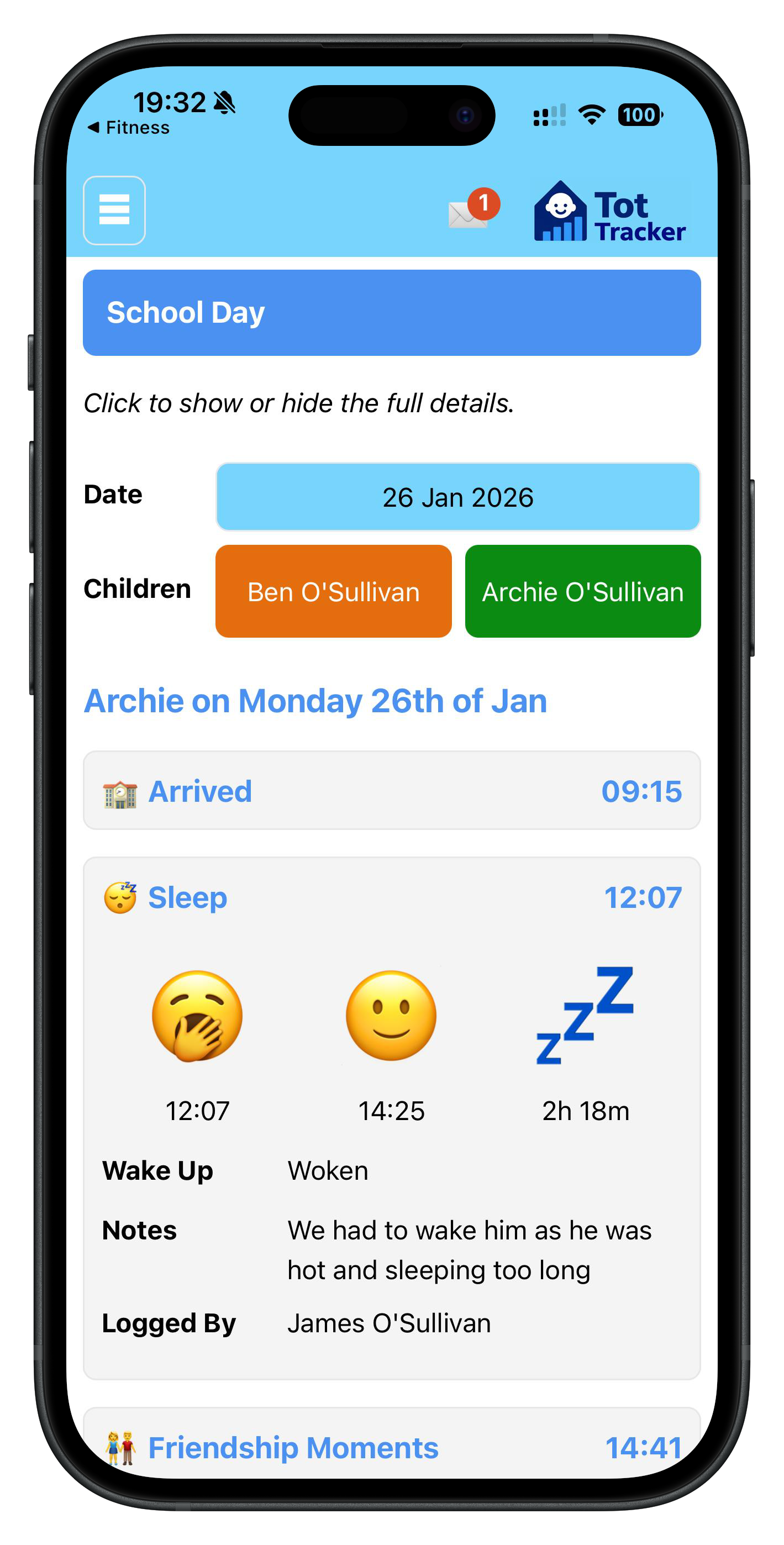
Staff tap when a child falls asleep and again when they wake. Tot Tracker works out the duration and lets the parent know, so they can plan the evening.
Over time the sleep log shows patterns worth raising with parents, such as a child who is sleeping much more or less than usual.
Nappies
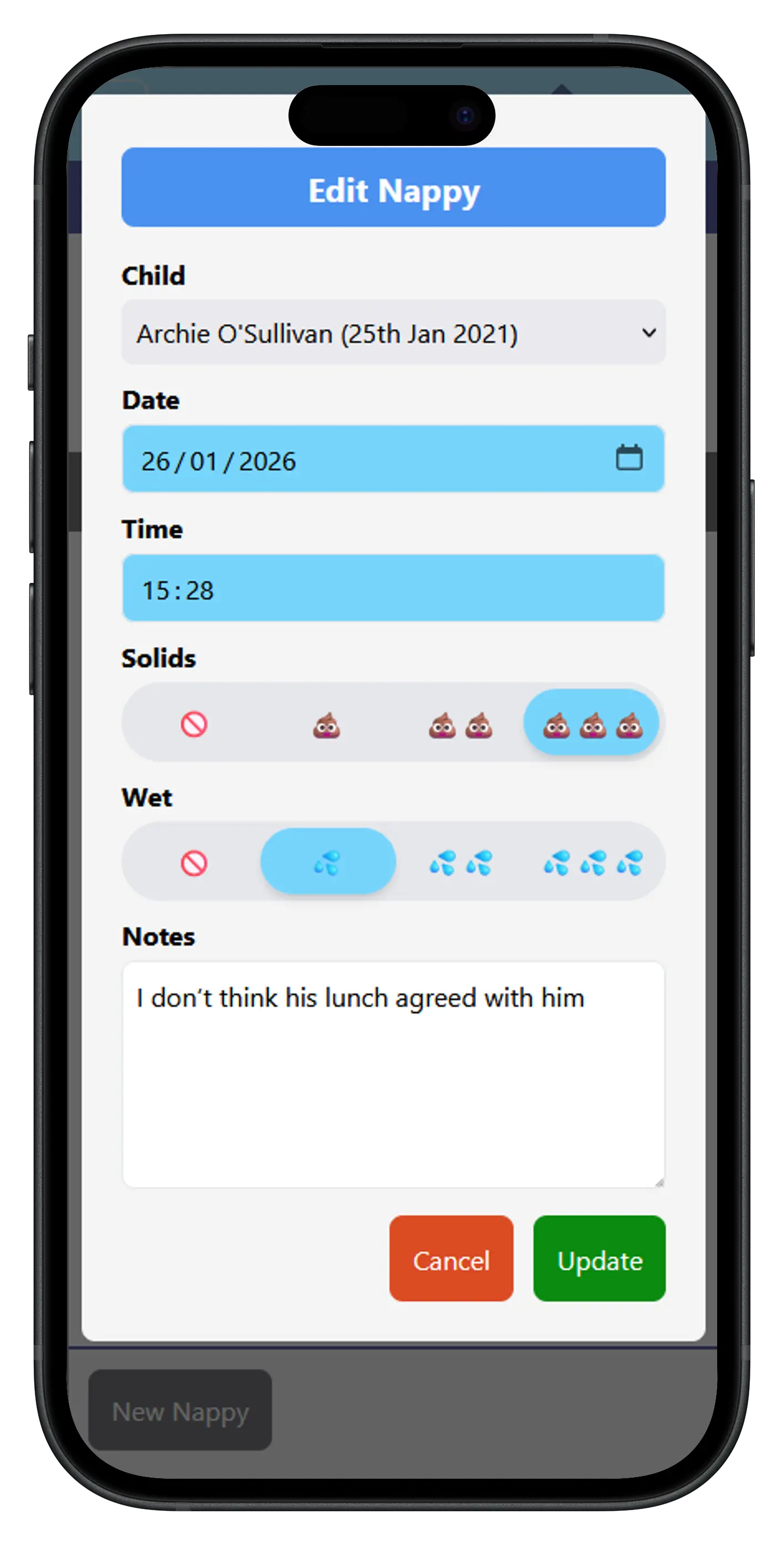
Staff log each change with the type and time in a couple of taps, and the parent is notified straight away. For babies who cannot tell their parents about their day, these small details matter.
Side note: our lead developer says this section is one of the most enjoyable he's ever worked on. Make of that what you will.