Learning and daily care, side by side
The daily record has two halves, and Tot Tracker handles both:
Learning
- Observations, recorded in the moment
- Montessori skills: new, introduced, mastered
- Developmental progress over the year
- Milestones
- Learning journeys built from observations over time
- Lesson plans for the year and each week, linked to Aistear
Daily care
- Sleep, with start, end and duration
- Nappies, with type and time
- Meals and drinks, per child or per room
- Photos and videos
- Daily events, shared with parents
Observations and Montessori skills
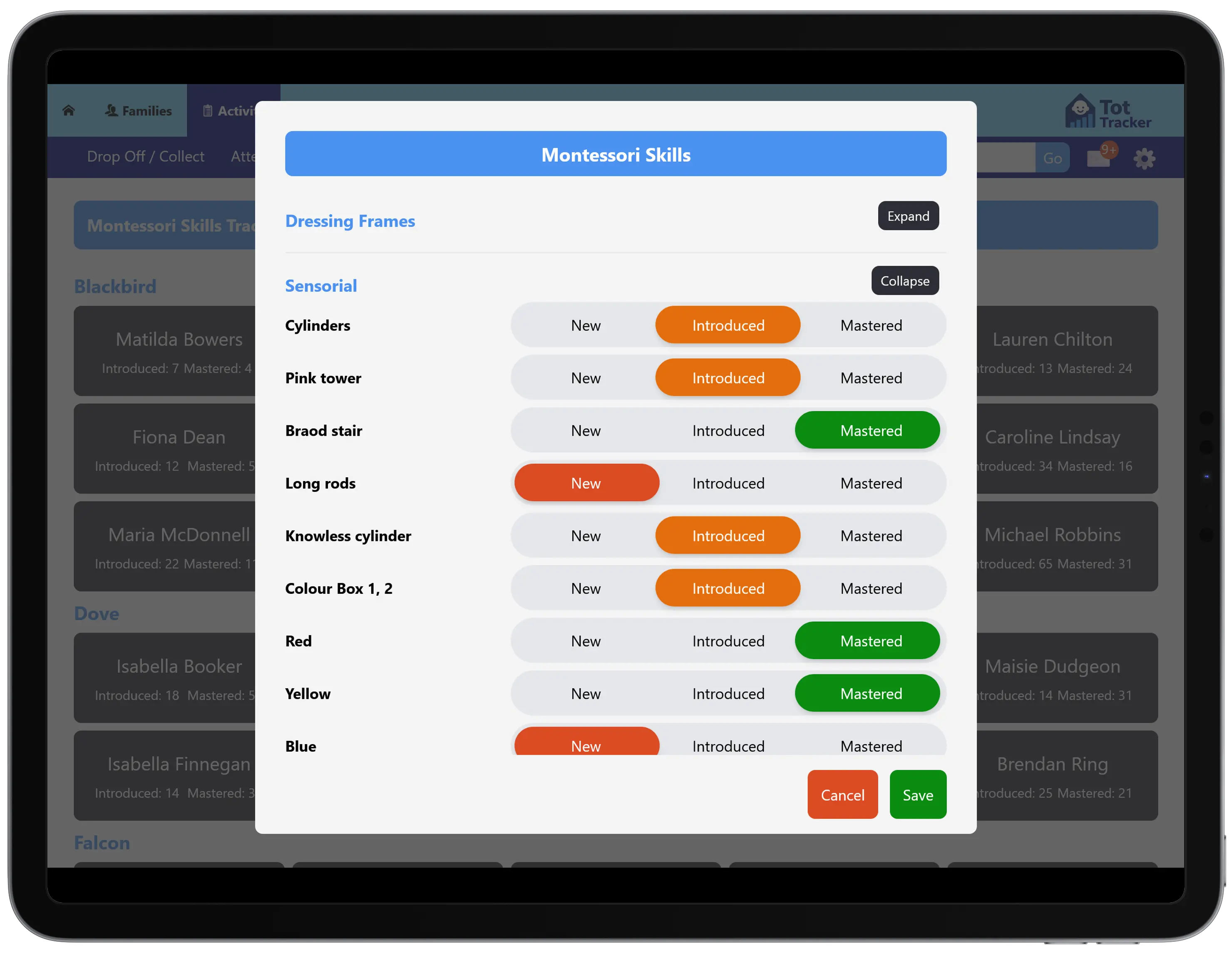
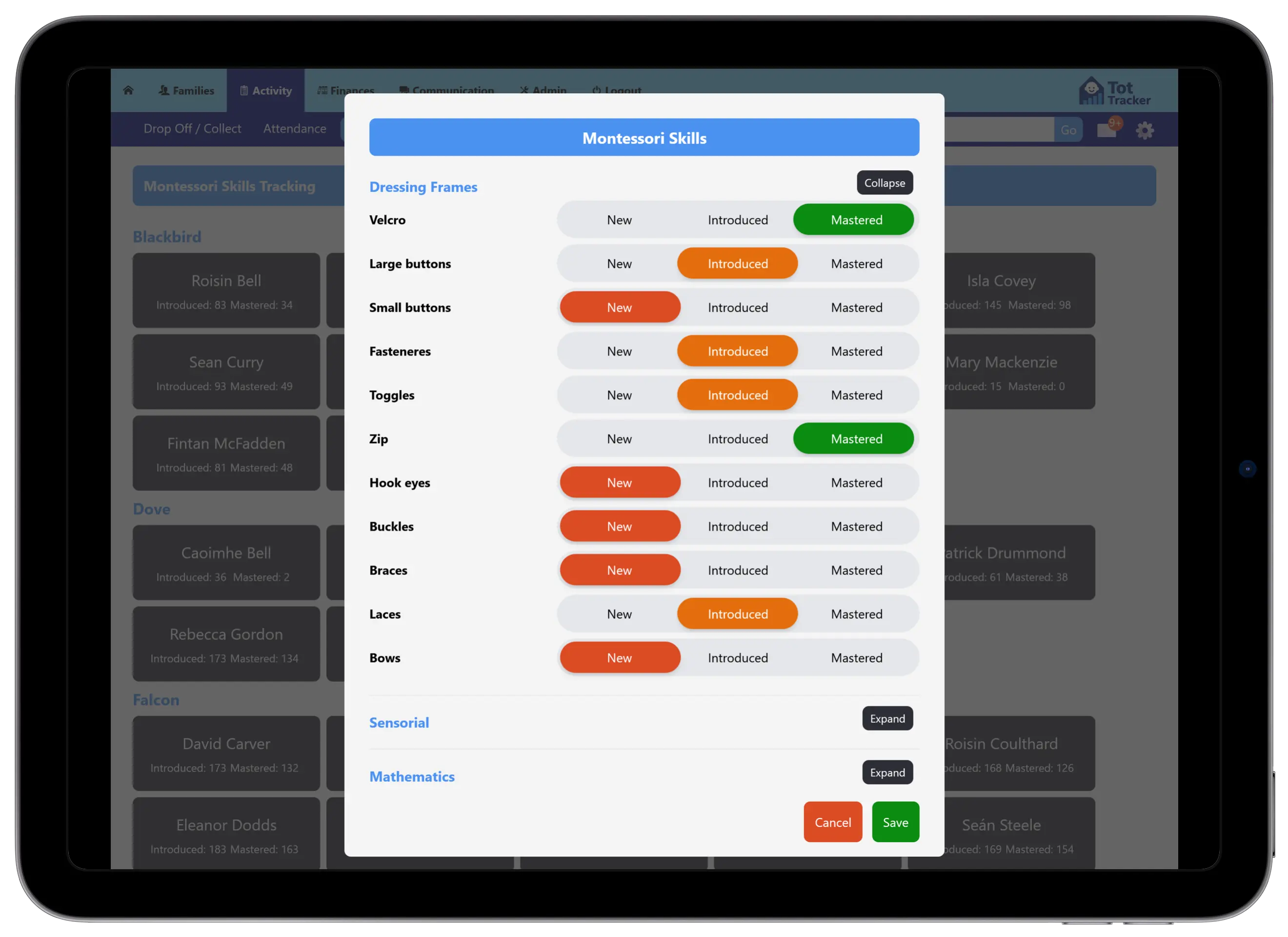
Staff record an observation against a child and tag the Montessori skills it shows. Each skill area, from dressing frames to sensorial and mathematics, breaks down into the individual skills within it.
Because every observation is tagged, the record builds over the year. You can see where each child stands on every skill, and how they got there, instead of a folder of photos and notes nobody can search.
Tot Tracker is a tool for recording Montessori practice. It does not provide Montessori accreditation.
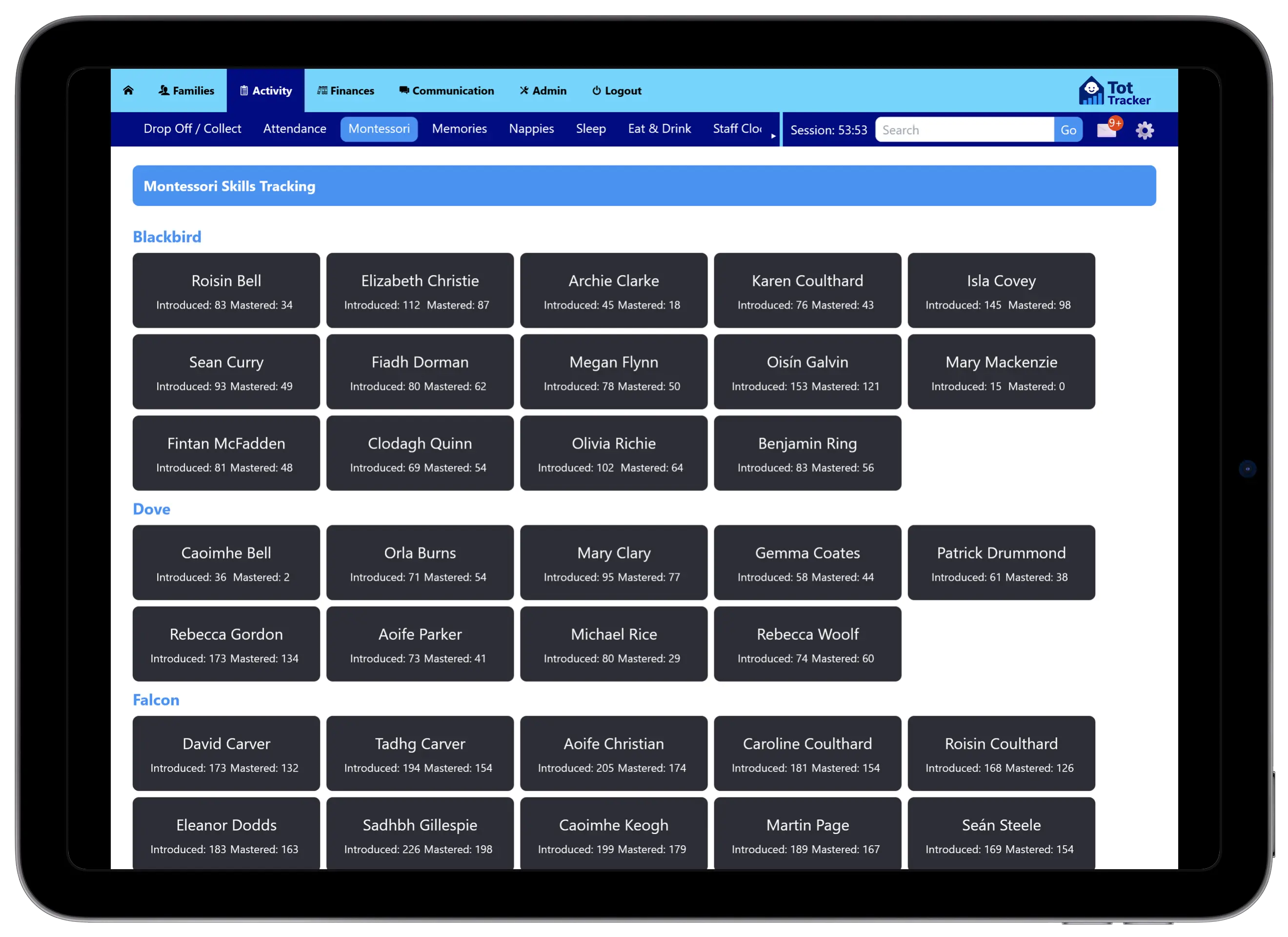
A longitudinal record of learning
The skills overview shows a whole room at a glance: how many skills each child has been introduced to and how many they have mastered. That is the picture you need for planning, for parent meetings, and for showing an inspector how you track development.
This is the record you build on when planning the weeks ahead.
Lesson planning for the year and the week
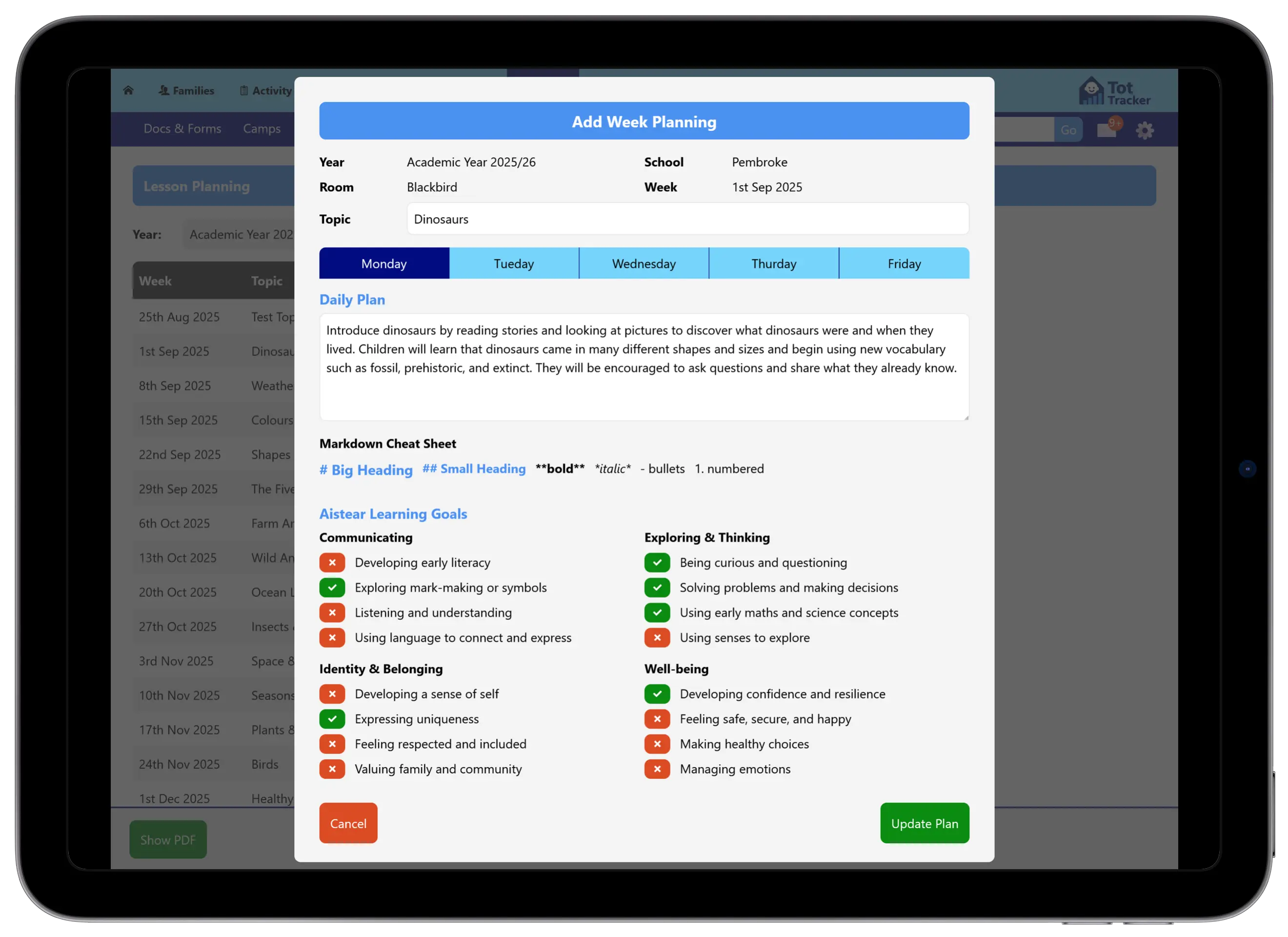
Set out the academic year for each room week by week, with a topic for every week: Dinosaurs, Weather, Colours, Farm Animals. The whole year is visible in one list, so you can see the shape of the term before it starts and adjust as you go.
Open any week to write a daily plan for Monday to Friday: what the children will do and what they will learn. The editor supports headings, bold text and lists, with a cheat sheet beside it.
- A topic for every week of the academic year, per room
- A daily plan for each day of the week
- Aistear learning goals ticked off across Well-being, Identity and Belonging, Communicating, and Exploring and Thinking
- Plans printed as a PDF for the classroom wall or a parent meeting
Planning sits beside the skills record, so what you plan next week can follow from what each child has been introduced to and mastered this week.
Observations from the wrist
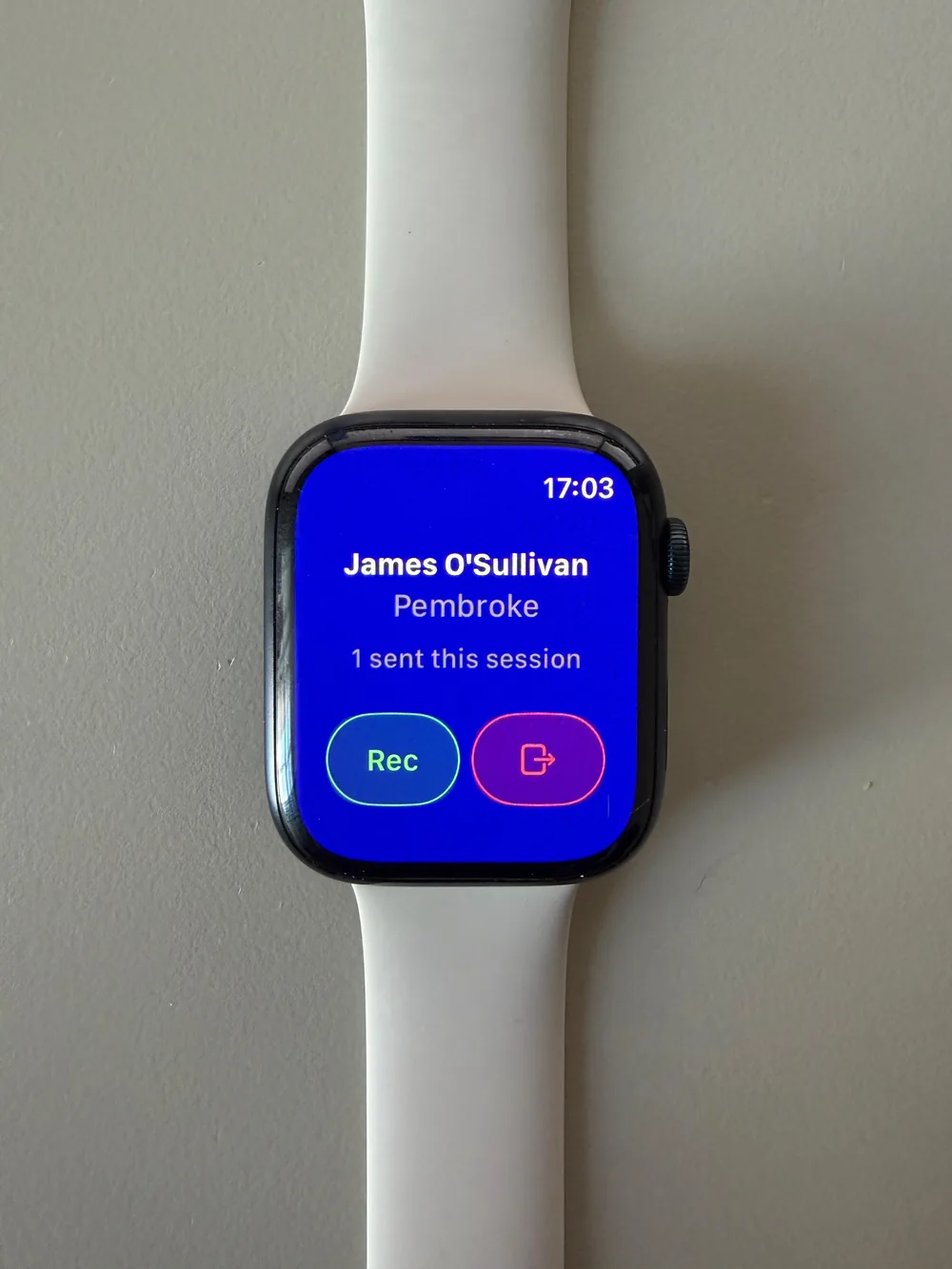
With Instant Observations on Apple Watch, an educator raises their wrist, says what they see, and voice-to-text files a written observation against the right child in under 30 seconds. No phone to unlock and no writing up from memory at the end of the day.
Sleep
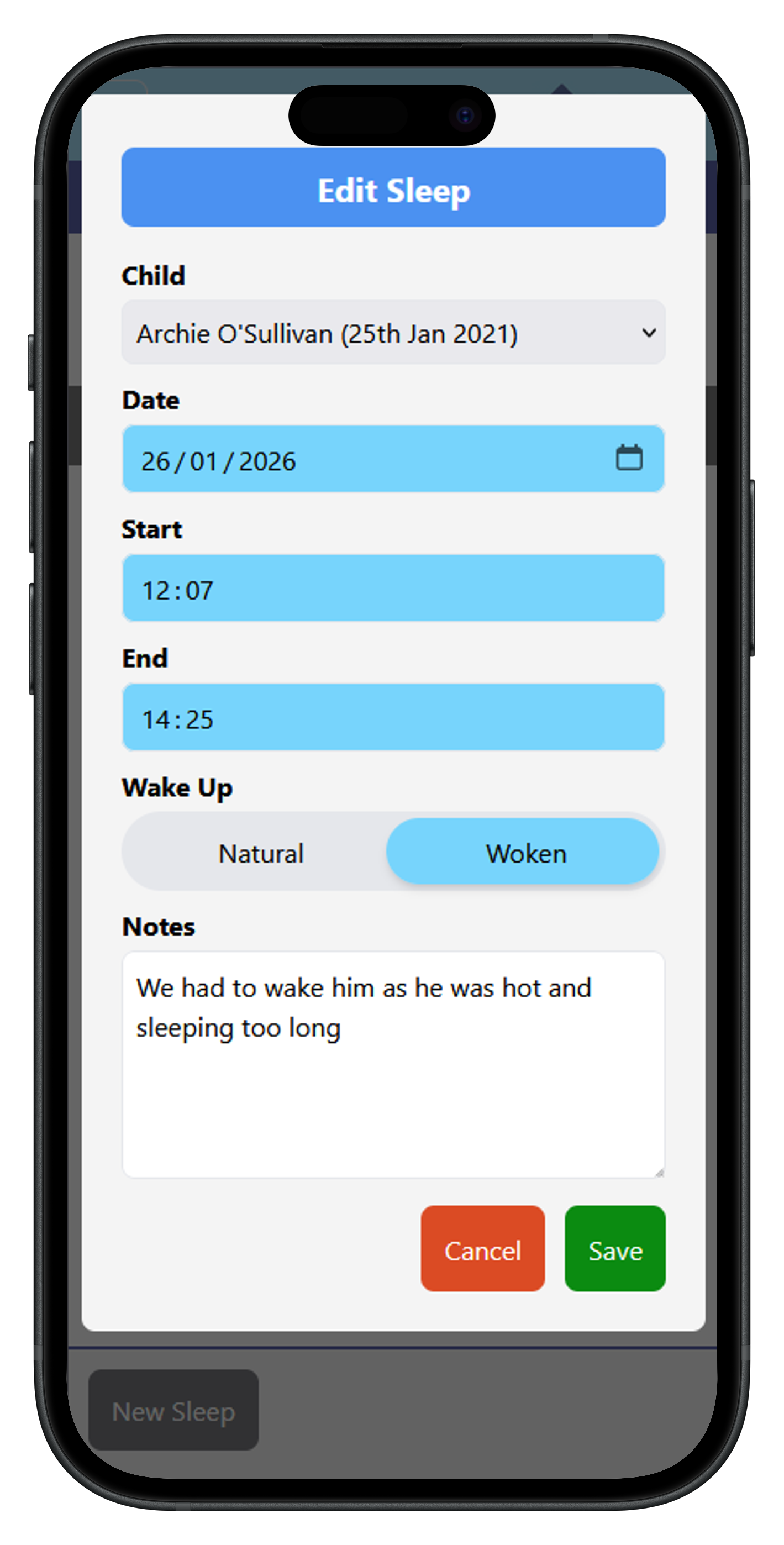
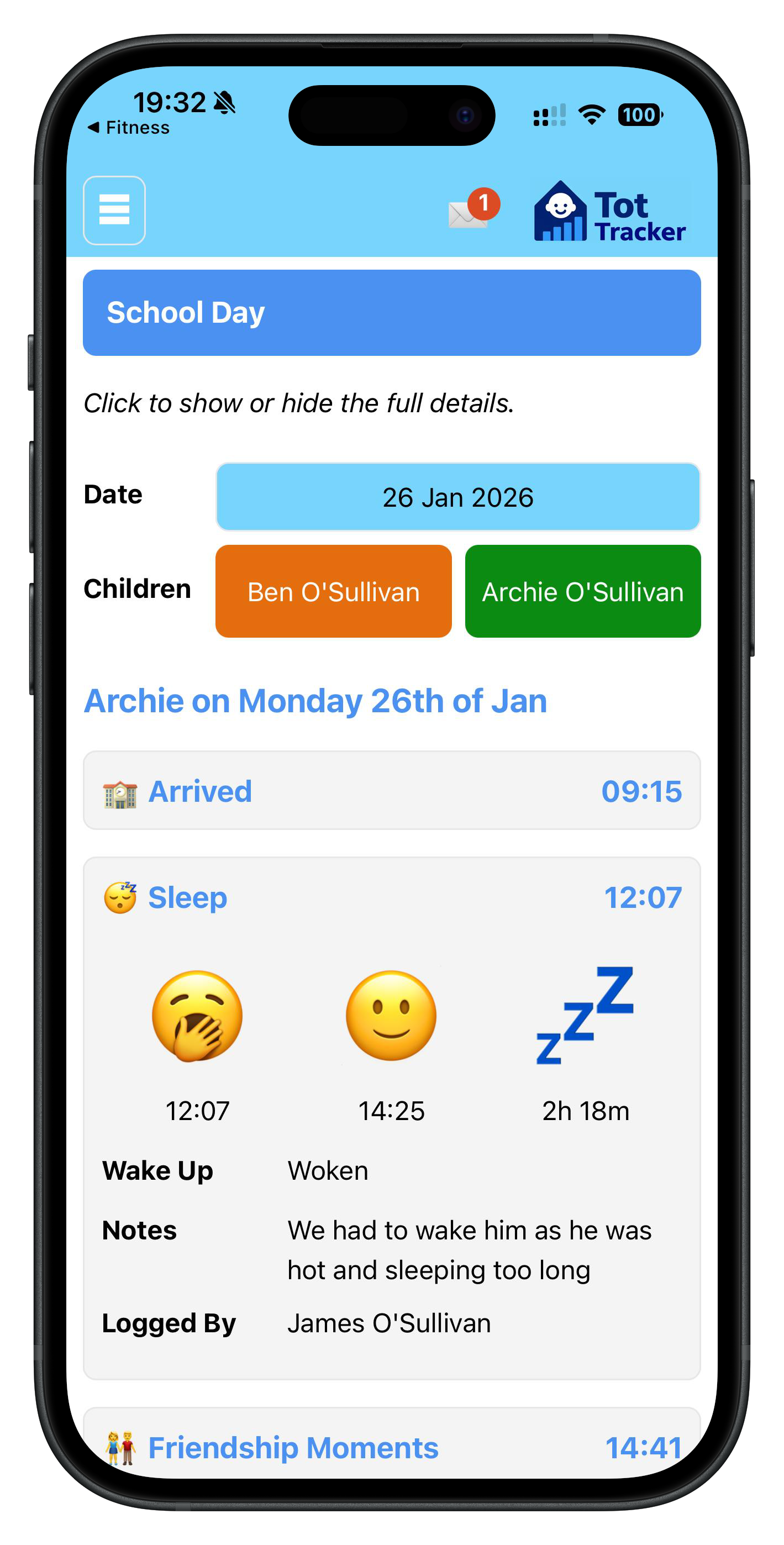
Staff tap when a child falls asleep and when they wake. The duration is calculated and the parent is notified, so they know how the nap went before collection. Over time the log shows patterns worth raising with parents.
Nappies and meals
Nappy changes are logged with the type and time in a couple of taps, and parents are notified.
For meals, build the term's menu or import it from your caterer, with the allergens held against every dish. Staff then record what each child ate, one child at a time or a whole room at once after lunch, and parents see in the app what was eaten and how much. Children's allergies are flagged from their allergy and medical care plans.
Photos, memories and activities
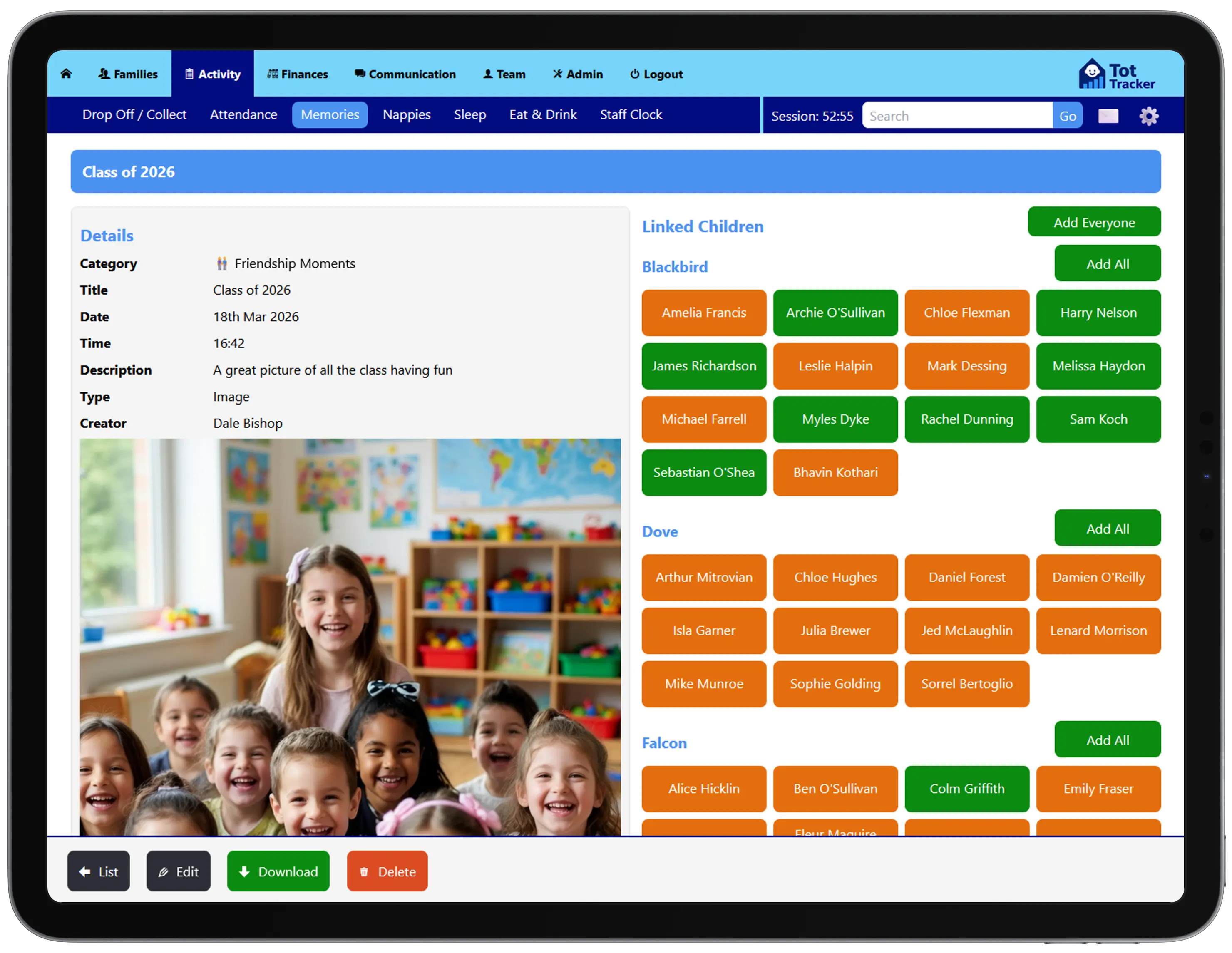
Staff capture a first painting, a short video from the garden or a moment worth remembering. Photos and videos stay inside Tot Tracker, not on staff phones or in WhatsApp groups.
At the end of each year, Tot Tracker Wrapped compiles a yearbook for every child from what they have done.
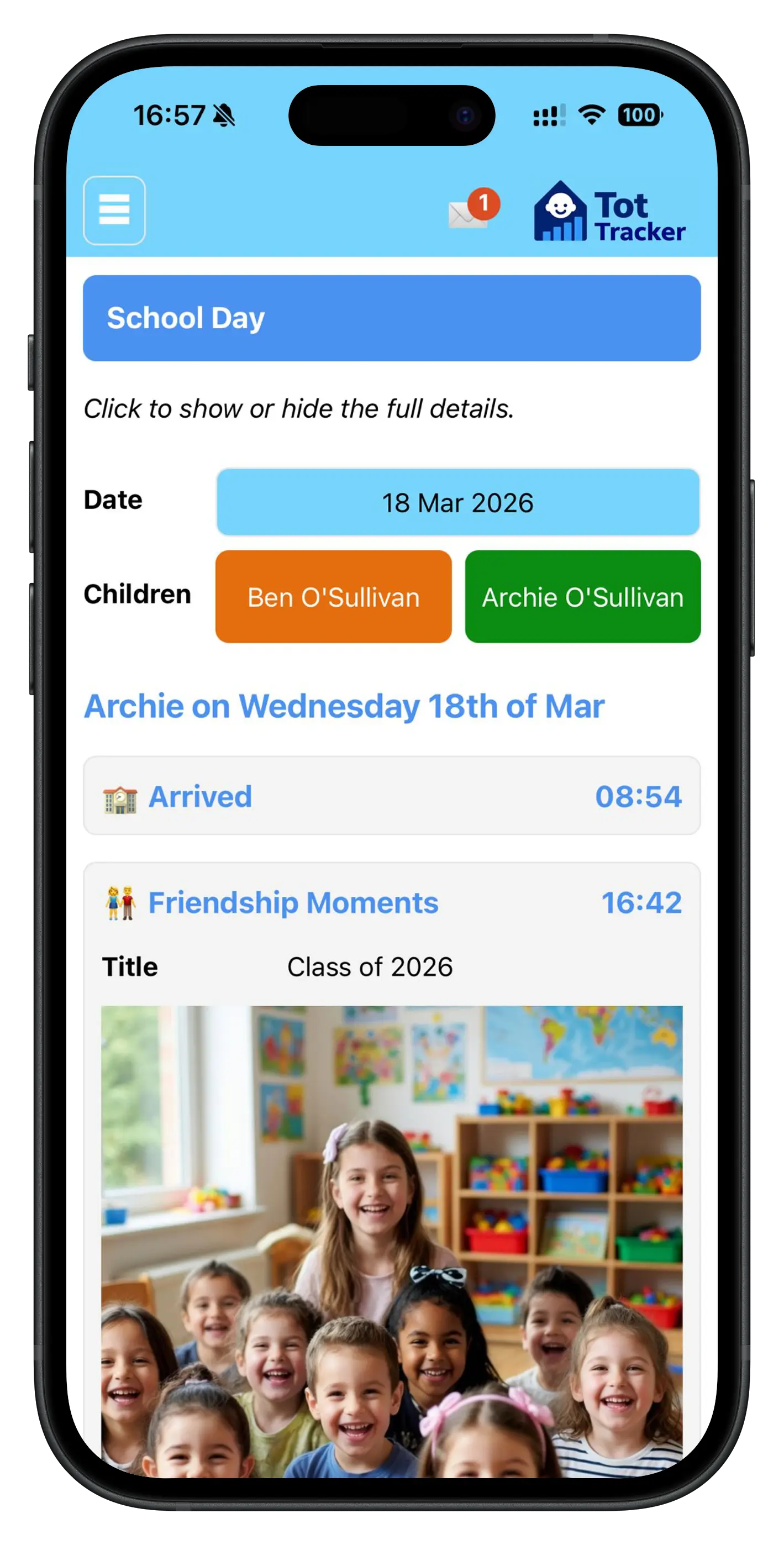
How updates reach parents
- Staff record the momentAn observation, a nap, a nappy change, a photo.
- The observation or care event is savedTimestamped and attributed to the member of staff.
- Staff choose what is sharedNot everything recorded needs to go to parents.
- Parent sees it in the appIn the child's day, with a notification where it matters.
Parents see it all in the parent communication app, alongside messages, the calendar and invoices.