The problem with paper enrolment packs
Enrolment packs are long, printed and filled in by hand, usually once, at the start. From then on they go stale. Phone numbers change, a GP moves, an emergency contact is no longer reachable.
On paper in a filing cabinet, the information is invisible to the staff on the floor who need it, and re-collecting it means printing and chasing every family again.
From application to child profile
- Parent receives a secure formA single-use link by email, opened on any device.
- Previous answers pre-fillName, date of birth and venue are already there, plus everything from last time.
- Parent completes or updates detailsOnly what is new or changed needs typing.
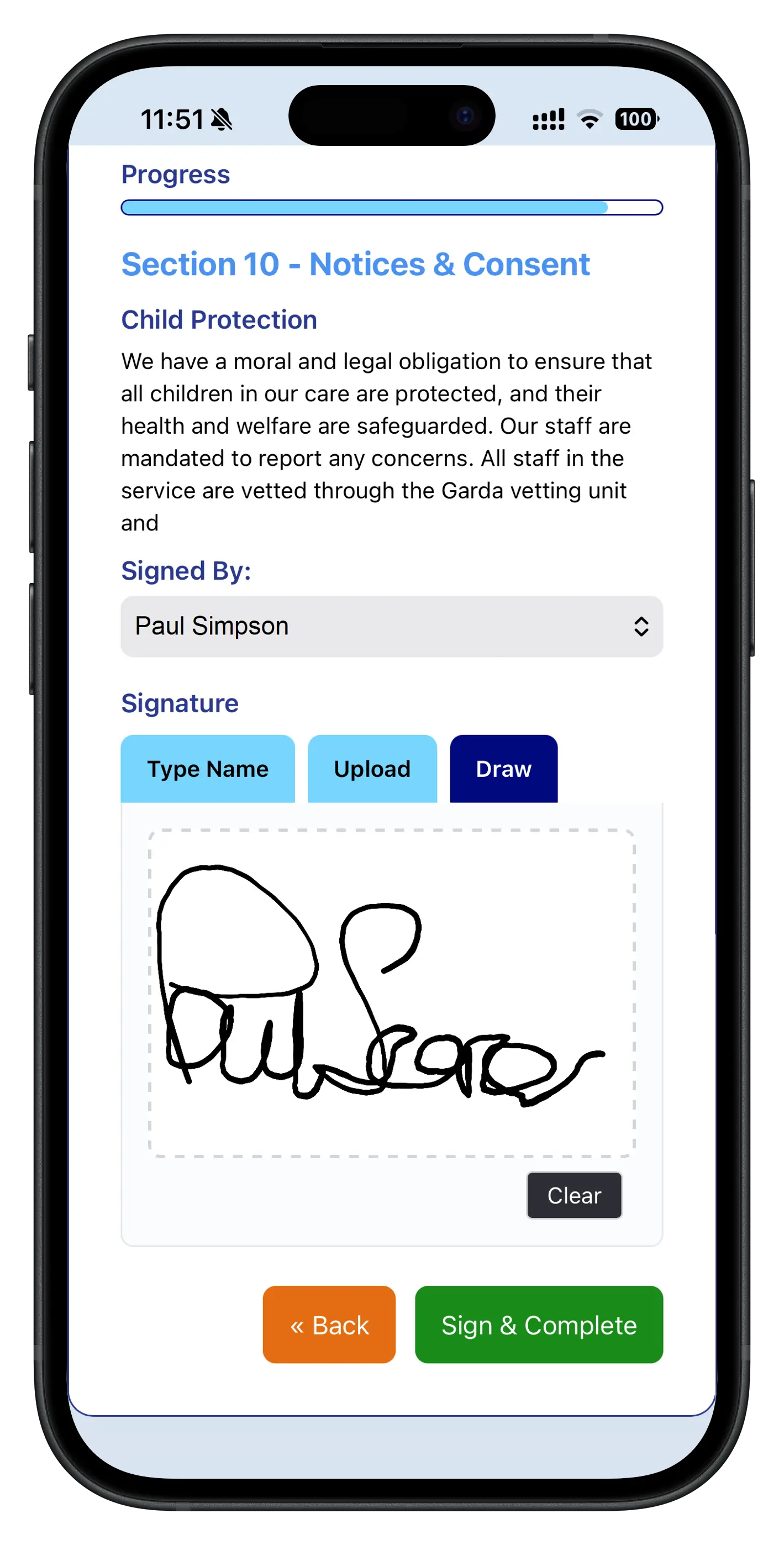
- Parent e-signsA timestamped signature on the completed form.
- Setting countersignsYou confirm and close the loop.
- Information appears on the child's profileContacts, collectors, medical and dietary details, live for staff.
A form parents complete in minutes
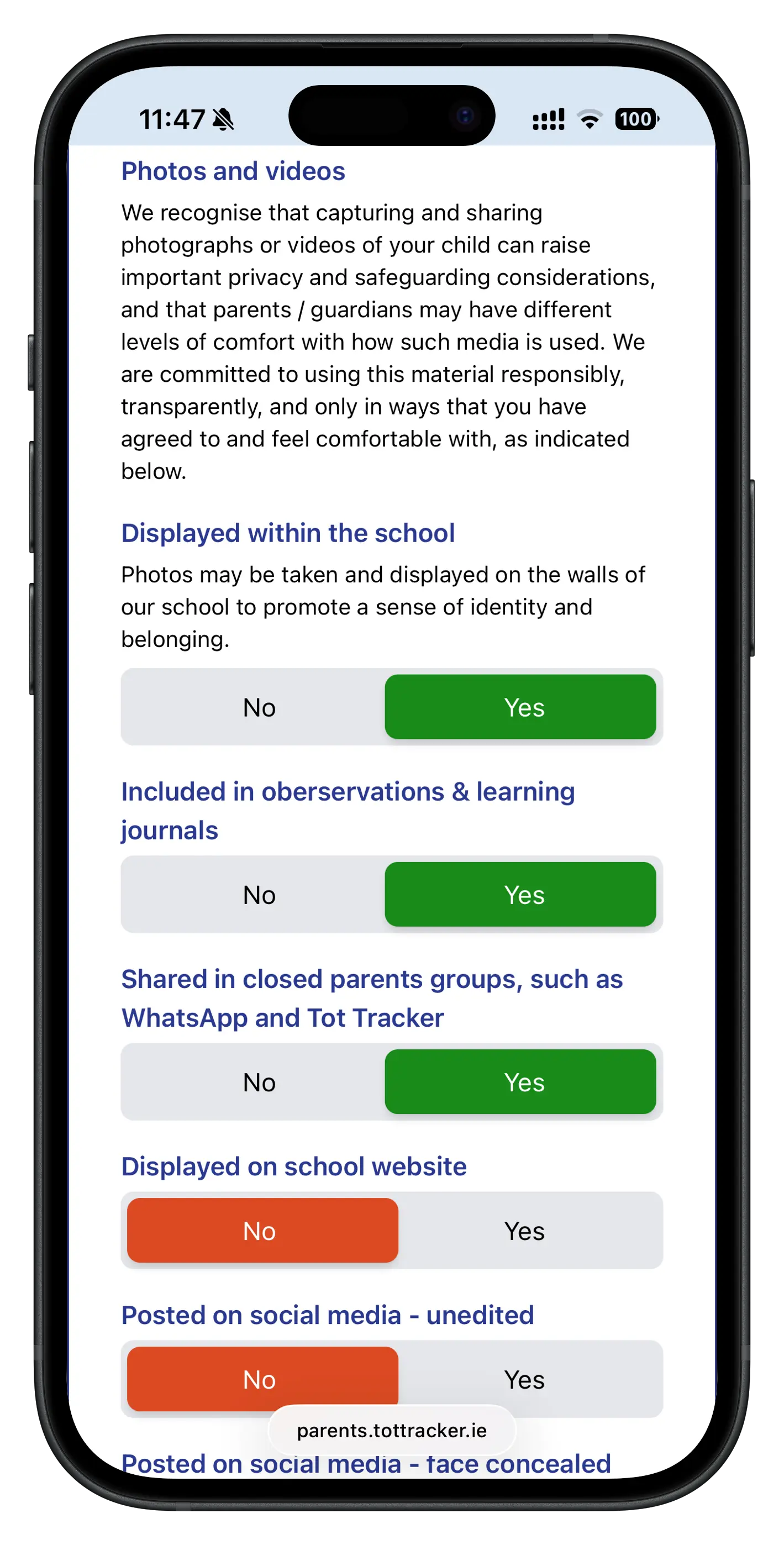
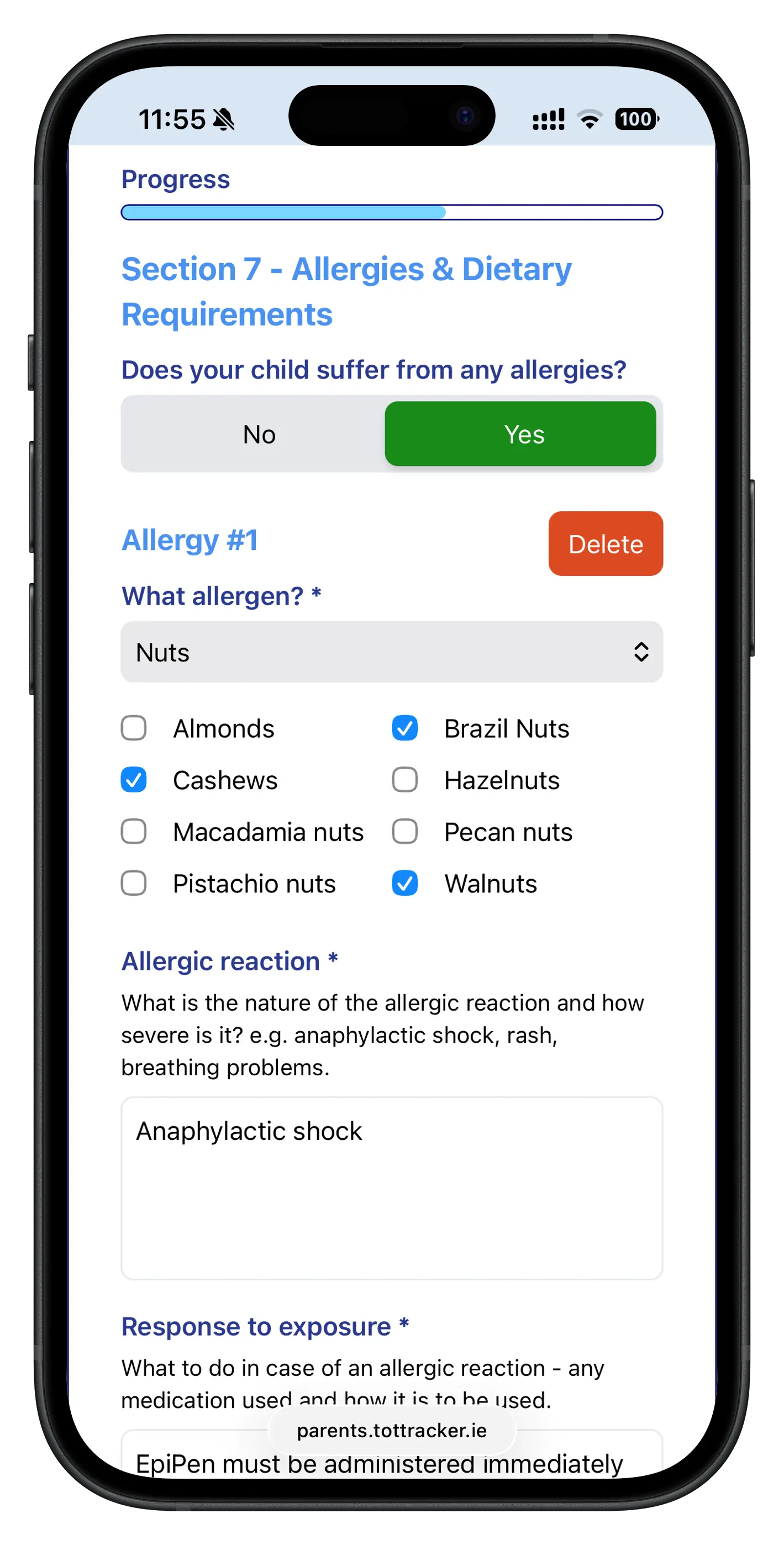
Parents get a clean, multi-section form on their phone: child details, parents and guardians, authorised collectors, allergies and medical information, permissions, and any questions your setting adds.
Because the link is single-use, if it went to both parents, whoever opens it first completes it and the link closes.
Annual refresh, without the chasing
Children stay with a setting for two, three or more years, and a lot changes in that time:
- Phone numbers and email addresses change
- Emergency contacts move on
- Medical information and medication change
- Authorised collectors change as childminders and family arrangements do
Because every previous answer pre-fills, a refresh takes a family a few minutes: confirm what is the same, update what has changed, sign. That makes an annual or termly re-confirmation practical instead of a paper exercise nobody has time for.
What can the form collect?
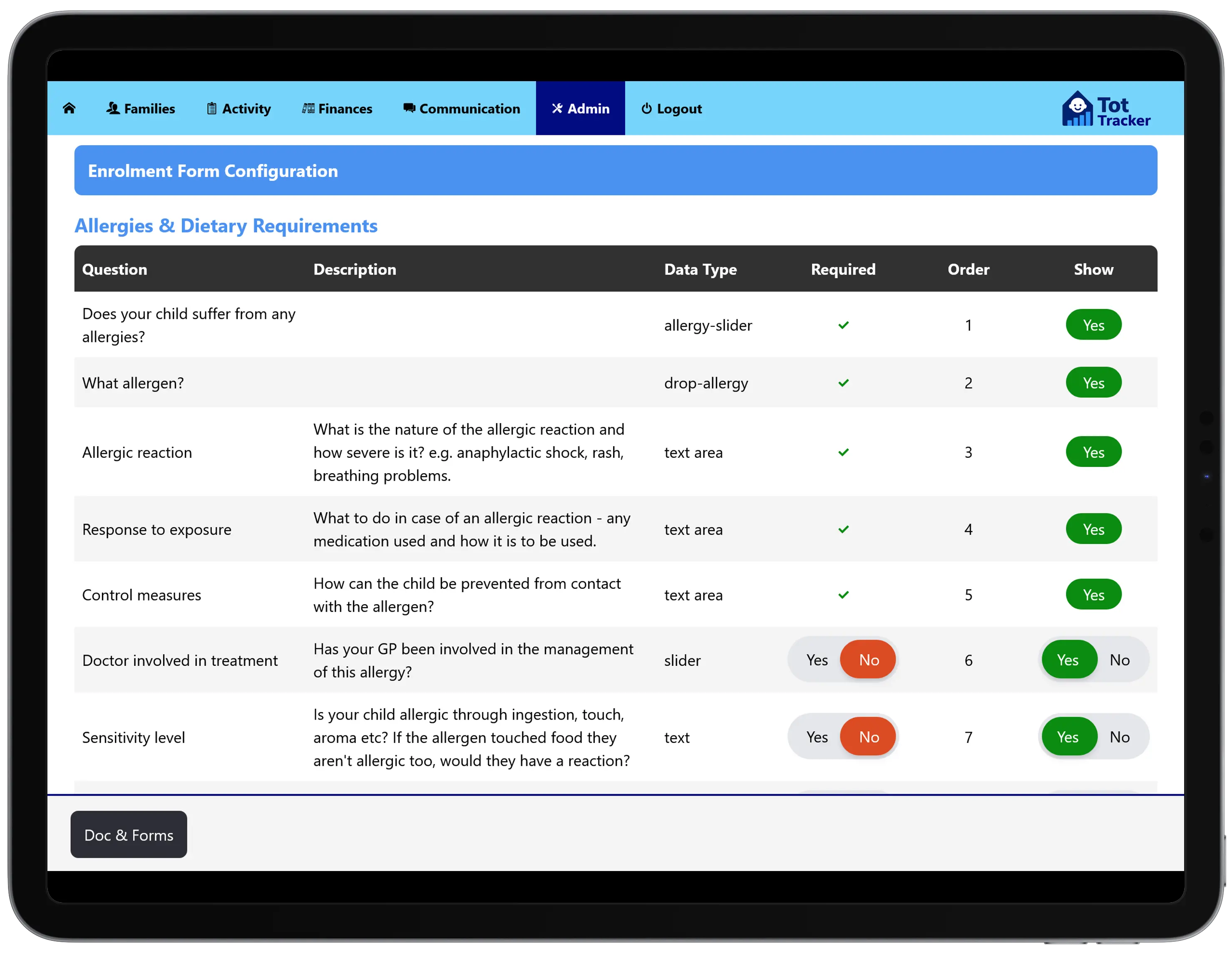
You decide which sections appear and which questions are required. The form covers:
- Child details, such as name, date of birth and GP
- Parents and guardians, with contact details
- Authorised collectors
- Allergies and medical information, which can lead into allergy and medical care plans
- Permissions and consents
- Your own custom questions
- Parent e-signature and your countersignature
Wording can be personalised automatically with the child's name and your venue details.
Straight to staff, not a filing cabinet
The moment a form is submitted, emergency contacts, authorised collectors, dietary needs and medical flags appear on the child's profile for the right staff. No re-keying, no transcription errors.
Those authorised collectors are the same ones staff check at the door with child attendance tracking, and the family details carry through to billing and the parent app.
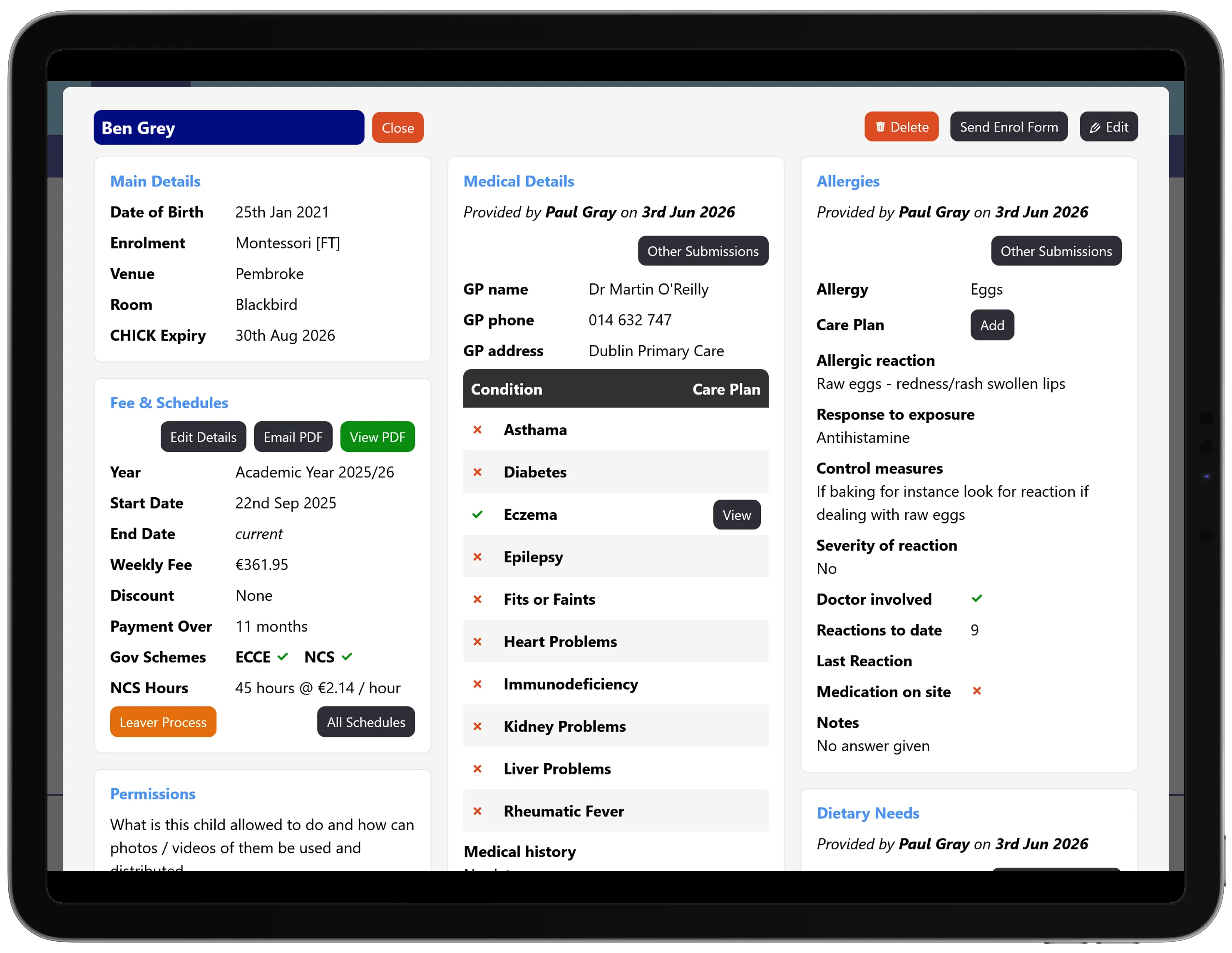
An auditable record of what families told you
Every submission records what was collected, when, and who signed it. Asked at an inspection when a family last confirmed their emergency contacts or medical details, you can show the signed, dated form.
Tot Tracker does not make a setting compliant on its own. It gives you current information and a clear record, which is what good record keeping under the Tusla regulations and GDPR depends on. Data is stored on EU-hosted infrastructure.
Where enrolment forms fit
Families often reach you through the childcare waiting list. When a place is accepted, the enrolment form is how you collect everything else. Beyond enrolment, Tot Tracker also handles other parent forms, vaccination records and policies, covered in family data and enrolment management.