The family-data lifecycle
- EnrolA digital enrolment form, pre-filled and e-signed.
- PlanAllergy and medical care plans, reviewed and signed by parents.
- CollectPermission slips, outing forms and questionnaires as needed.
- RecordVaccinations and documents on the child's profile.
- RefreshForms and plans re-sent with previous answers pre-filled.
- UseContacts, collectors and medical flags in front of staff.
Digital enrolment forms
The enrolment pack becomes a secure form parents complete on any device, covering child details, parents and guardians, authorised collectors, allergies, permissions and your own questions. It is e-signed, countersigned and pre-filled next time. Read more about digital childcare enrolment forms.
Any parent form, digitally
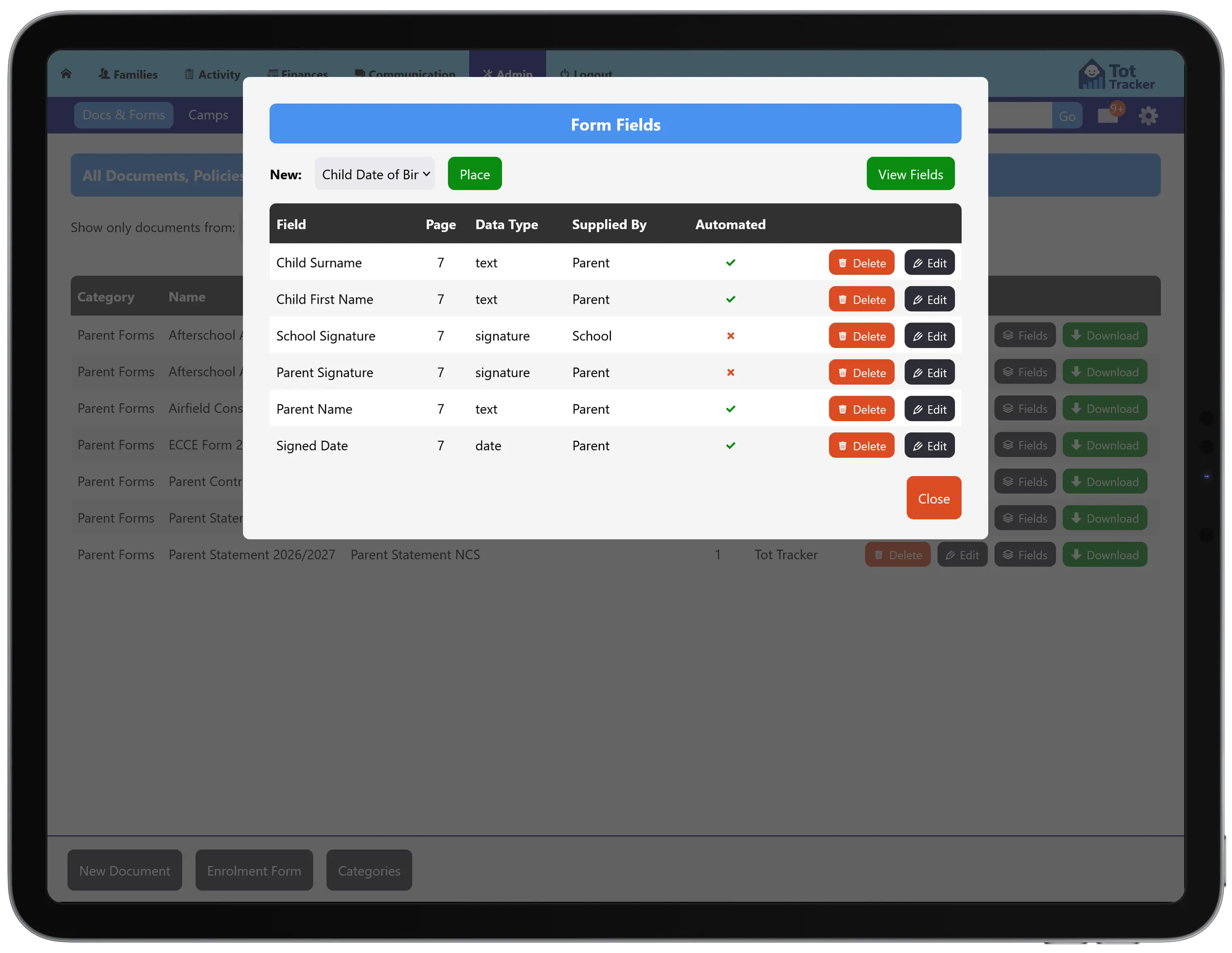
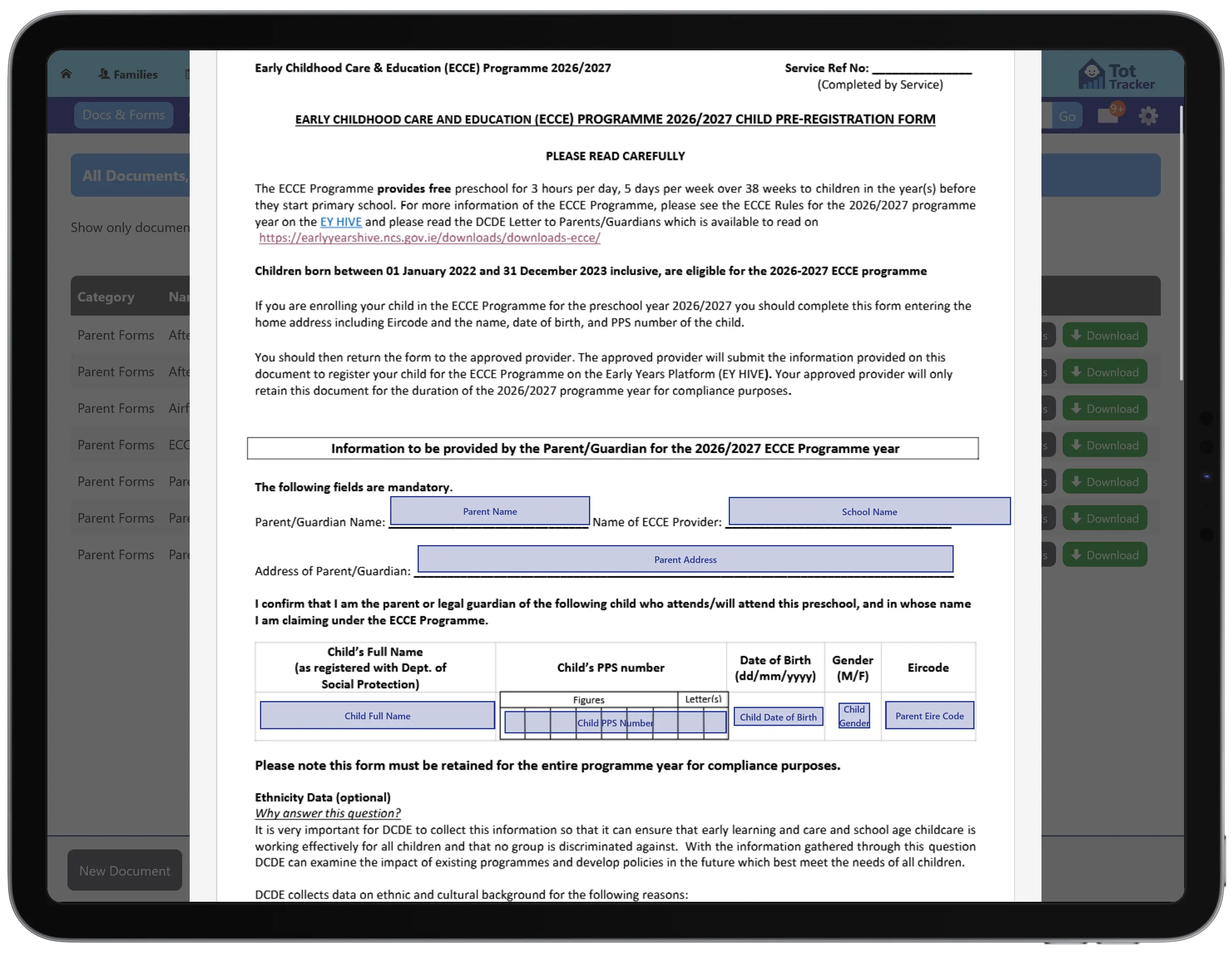
Permission slips, outing forms, questionnaires: whatever you use on paper today. Upload it as a PDF, mark where each answer goes, and it is ready to send. No redesigning the form and no waiting for someone to build it.
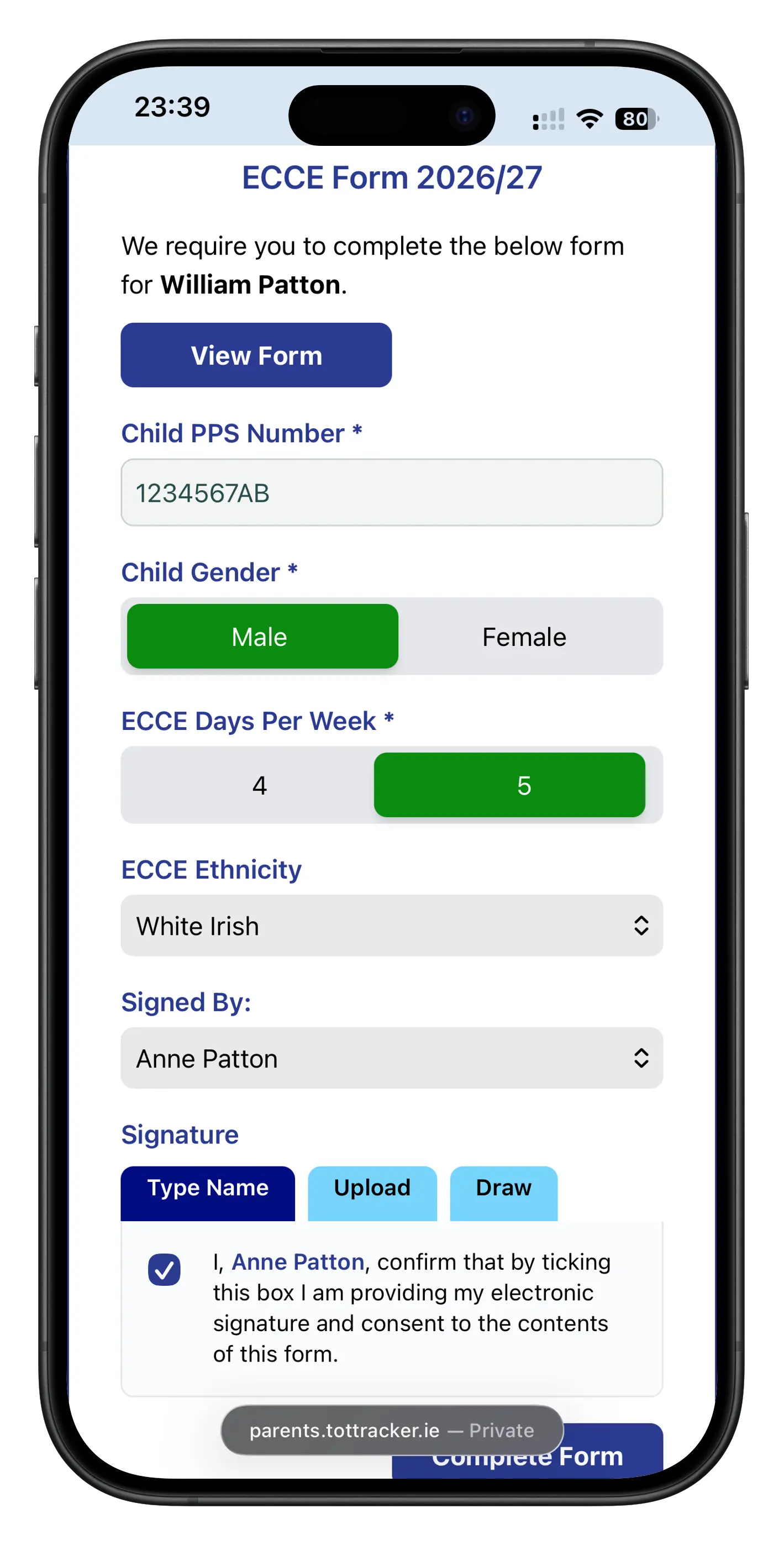
Parents fill it in on their phone. Anything already on file, like a child's name or date of birth, is filled in for them, so they are only asked for what you do not know.
See who has returned what
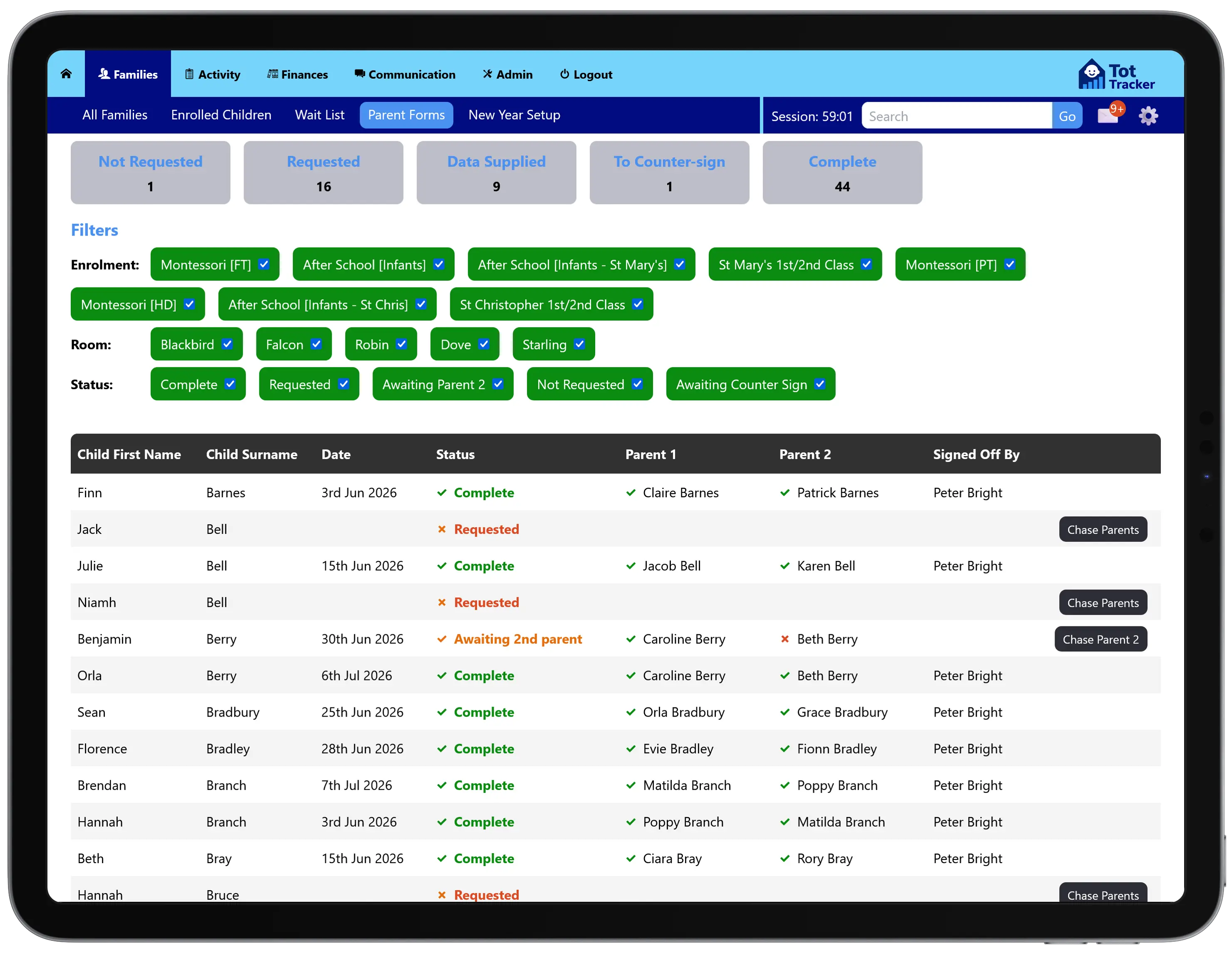
Every form has a live status per family: who has returned it, who has not, and where your countersignature is still outstanding.
Forms every service needs, like the ECCE registration form, are built once centrally and ready for every Tot Tracker setting to use.
Allergy and medical care plans
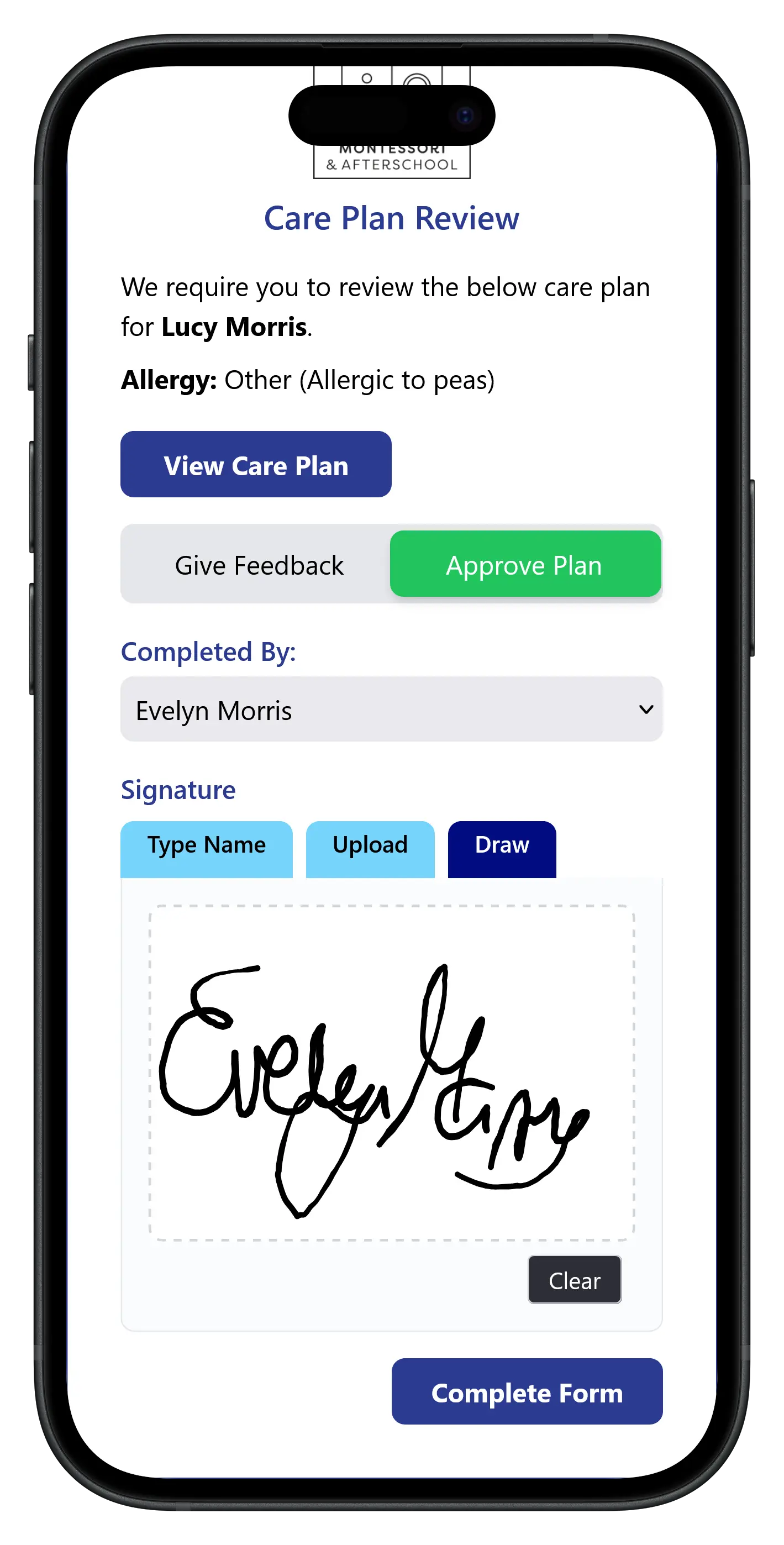
Staff write a plan for each allergy or condition, parents review and sign it in the app, and it is refreshed on a schedule with the critical flags on the child's profile. See allergy and medical care plans.
Vaccinations, documents and policies
Vaccination records
Keep each child's immunisation record on their profile, up to date and quick to check.
Documents and policies
Share policies and documents with parents in the app and keep a record of who has signed to say they have read them.
On the child's profile, not in a folder
Everything collected lands on the child's profile: emergency contacts, authorised collectors, dietary needs and medical flags. Staff see it during drop-off and collection and in the daily views they already use, and family details carry through to billing and the parent app.
Each form, plan and signature is dated and attributed, so you can show what a family told you and when. That supports your own record keeping for Tusla and GDPR; it does not replace it.