How Tot Tracker handles NCS and ECCE
Six steps, all running off the attendance you already take:
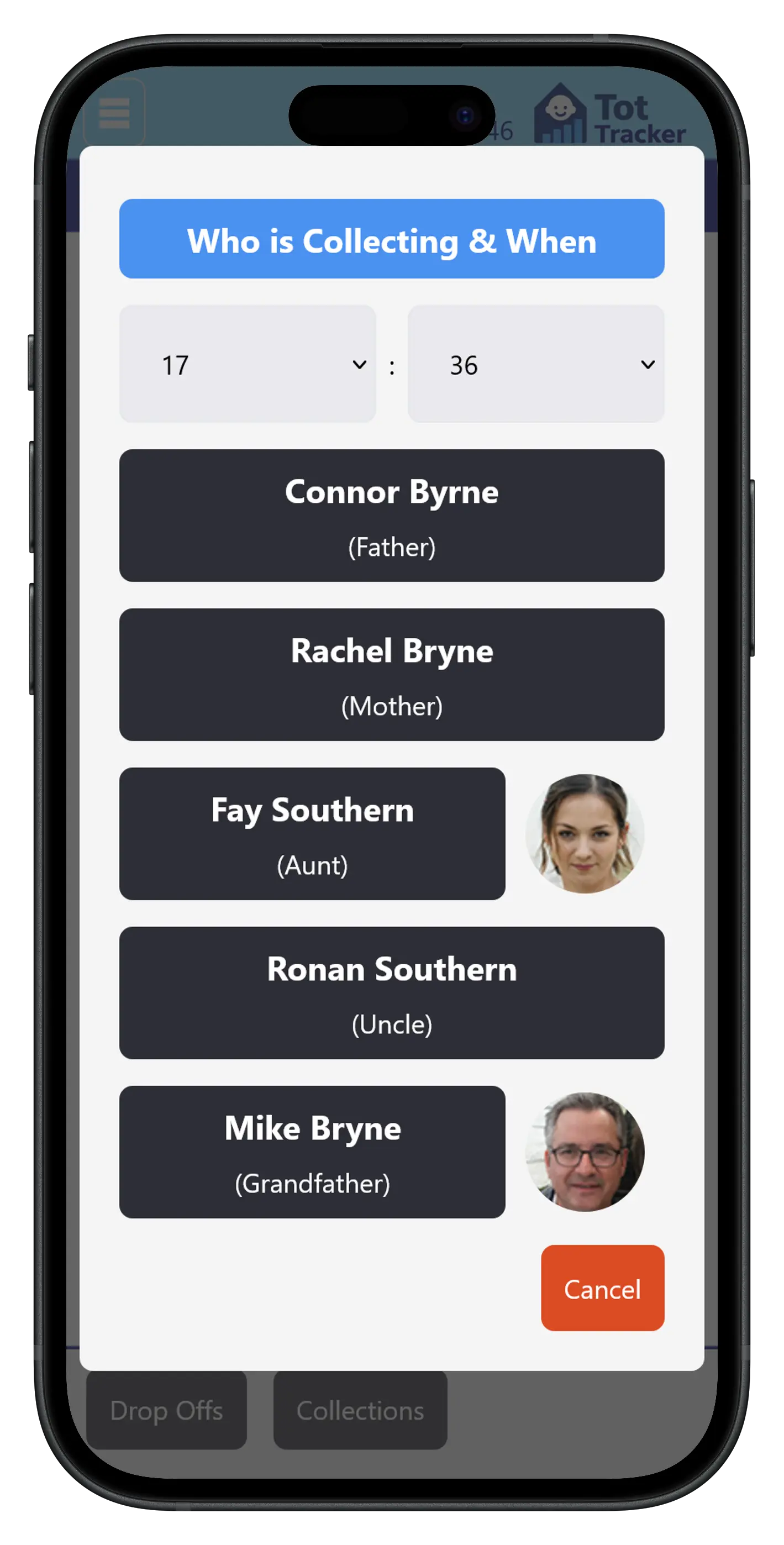
- Record attendanceStaff tap each child in at drop-off and out at collection.
- Calculate actual attended hoursEvery day is totalled from the timestamps, with no manual adding up.
- Account for ECCE hoursECCE session hours are separated out, so only NCS hours count against the NCS claim.
- Compare attendance with the NCS claimEach week is checked against the child's registered NCS hours.
- Alert when a problem developsYou and the parent are warned at eight consecutive weeks under the claimed hours.
- Produce inspection recordsAttendance, who recorded it, edits and fee schedules for any date range.
Attendance recording
Staff record the arrival and collection time for each child with a tap on the screen. Every entry is timestamped and attributed to the member of staff who made it, which is the foundation for everything that follows.
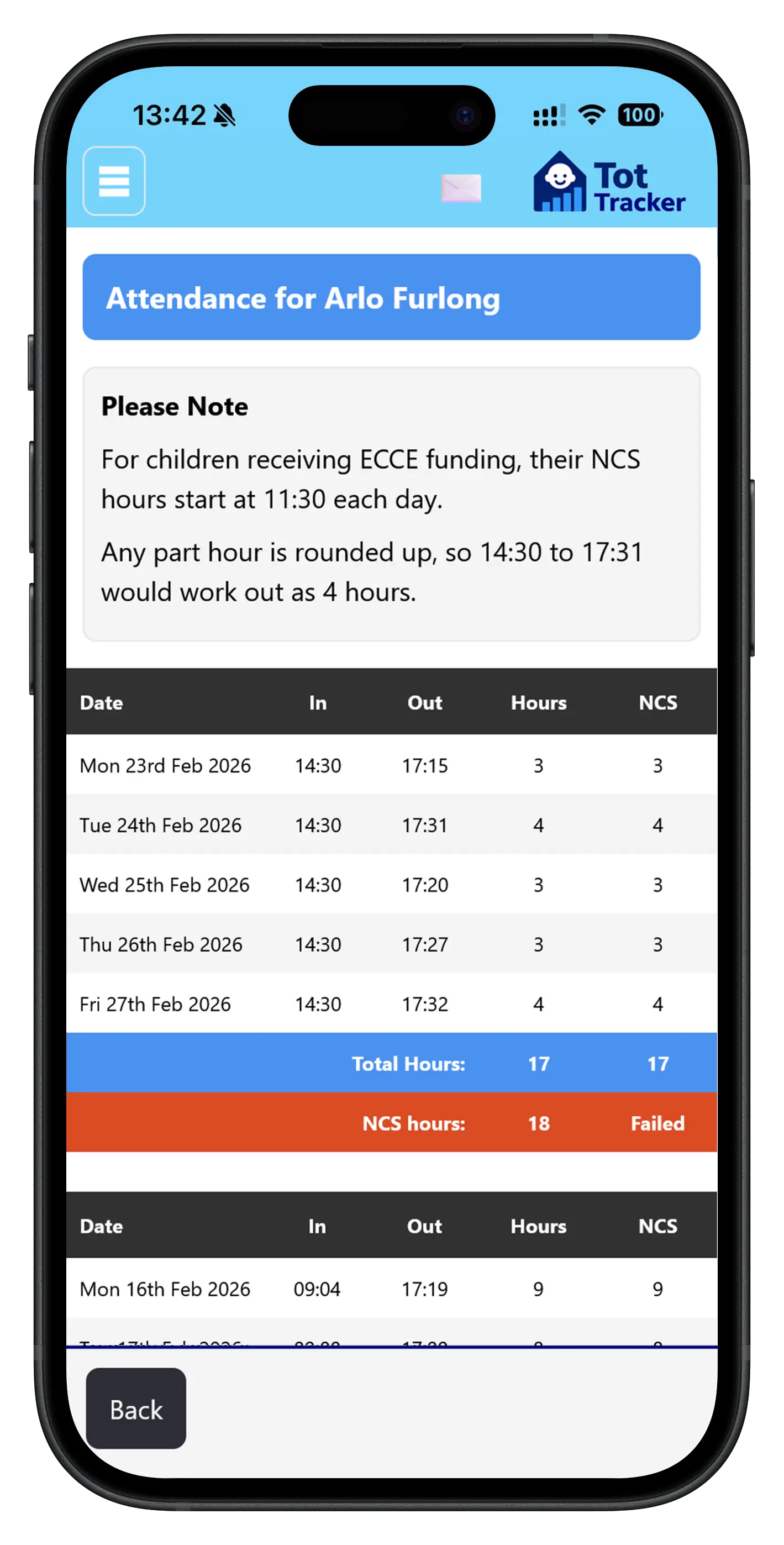
Parents see their child's attendance and daily NCS hours in the app too. If a parent thinks their child attended more than your records show, you have the timestamped data to have that conversation. See child attendance tracking for how drop-off and collection work day to day.
Actual attended NCS hours, and early warnings
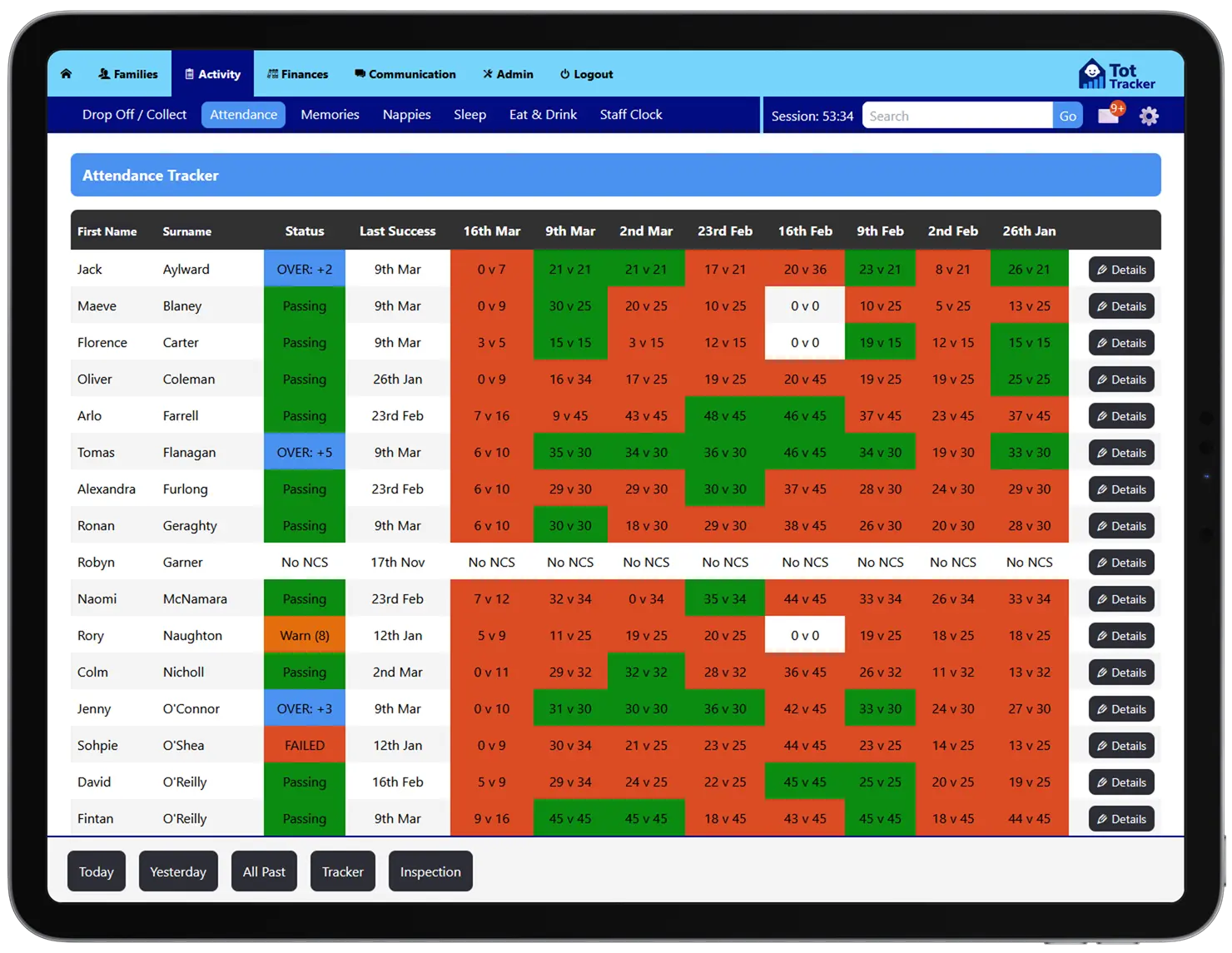
At the end of each week, Tot Tracker works out the NCS hours each child actually attended and compares them with the hours on their NCS claim.
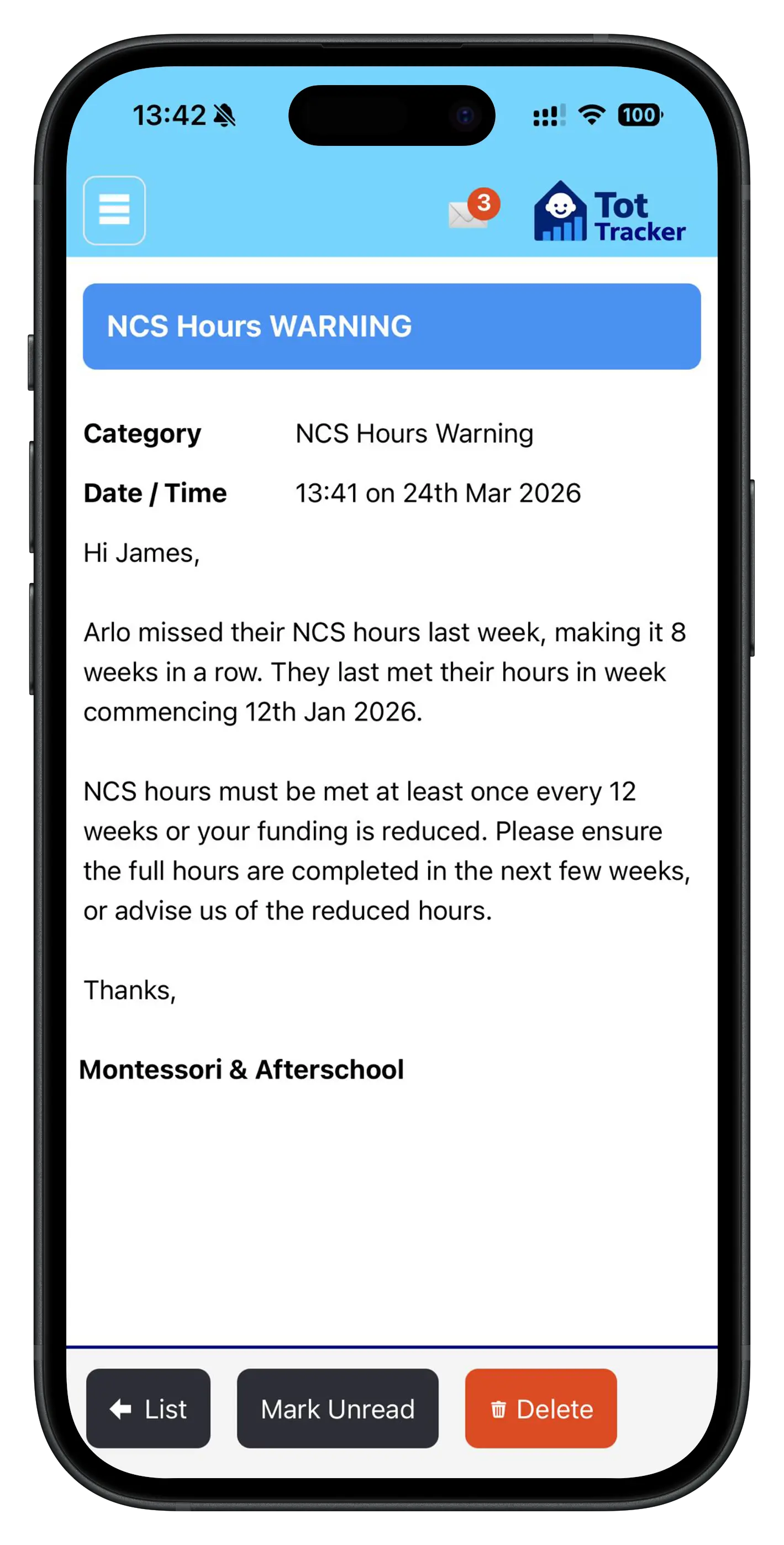
Under current NCS rules, a provider must report when a child has attended fewer than their registered hours for eight consecutive weeks, and at twelve consecutive weeks the subsidised hours are revised down. One full week at the registered hours resets the count.
Tot Tracker alerts you and the parent automatically at eight weeks. That leaves four weeks to make up the hours or adjust the claim, instead of finding out when it is too late.
ECCE, attendance and billing
ECCE and NCS are separate schemes. ECCE covers up to 15 hours a week of free preschool during programme weeks, and NCS is usually claimed for the hours outside that session: wraparound care, extra days and school holidays.
Tot Tracker knows which children are on ECCE and which weeks the programme runs, from their enrolment and your Year profile. When it calculates NCS hours, the ECCE session is accounted for so the two are not counted twice. On the billing side, ECCE capitation is deducted weekly on the child's fee schedule, alongside the NCS subsidy, before the parent's monthly amount is set. See childcare invoicing with ECCE and NCS deductions.
Inspection-ready NCS records
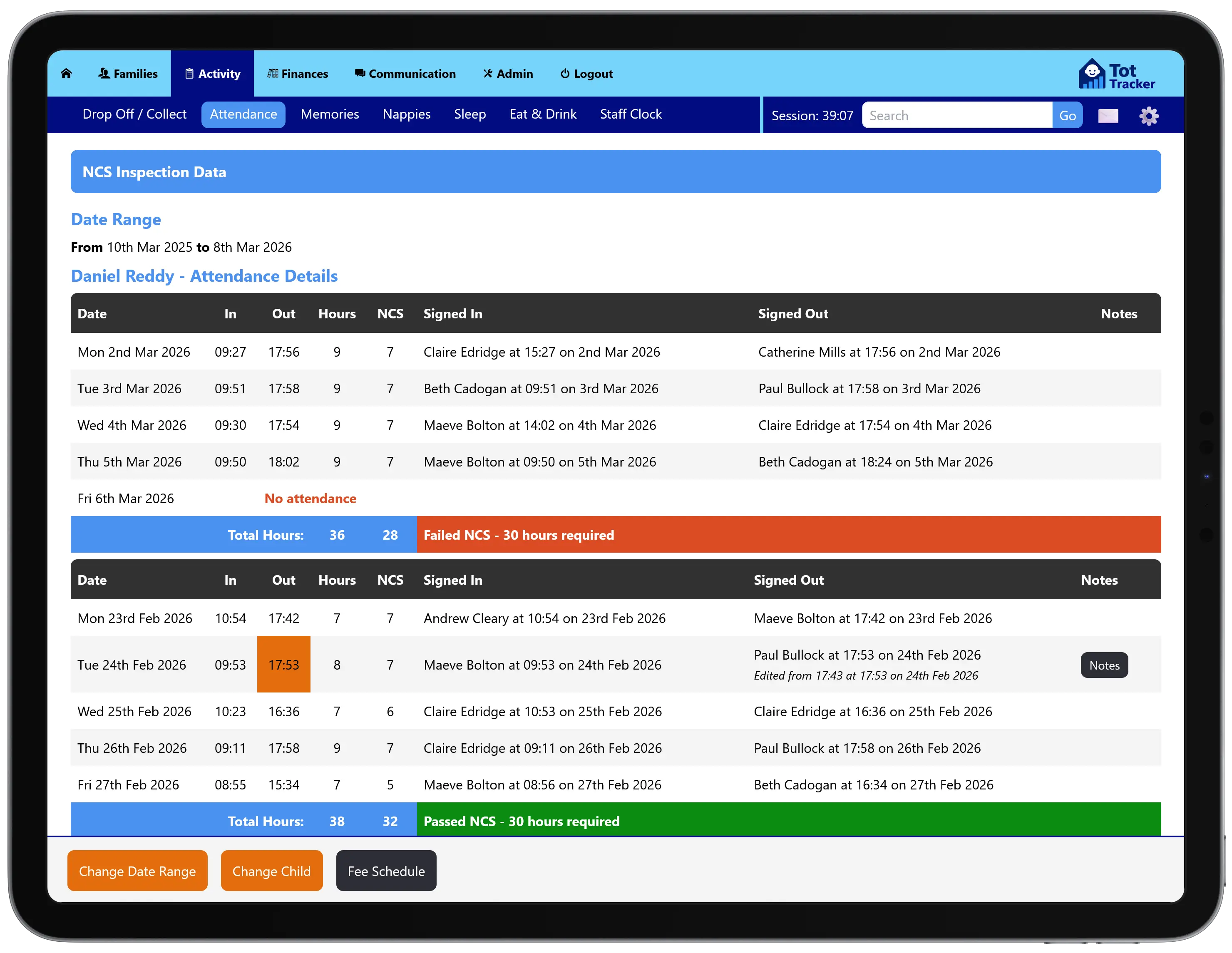
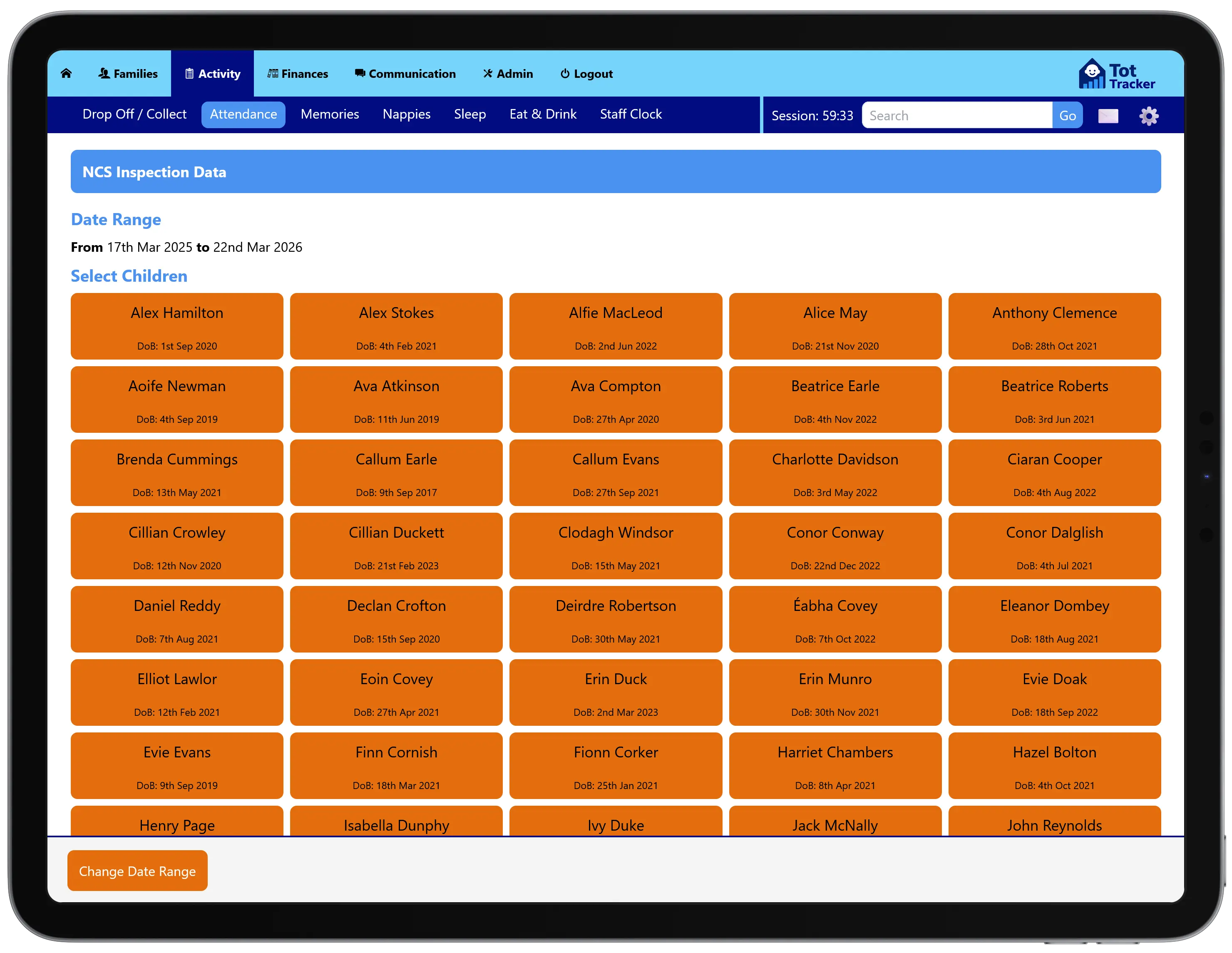
The NCS inspection report is built for the day an inspector arrives. Choose any date range and it lists every child who attended in that window. Select a child to see:
- Daily attendance, with weekly totals checked against their NCS hours
- Who recorded each drop-off and collection, and when
- The full edit history of any changed entry
- The child's fee schedule: annual fee, ECCE capitation, NCS subsidy and monthly amount
- The signed parental agreement
Attendance and funding for one child, in one place. It shows the inspector the hours were attended and the subsidy was passed on to the parent.
CHICK code expiry reminders
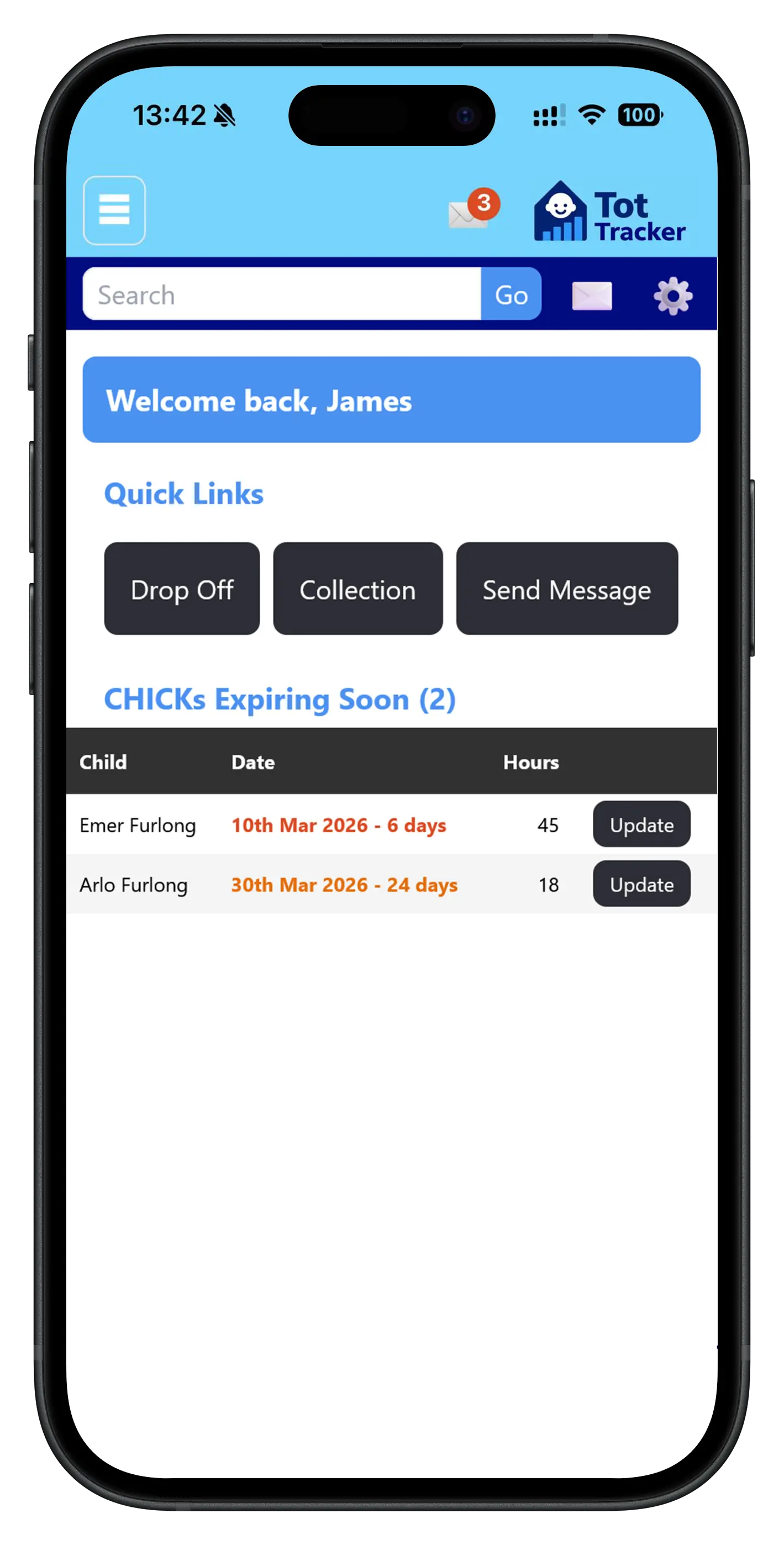
Every child receiving NCS has a CHICK code with an expiry date. If it lapses, funding stops, which hurts the parent and your income.
Tot Tracker flags codes due to expire within the next month so your team can remind parents to renew in time. CHICK codes can be captured at enrolment through digital enrolment forms.
Get set up from your Early Years Hive exports
Every child you claim ECCE or NCS for is already registered on the Early Years Hive, so there is no reason to type them all in again when you move to Tot Tracker.
- Export your ECCE and NCS registration files from the Early Years Hive
- Drag and drop each file into its box in Tot Tracker
- Tot Tracker gives you back a pre-filled onboarding spreadsheet, with every child in the right cells and the right formats
- Add the parent details in the space left for them, then import it yourself or let us do it for you
It saves hours of copying at the start, and because the details come straight from the Hive, names, dates of birth and funding registrations match what is on the Hive from day one.
Early Years Hive updatingComing soon
Updating the Early Years Hive is one of the slowest jobs providers tell us about. We are building a way to take it off your hands. This is not available yet; here is what it will do:
- Tot Tracker spots a child attending more or fewer hours than their NCS claim
- You are shown the finding, with the option to make the change
- Tot Tracker updates the child's hours, their fee schedule and the Hive for you
Until then, Tot Tracker tells you when a claim needs changing and you update the Hive as you do today.