🚀 Released 2 August 2026

A waiting list parents can join themselves

Tot Tracker has supported waiting lists for a while, helping you manage the flow of new enquiries. But getting a child onto that list has still been a fairly manual job, with someone on your team typing in the details for a new or existing family. That's what we've changed. We're proud to release the parent-facing waiting list.

Book a Demo

Parents apply themselves, from your website

Direct parents from your website straight to a branded waiting list page inside Tot Tracker. They enter their own details and their child's, choose the facility they'd like to attend, and select the days and sessions they're interested in.
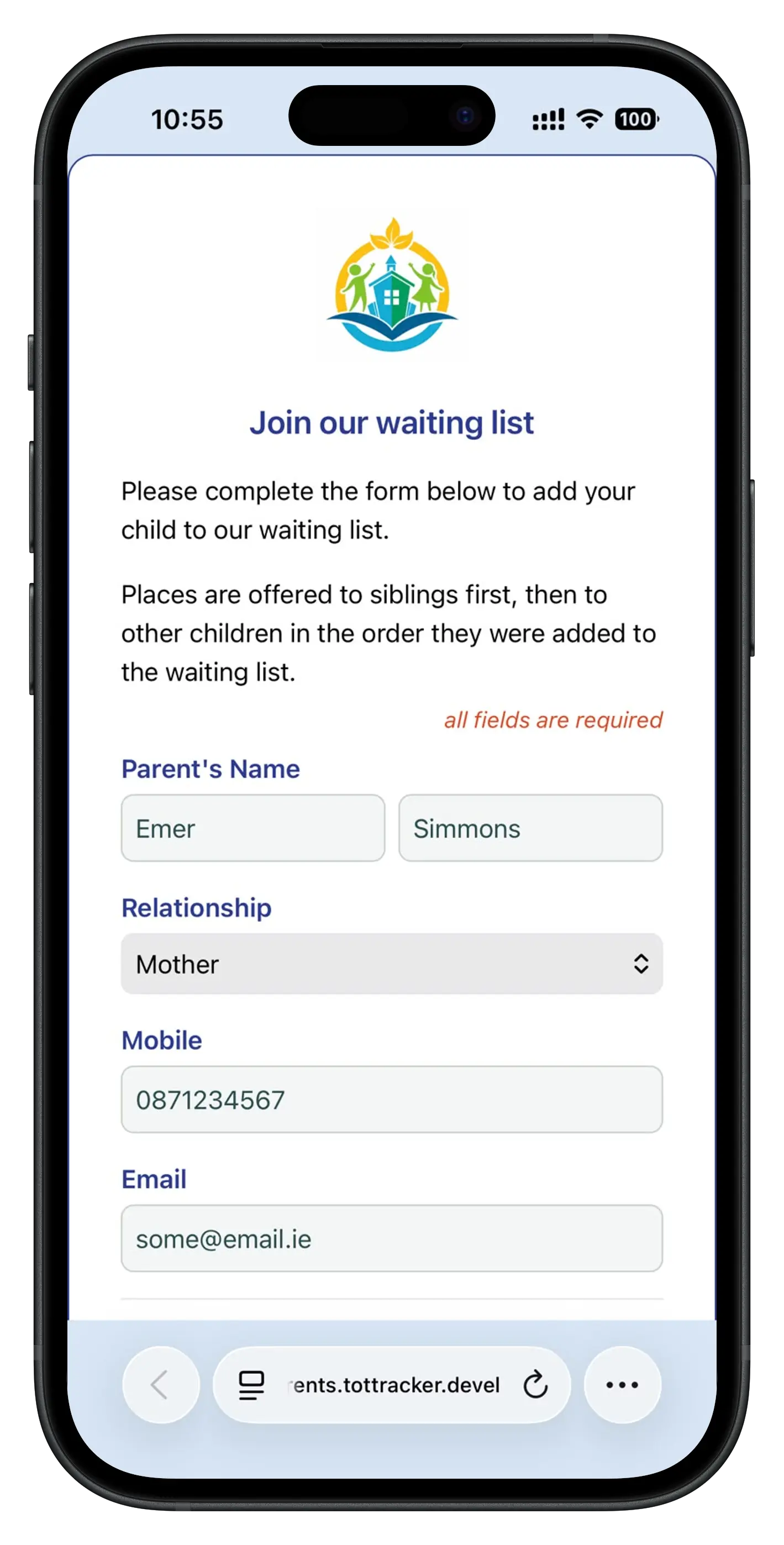
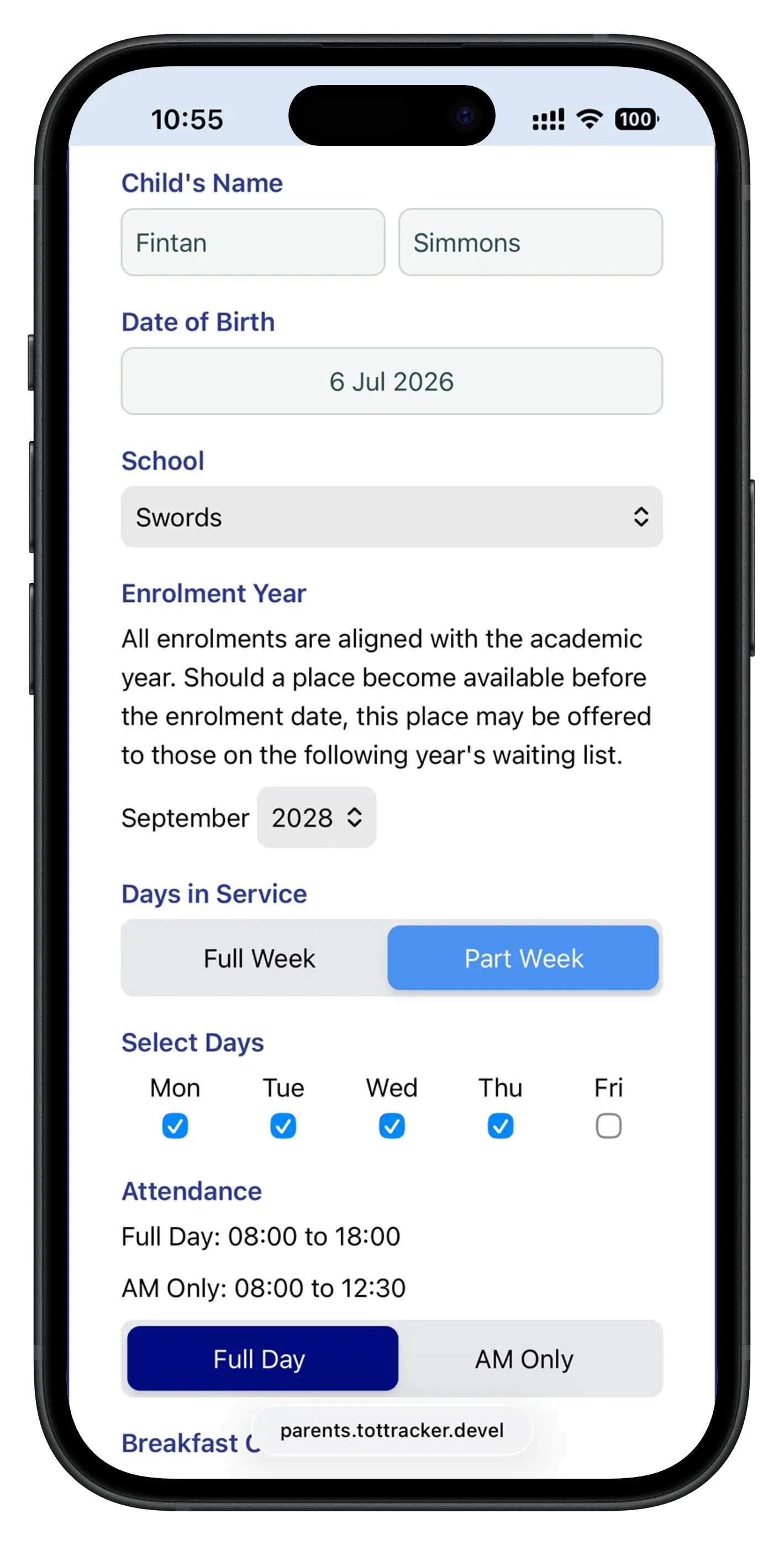
Parent-facing waiting list form: parent's own details Parent-facing waiting list form: child's details, enrolment year and days

A verified request, not just a form submission

Parents get a confirmation email with the details of their request and a link to verify it's really them. Once verified, the child is pulled onto your waiting list, ready for you to allocate the correct enrolment settings.

Your venue staff aren't left waiting to notice a new entry either. The moment a parent applies, staff get their own notification email with the same details, so a new application never sits unseen.
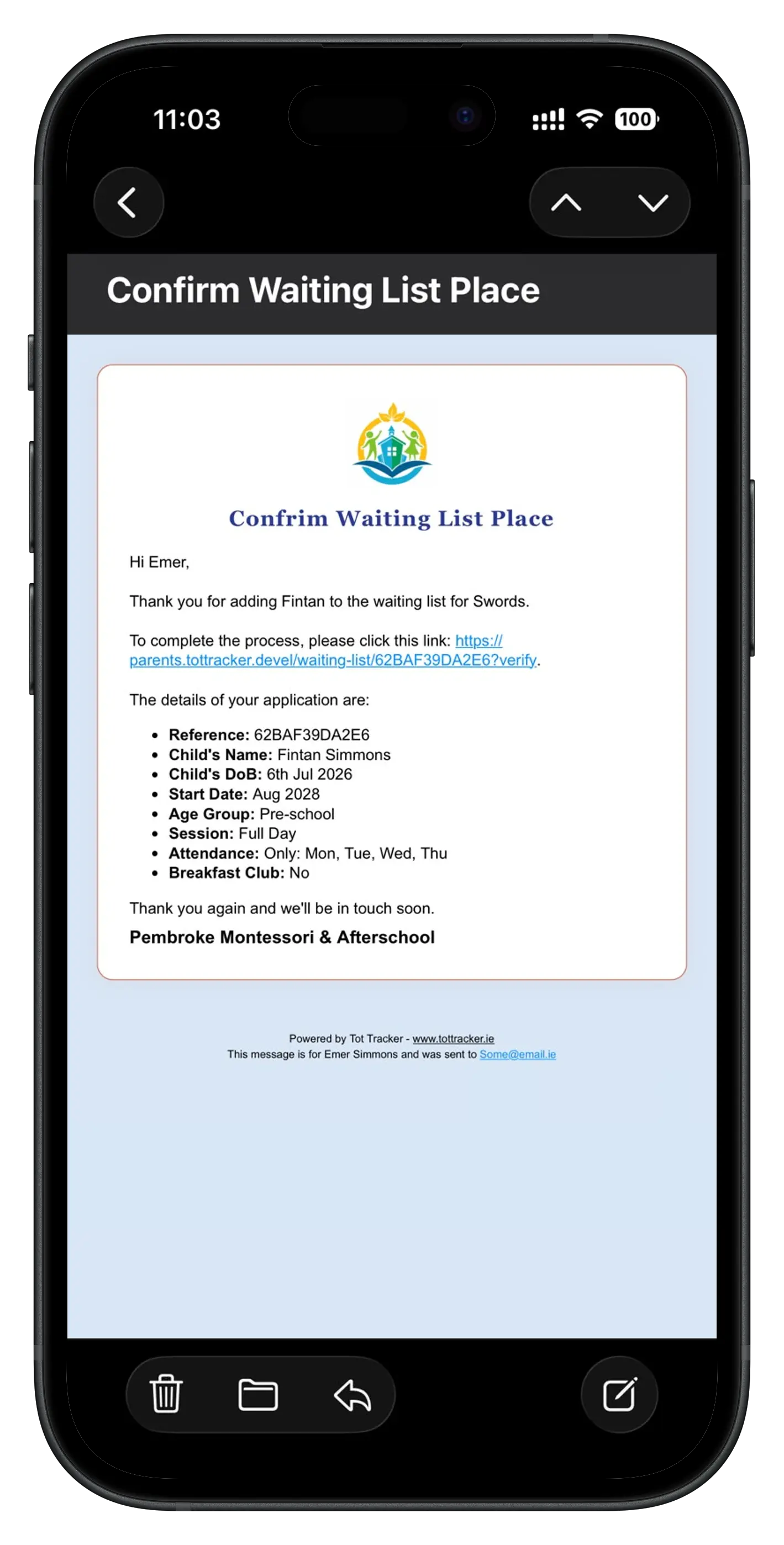
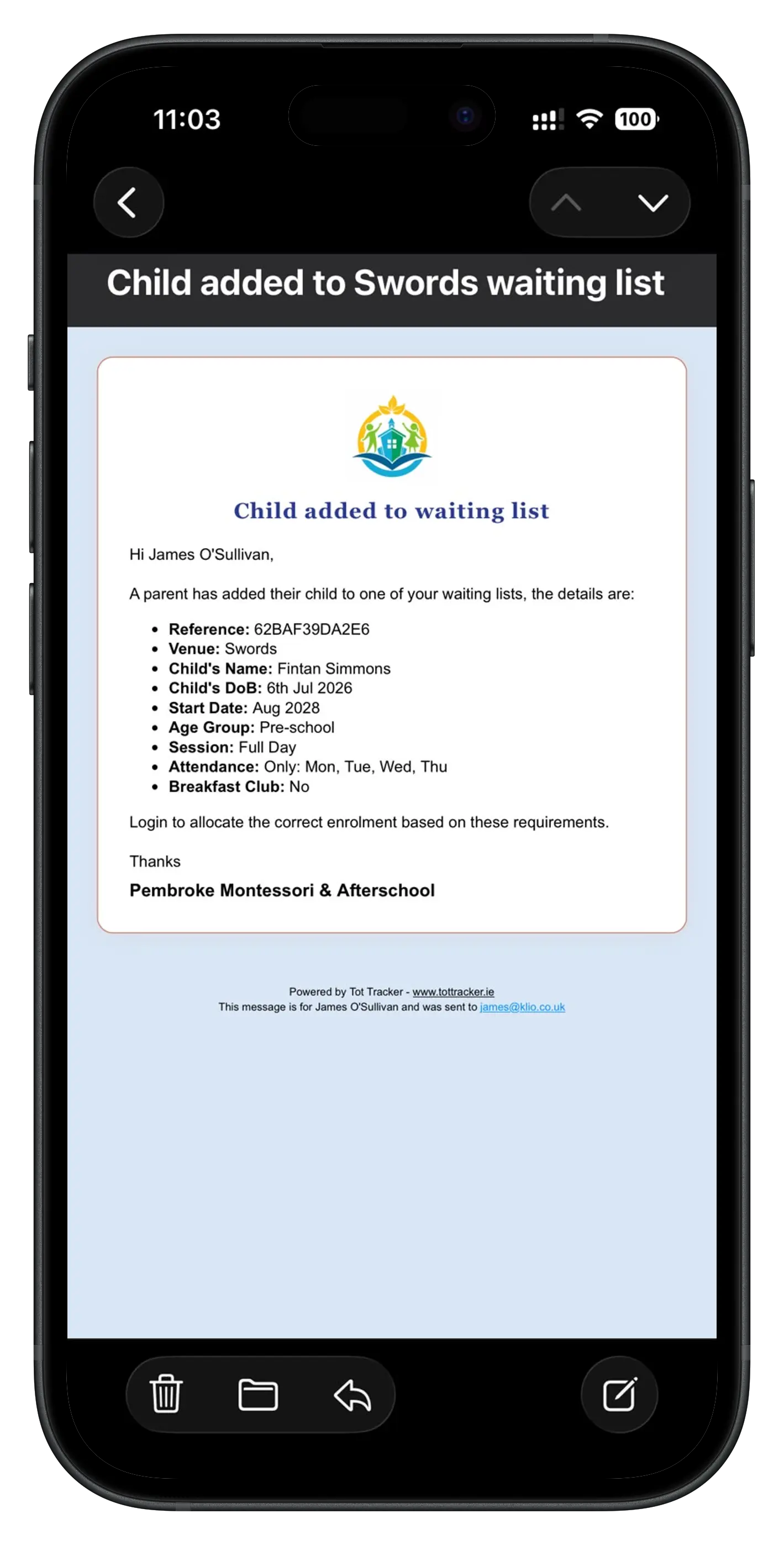
Parent confirmation email with the waiting list verification link Staff notification email when a parent joins the waiting list

Only the options you actually offer

You control what parents see. Operate five days a week with full day or morning sessions only? Those are the only options shown. Run a breakfast club? Add it as an option too.
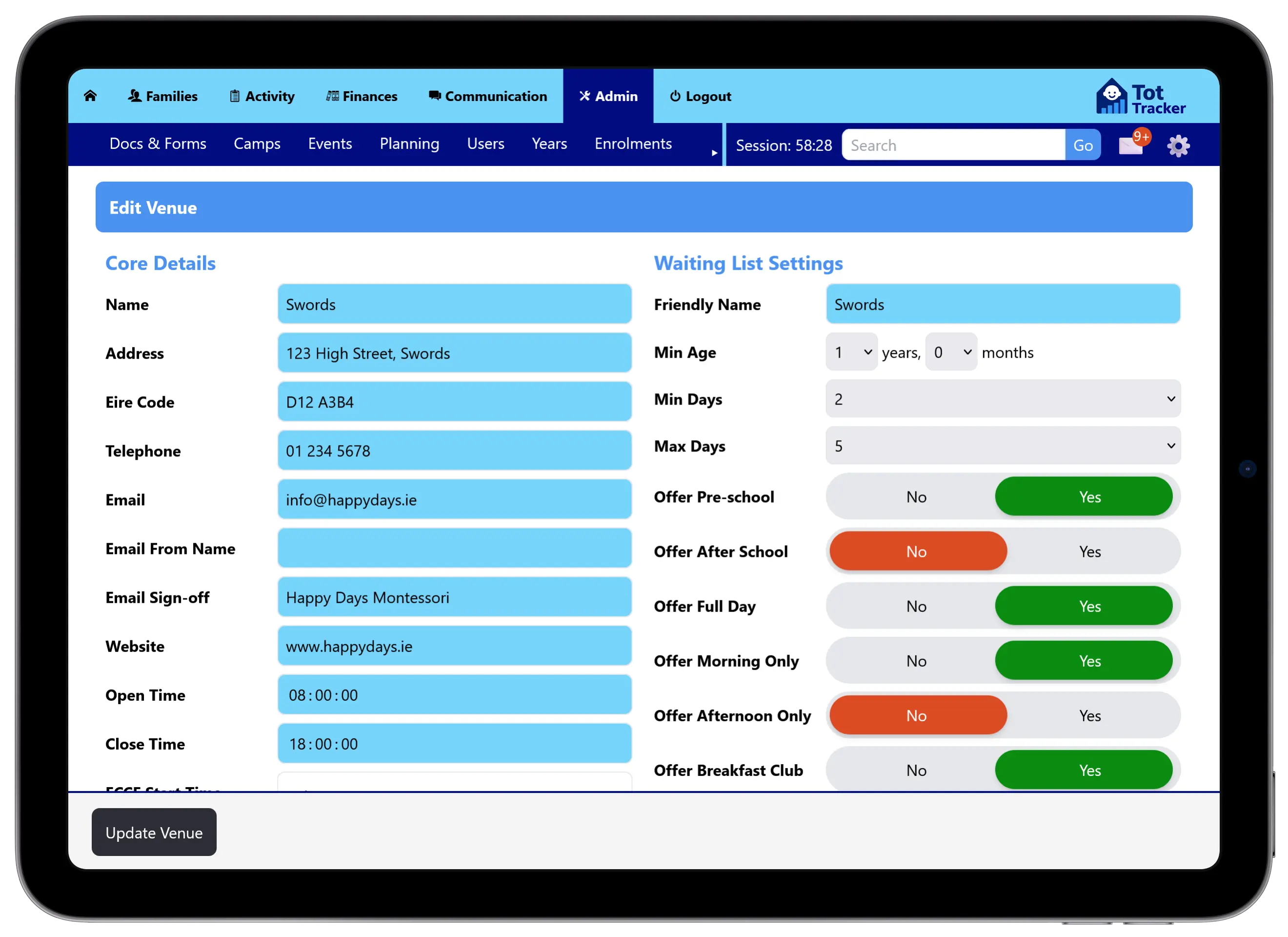
Staff-side venue settings for configuring waiting list days, sessions and extras

As with every Tot Tracker feature, the parent-facing waiting list is included in your subscription at no extra cost. See pricing →

← Back to all updates

Let parents join the queue themselves

Book a free demo and see the parent-facing waiting list end to end, from application to allocation.