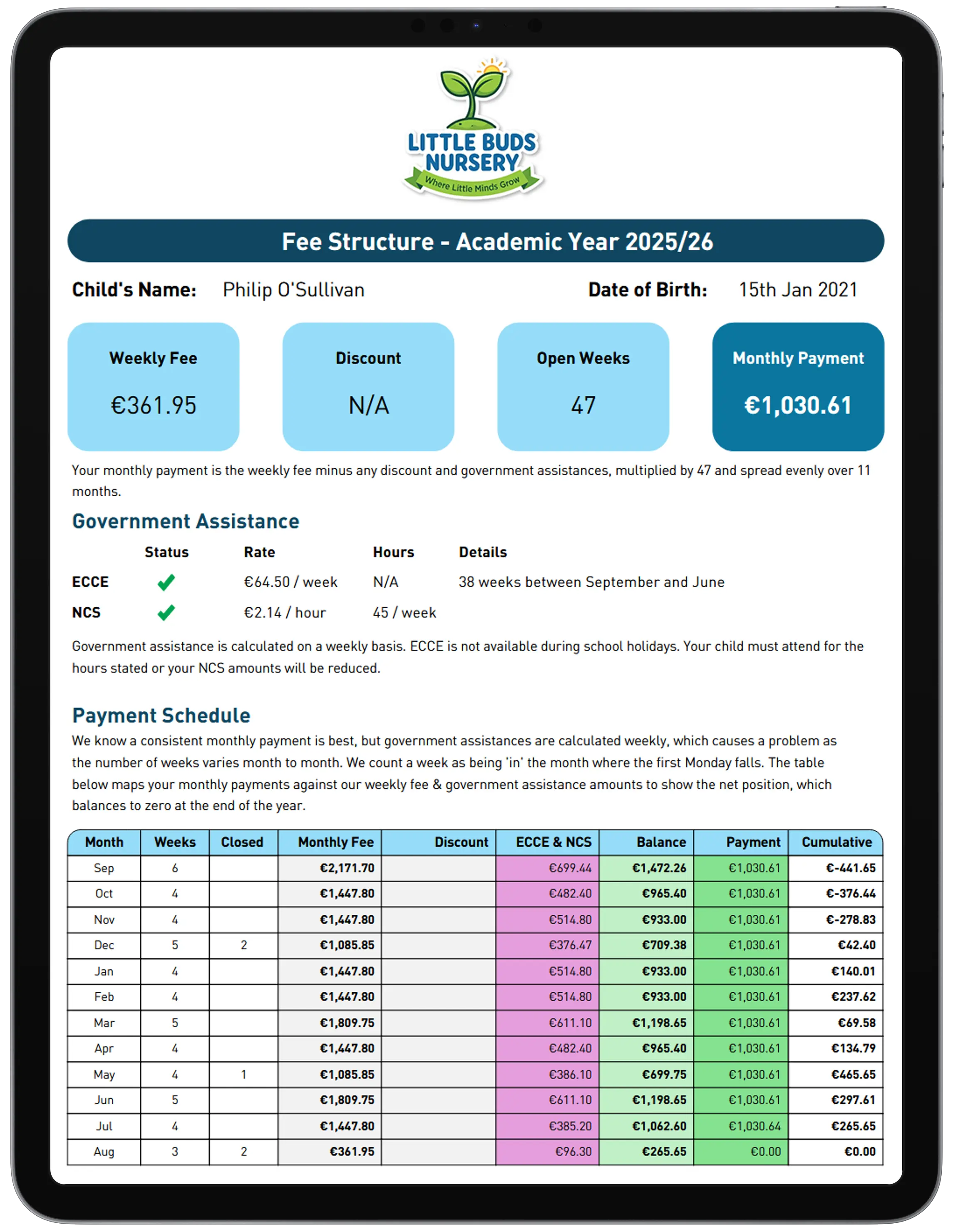
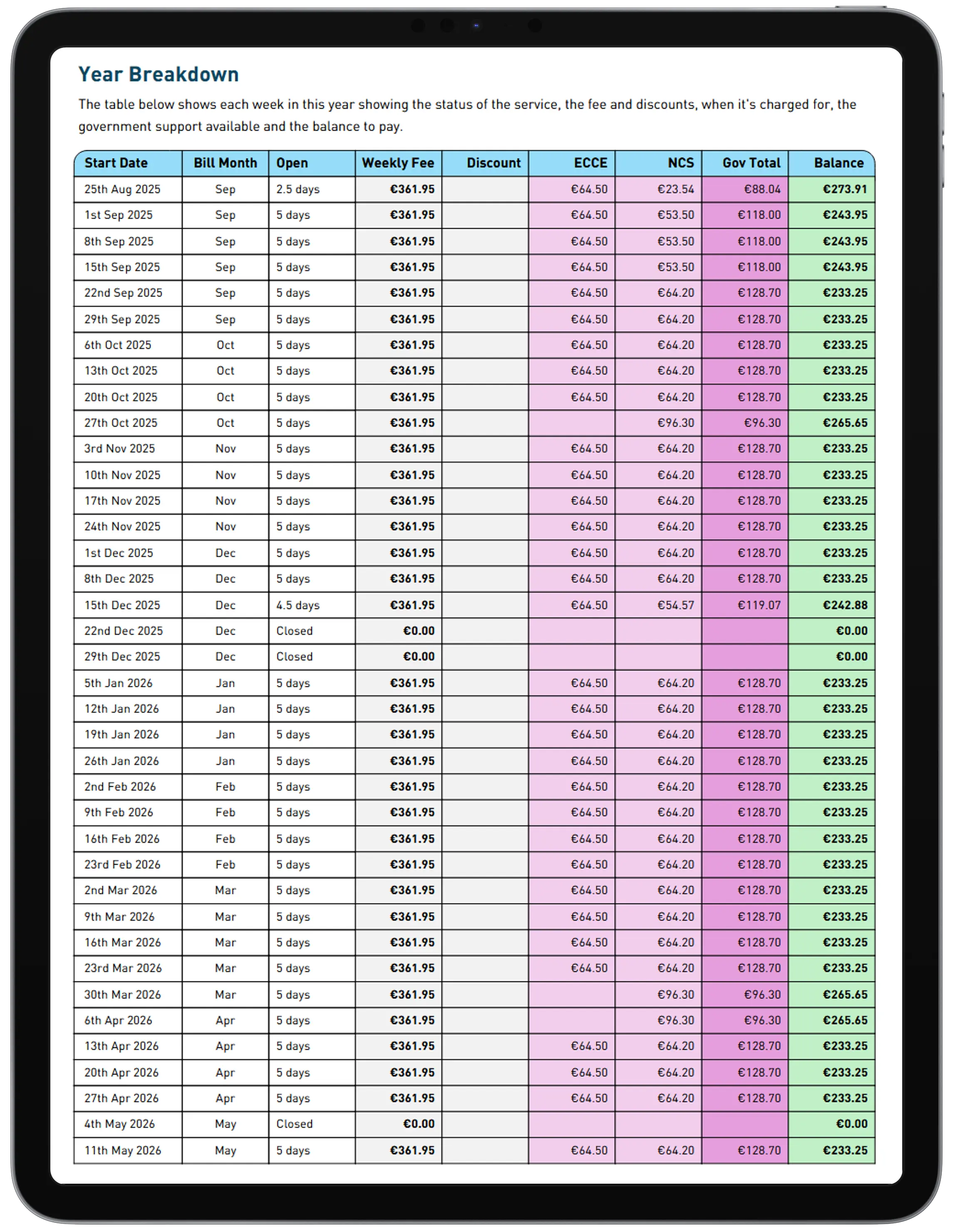
Pick a child, get the full picture
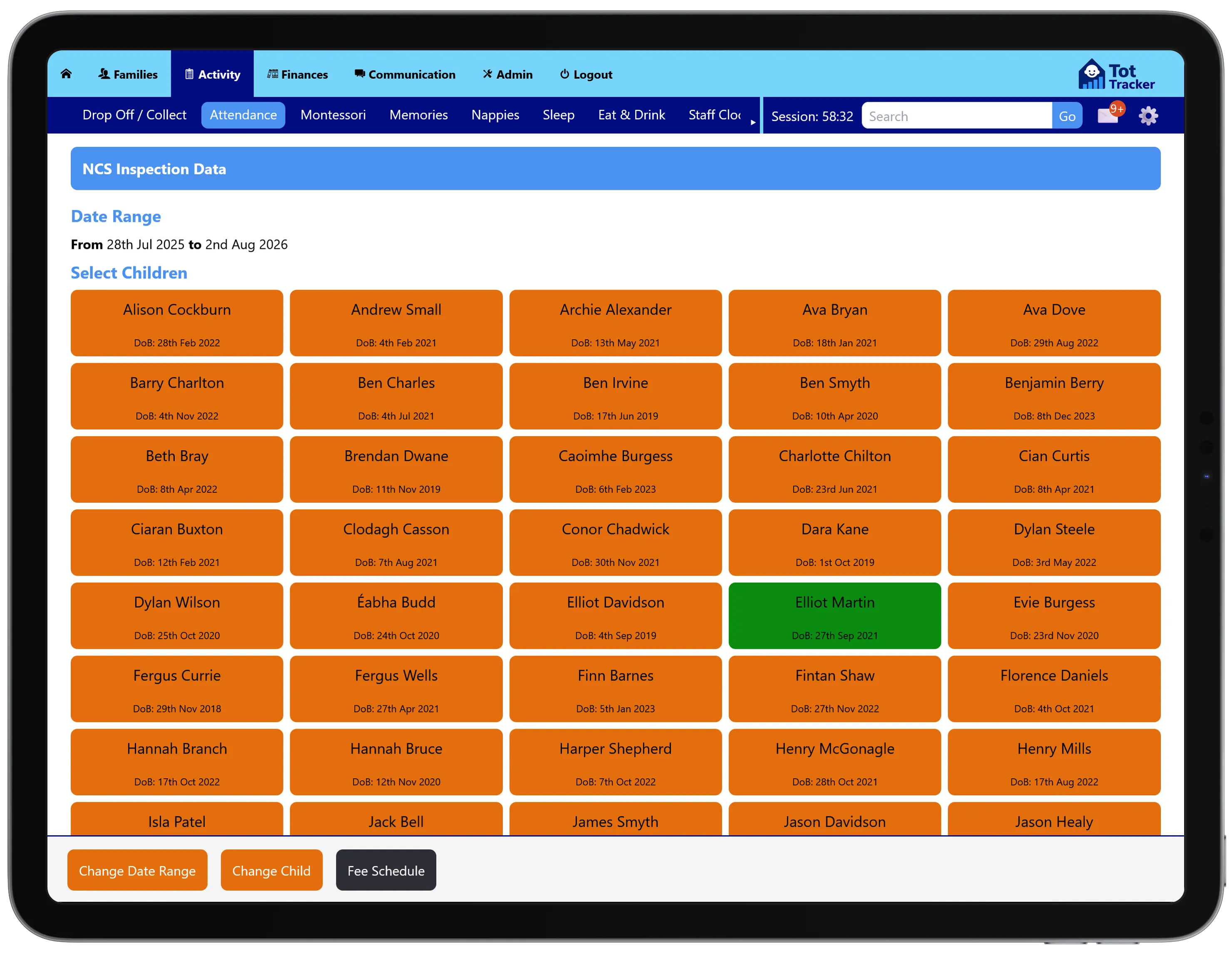
Set the date range an inspector cares about, choose a child from the list, and their full record for that period is right there. No exporting, no cross-checking three different reports while someone waits.
See straight away who's short on hours
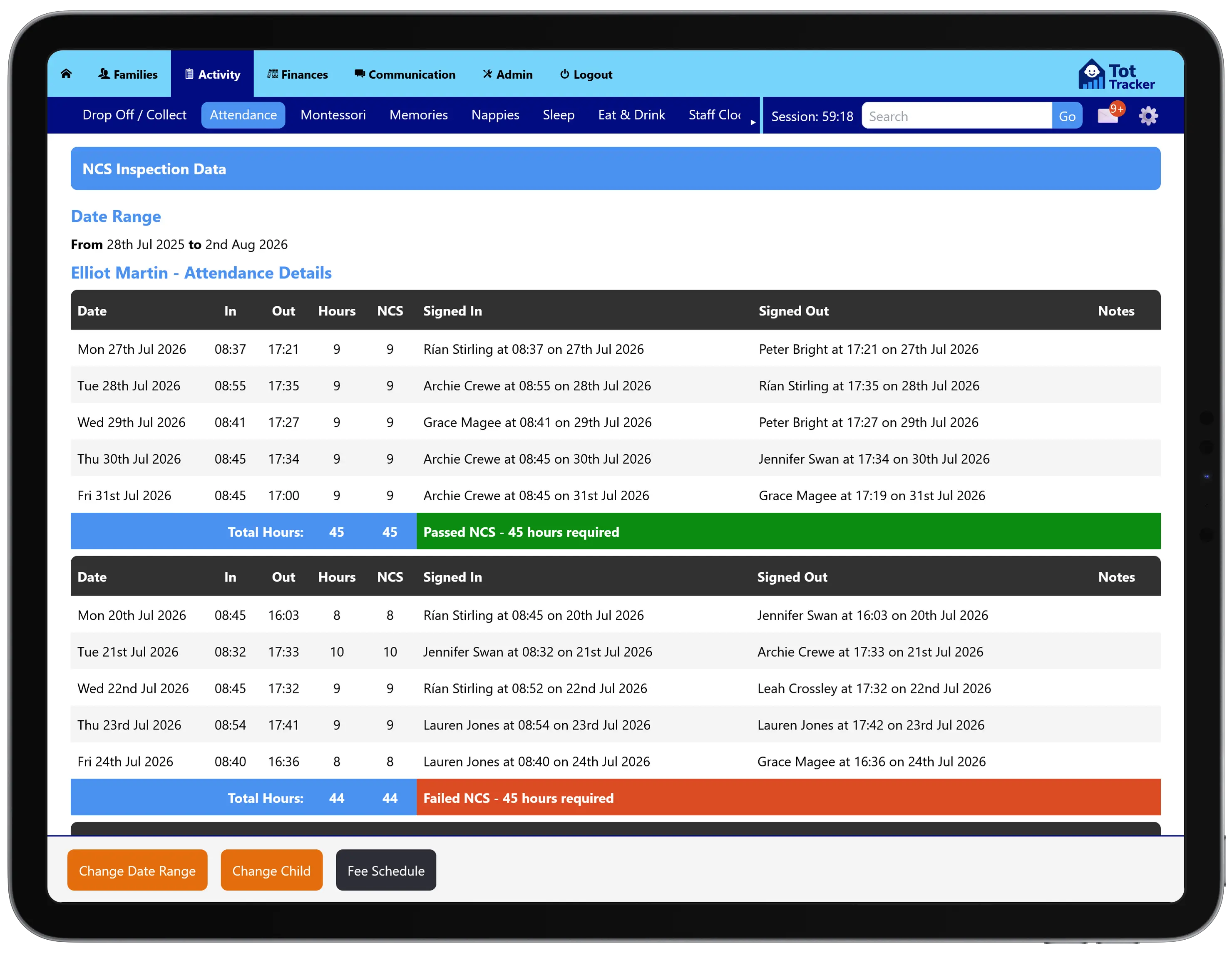
Every week of attendance is totalled and checked against the 45 hours NCS requires, with a clear pass or fail against each one, right down to who signed a child in and out and when.
No more adding up sign-in and sign-out times by hand before an inspector arrives, or hoping you've caught every shortfall.
Funding sits right alongside it
The same view carries through to each child's fee schedule: annual fee, ECCE capitation, NCS subsidy, and the monthly amount that's left. Attendance and funding for one child, in one place, answering the two questions an inspector actually asks.