Available todayAvailable now
These staff features are live in every Tot Tracker account:
- Staff clock in and out, with breaks and off-site time
- A daily timeline of every staff member, with editable records
- Clocking restricted to devices you authorise
- User accounts for every member of staff
- Role-based access controls, scoped to each venue
- Two-step login to protect accounts
Staff clock in and out
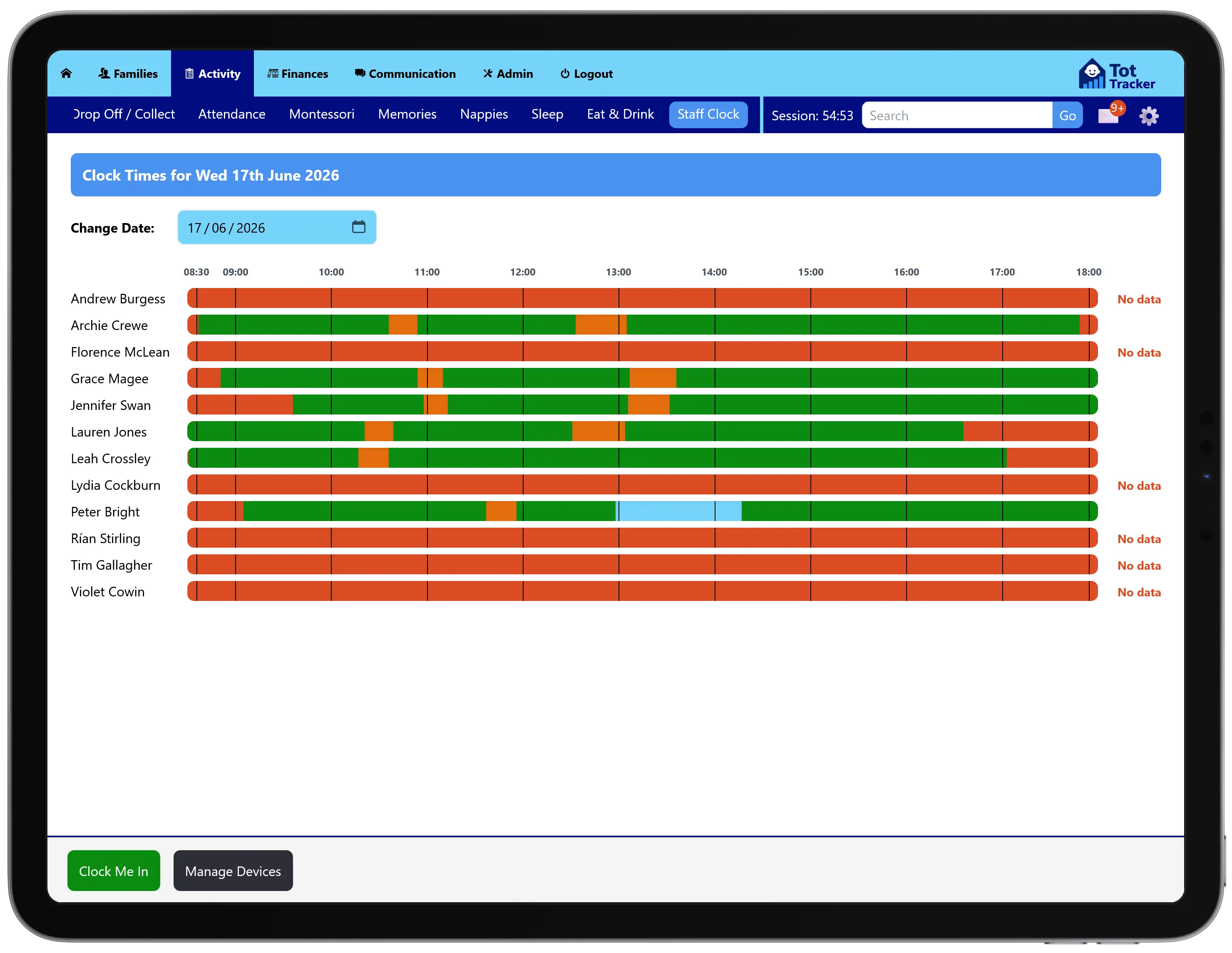
Staff clock in, take breaks, step off-site and clock out from the same dashboard they use for drop-off and collection. A school run or a trip to the shops is tracked the same way as a break.
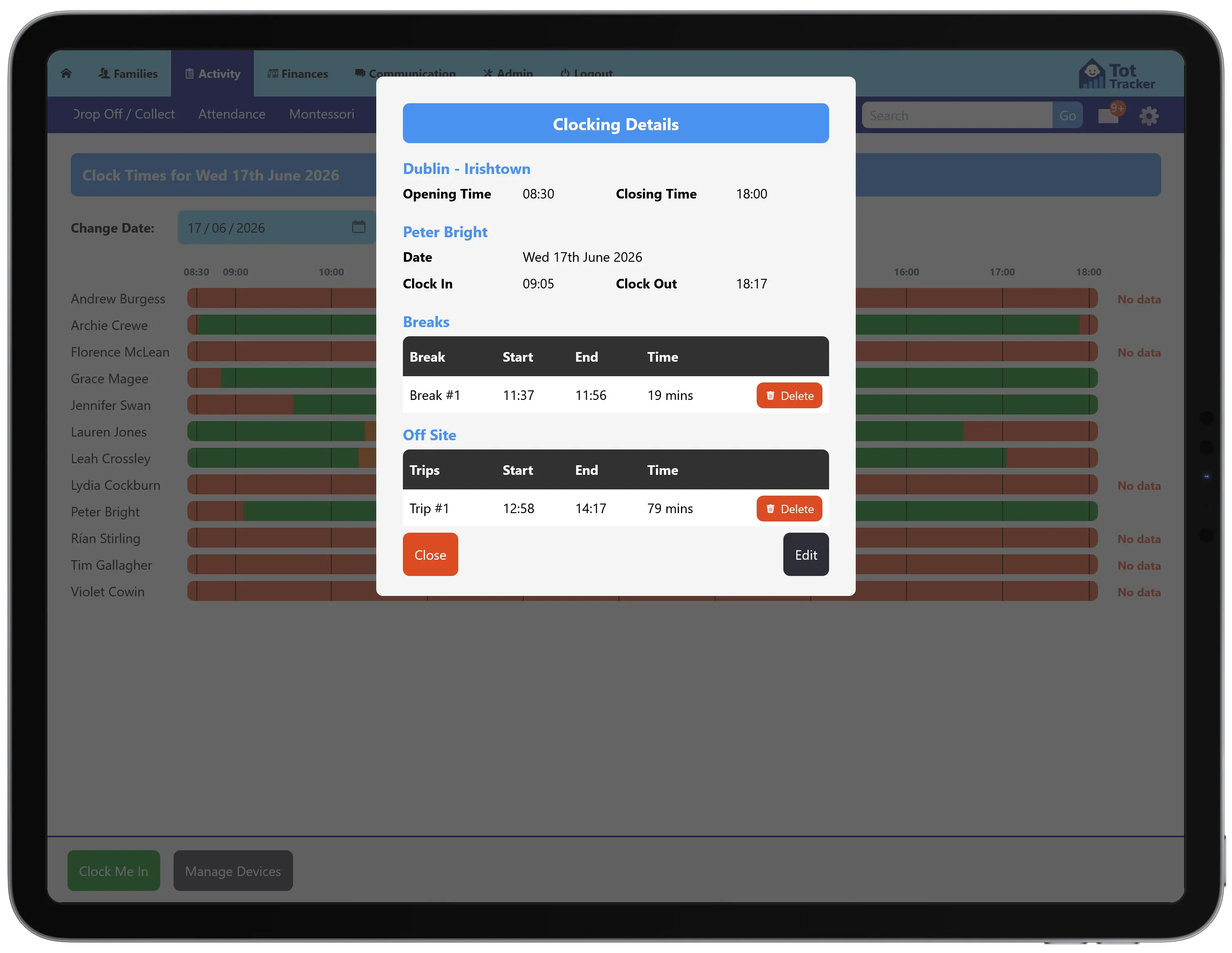
One screen shows every staff member's day as a coloured timeline: on site, on break, off site, or no data. Tap any entry for the exact times, how long each break ran, and when an off-site trip started and finished, and correct it if needed.
It gives you an auditable record of who was on site and when, which supports the staff-to-child ratio questions an inspector asks. Tot Tracker's clock records are not a payroll system.
Authorised devices
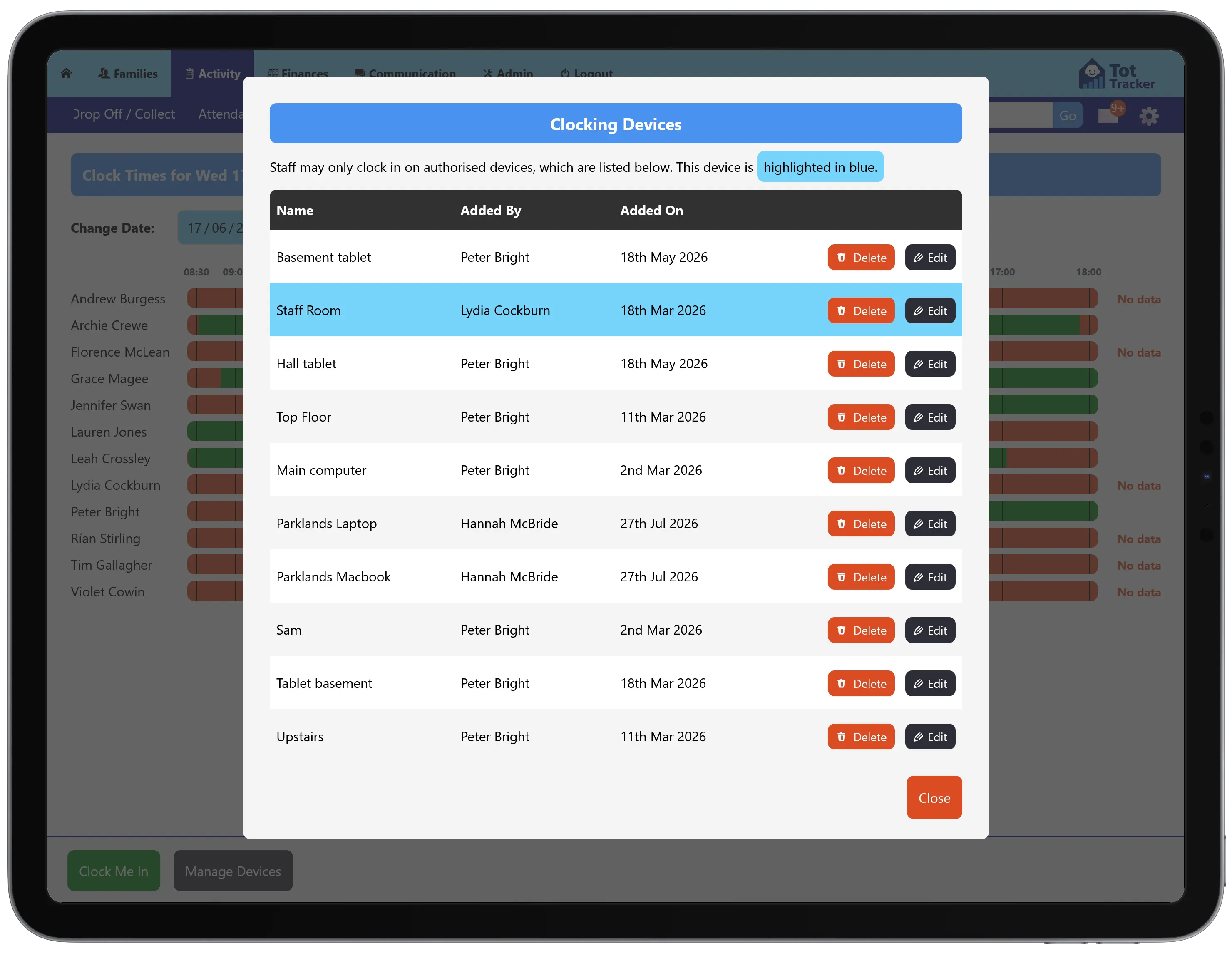
Staff can only clock in from a device you have authorised, so a shift cannot be clocked from a phone at home. Add or remove devices whenever you need to, and the one in use is highlighted.
User accounts and access control
Every member of staff has their own login. Access levels decide what each person can see and do, from recording a nappy change to editing invoices, and permissions are scoped to the venue so multi-site services keep each location separate. Two-step login adds a second check at sign-in.
Attendance, care records and NCS records are all attributed to the member of staff who made them, which is what gives the inspection report its audit trail.
Coming soon: the Tot Tracker HR moduleComing soon
The following features are in development and are not available yet. Full Team HR is on the roadmap for late 2026.
RecruitmentComing soon
- Vacancies
- Applicant tracking, from application to offer
Staff profiles and onboardingComing soon
- Contracts, contacts and room assignments
- Onboarding checklists completed before a first shift
Qualifications and Garda vettingComing soon
- Qualifications with issue and expiry dates
- Garda vetting disclosure dates and status
- Alerts before anything expires
Rotas, hours and leaveComing soon
- Rotas with warnings against required staff-to-child ratios
- Working hours summaries
- Annual leave requests and approvals
When each of these launches, it will move into the Available today section of this page and be announced on our product updates page.