Pick your language with one tap
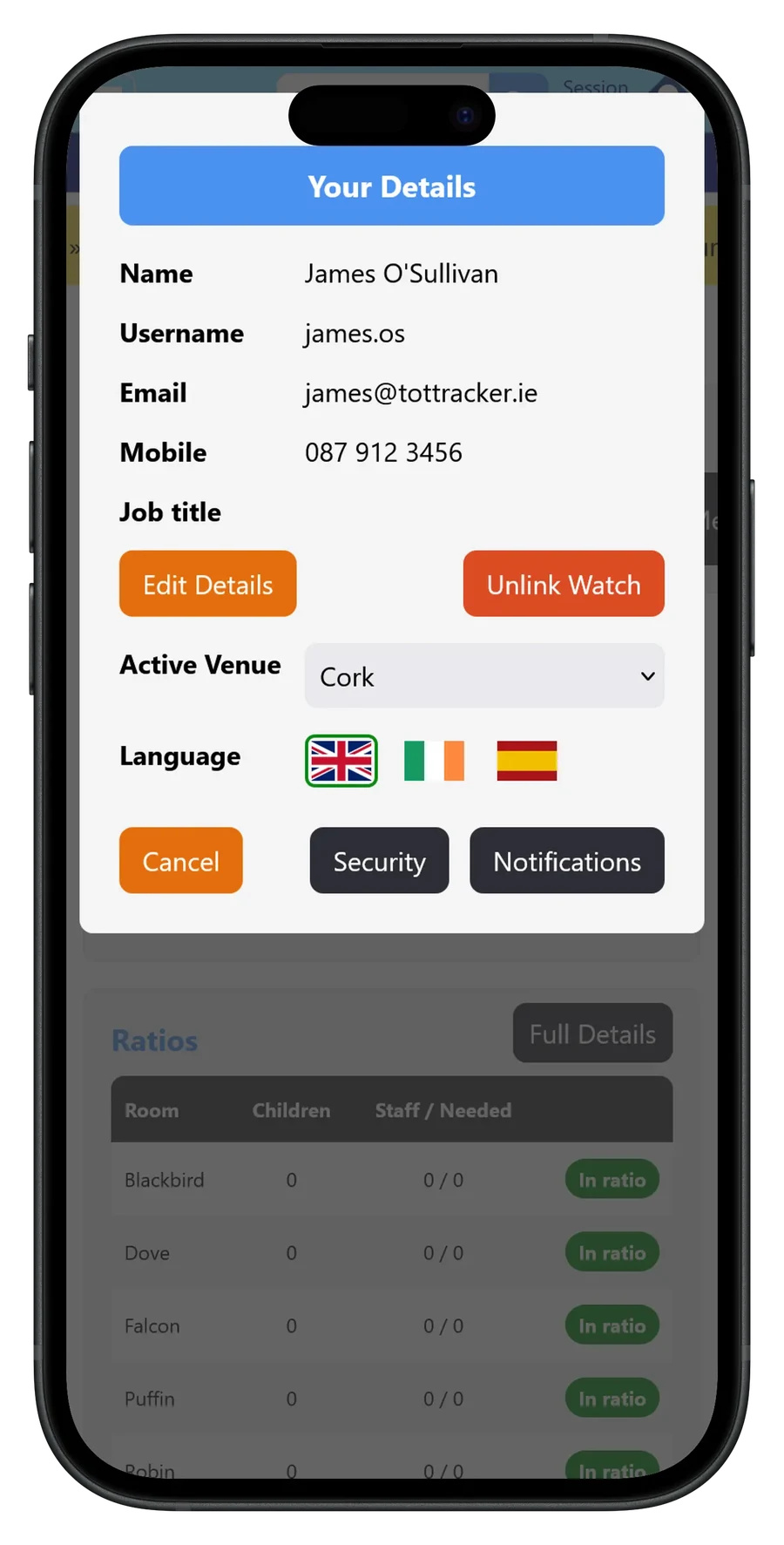
Each member of staff chooses their own language in Your Details, using flags for English, Gaeilge and Español. Tap a flag and the whole app switches over.
Your choice is saved to your account, so it is there the next time you sign in, and a colleague beside you can work in English while you work in Irish. Anything that has not been translated yet shows in English rather than being left blank.
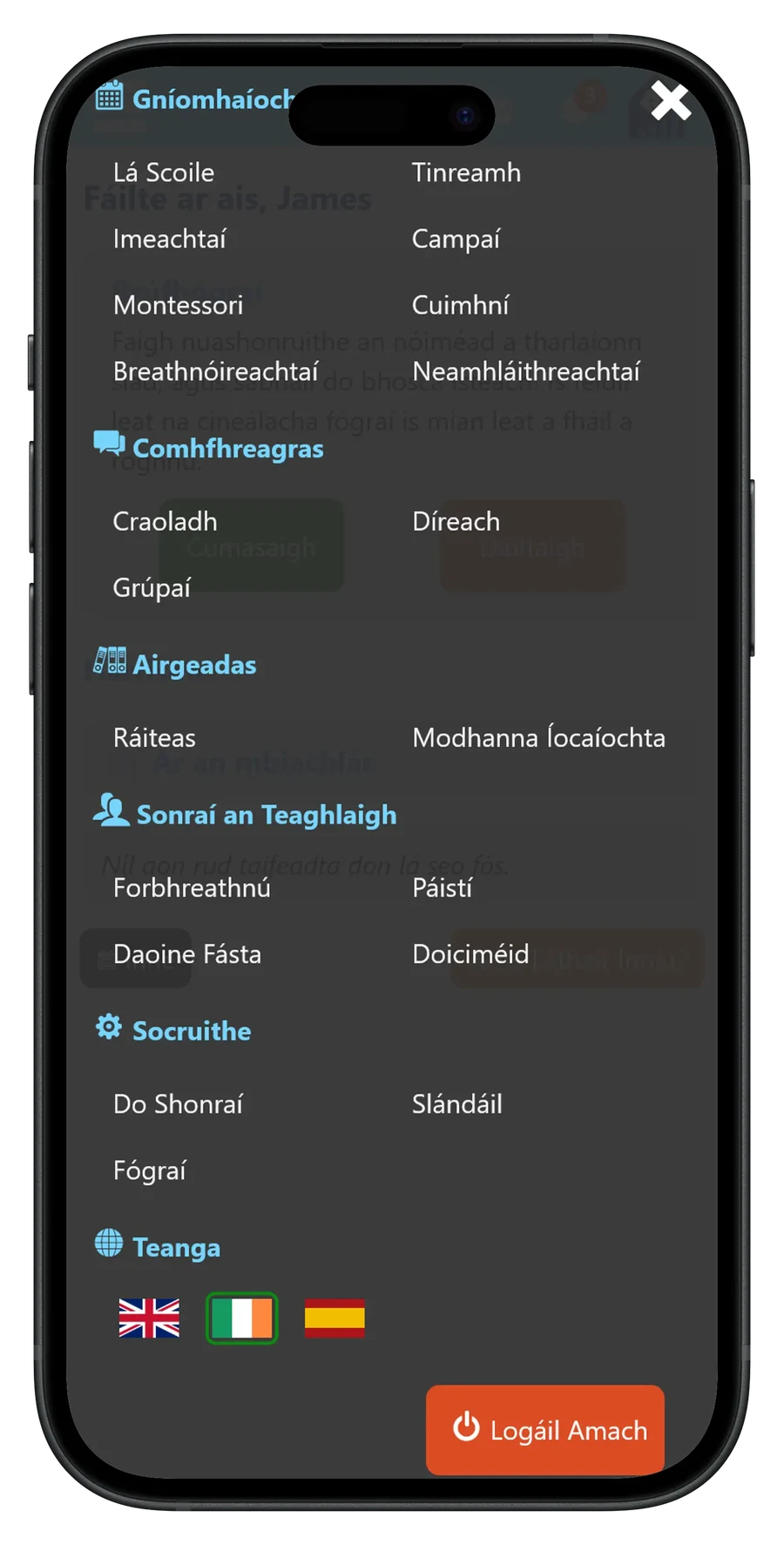
The whole app, as Gaeilge
Menus, headings and buttons all switch to Irish, from Lá Scoile and Imeachtaí to Comhfhreagras and Socruithe. The language picker sits at the bottom of the menu under Teanga, so it is easy to switch back.
Parents choose their language in the parent app in the same way. The login screen remembers the last language picked on that device, so a parent who works in Irish is greeted in Irish before they have typed a password.
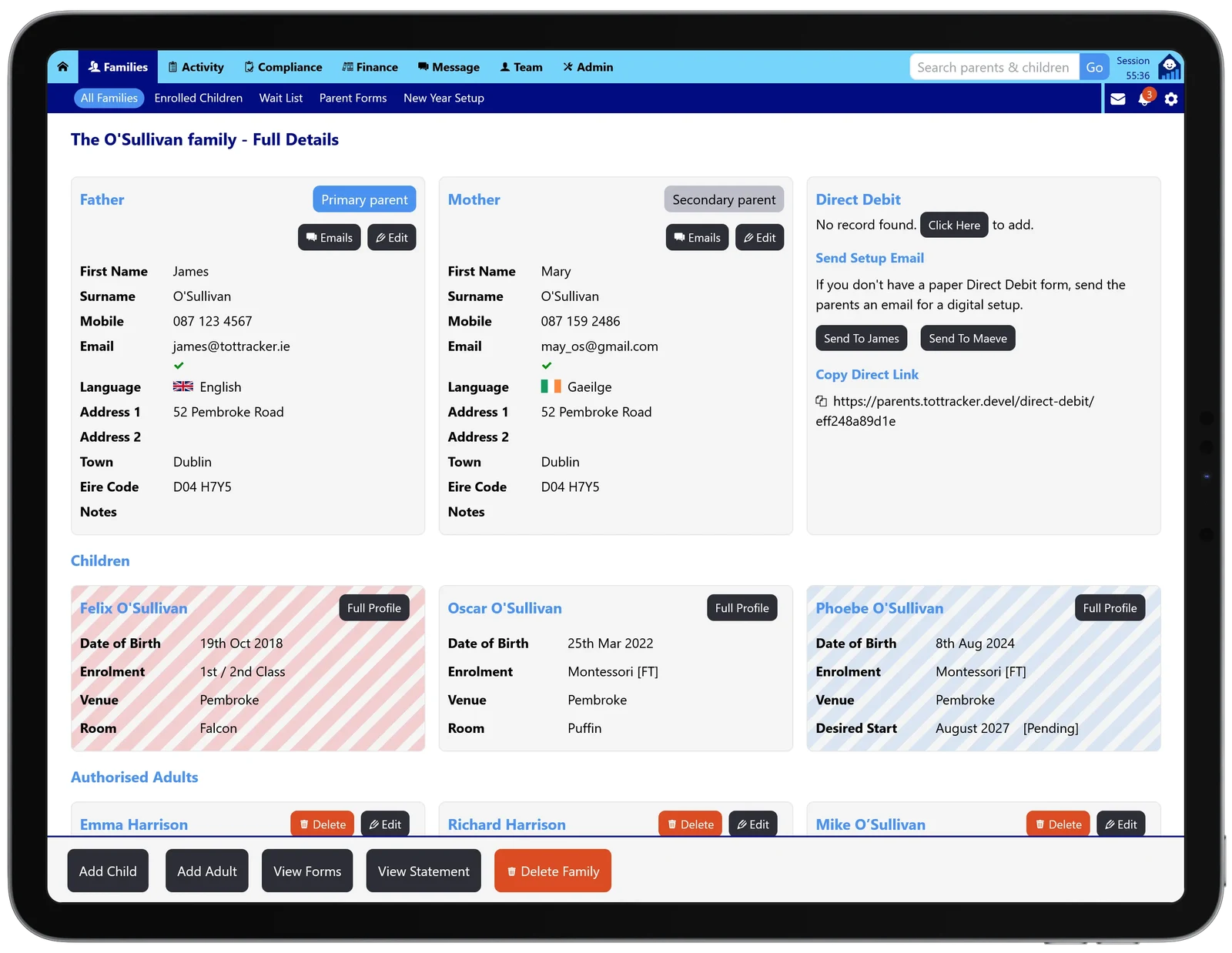
Each parent's language on their record
Every parent on a family has a Language field, shown on the family page with their flag. It fills in on its own when a parent picks a language in the parent app, and you can set it yourself for parents who have not signed in.
That is the language the standard messages Tot Tracker sends to them are written in, so one family can have a parent receiving English and another receiving Irish.
What is translated, and what is not
The app itself and the standard messages Tot Tracker sends are translated. Anything you write yourself, such as forms, messages and notes, goes out exactly as you wrote it, because Tot Tracker does not translate text on the fly.
If you want a message or form in Irish or Spanish, write it in that language. Spanish works in the same way as Irish, so it is there for educators and families who prefer it.